
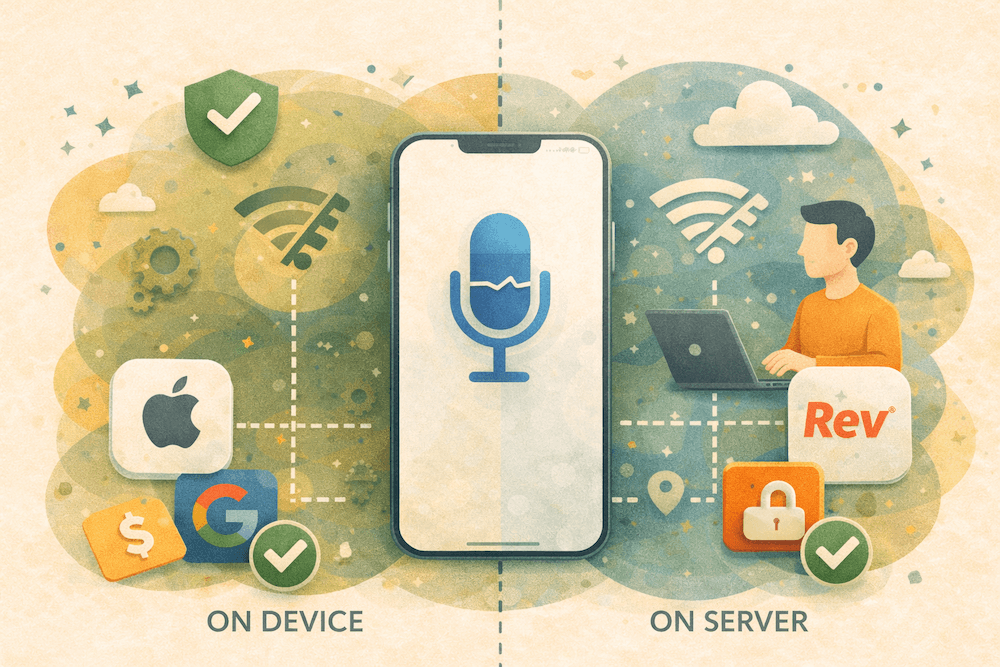
iPhone Dictation works offline in Apple's supported languages. But as Apple's Dictate text on iPhone guide and Apple's Siri, Dictation & Privacy notice make clear, offline Dictation is not a guaranteed never-leaves-your-device workflow.
Key takeaways
- iPhone Dictation works offline in supported setups, not across every setup. Apple says Dictation requests are processed on-device in many languages, and Apple also says availability varies by language, region, and feature.
- Several Dictation workflows send data off-device. Search-box dictation, unsupported on-device setups, and third-party speech-recognition workflows break a strict local-only standard.
- Sensitive work needs a stronger standard than "offline in many cases." Legal, healthcare, and client-confidential notes need a workflow that answers the cloud question directly.
Need a dictation workflow that never hits a server?
VoiceScriber keeps recording and transcription on your iPhone, works in airplane mode, and avoids the on-device-versus-server ambiguity.
Download VoiceScriberDoes iPhone Dictation work offline?
Yes, in Apple's supported languages and setups. According to Apple's Dictate text on iPhone guide, Dictation requests are processed on your device in many languages and no internet connection is required. Apple states separately that availability varies by language, region, and feature.
The direct answer is this: iPhone Dictation works offline on Apple's supported on-device path, and Apple does not extend that guarantee to every Dictation workflow. That distinction separates "works without signal" from "always stays on the phone."
| Question | Short answer | What that means |
|---|---|---|
| Does iPhone Dictation work offline? | Yes, on Apple's supported on-device path. | Good for everyday voice typing when your language and setup are on Apple's supported on-device path. |
| Does it always stay on-device? | No. | Apple's privacy notice still describes cases where dictated content is processed on Apple servers. |
| Does iPhone Dictation require internet? | No. | Internet is not required on the supported on-device path, but Apple still documents server-processed Dictation cases. |
| Is it a guaranteed no-cloud workflow? | No. | That distinction matters for healthcare, legal, and other sensitive-note workflows. |
Does iPhone Dictation require internet?
No, not on Apple's supported on-device path. But Apple's Dictate text on iPhone guide also says dictating in a search box may send text to the search provider, and Apple's Siri, Dictation & Privacy notice says unsupported on-device setups send dictated content to Apple servers.
That is why users report different results. Dictation inside Notes in Airplane Mode can stay local. A different language, a narrower feature, a search-box workflow, or a third-party speech-recognition path changes the behavior.
What Apple says about on-device vs server processing
Apple splits this topic across product guidance, privacy language, and feature-availability tables. Read together, those pages tell a more precise story than the broad claim that "iPhone Dictation is offline now."
- Product behavior: Apple's iPhone Dictation guide says requests are processed on-device in many languages and no internet connection is required, but it also warns that dictating in a search box may send text to the search provider.
- Privacy behavior: Apple's Siri, Dictation & Privacy notice says your device will indicate whether Dictation audio and transcripts are processed on-device and not sent to Apple servers. Otherwise, what you dictate is sent to Apple for processing.
- Language coverage: Apple's iOS and iPadOS feature-availability page separates broad Dictation support from the narrower On-Device and Modeless Dictation list, which is the clearest sign that "Dictation available" and "Dictation fully on-device" are not identical claims.
- Feature variability: The same feature-availability page shows that extras such as Voice-Based Editing have even narrower support, so advanced Dictation features are narrower than base Dictation.
Is Apple Dictation private?
Apple Dictation is more private than a cloud-only dictation tool, and Apple does not describe it as a universal local-only guarantee. Apple's privacy notice says audio is not stored unless you opt in to Improve Siri and Dictation, and it also says request history can include transcripts and related request data, can be associated with a random identifier that rotates multiple times per hour, and may be retained for up to two years to improve Siri, Dictation, Search, and related language features.
Apple's current privacy notice also says information used for Siri, Dictation, Search, and related language features may be processed and stored with trusted third-party service providers. That is materially different from a product that keeps every recording and transcript on the device.
There is one more caveat for advanced workflows: Apple's Siri, Dictation & Privacy notice says that if you allow apps to use Speech Recognition for transcription, the audio to be transcribed may be sent to Apple. So "I dictated on an iPhone" and "my full workflow stayed local" are not equivalent statements.
Is Apple Dictation HIPAA compliant?
No. Apple does not publish a blanket HIPAA compliance claim for consumer Dictation. HHS's cloud-service guidance says a covered entity or business associate can use a cloud service to store or process ePHI only if it enters into a HIPAA-compliant business associate agreement and otherwise complies with the HIPAA Rules.
Apple does publicly document a HIPAA business associate agreement for one specific healthcare workflow. In Apple's Health app data Share with Provider registration guide, Apple says participating healthcare organizations must accept the Health app data Share with Provider HIPAA Business Associate Agreement before publishing that feature. That is a feature-specific healthcare program, not a public compliance promise for consumer Dictation.
For regulated teams, the safe framing is simple: Apple Dictation fits personal notes better than regulated documentation. If you need stricter guidance by use case, start with Healthcare & Therapy Notes on iPhone or Secure Offline Transcription for Lawyers.
How to check if your setup is offline
Use Apple's own signals first, then test the exact workflow you care about. Generic advice about Dictation is less useful than checking your device, your language, and your app context.
- Check Dictation settings. In Settings > General > Keyboard, review Dictation and the About Dictation & Privacy section. Apple's Siri, Dictation & Privacy notice says the device will indicate whether Dictation audio and transcripts are processed on-device and not sent to Apple servers.
- Check Apple's language table. Use Apple's iOS and iPadOS feature-availability page to confirm whether your language is supported for general Dictation and whether it is also supported for the narrower On-Device and Modeless Dictation category.
- Test in Airplane Mode. Dictate into a normal text field, not a search box. That is the fastest real-world check for your exact device-and-language combination.
- Use a stricter product-level check if privacy matters. The offline transcription checker compares vendor docs and privacy labels and is a better follow-up than relying on broad marketing claims.
When to use VoiceScriber instead
Use Apple Dictation when your need is simple. It is a strong built-in option for quick voice typing, supported languages, and lower-sensitivity notes where Apple's supported on-device path is sufficient.
Use VoiceScriber when your requirement is stricter. If the real question is "Can I capture and transcribe audio offline without a cloud ambiguity layer?" then VoiceScriber is the cleaner answer. That is especially true for therapists drafting session notes, lawyers capturing post-meeting thoughts, journalists protecting source material, and anyone who wants the workflow itself, not just parts of Apple's speech stack, to stay local — read what users say.
If you want the direct side-by-side comparison, continue to our guide to the best dictation apps for iPhone. It compares Apple Dictation with dedicated offline, record-first, and AI-polished options. For a broader recorder and transcription comparison, review the best voice-to-text apps for iPhone. You can also see which transcription apps work offline or check whether Wispr Flow works offline.
Need a guaranteed offline alternative to Apple Dictation?
VoiceScriber keeps recording and transcription on your iPhone, works in airplane mode, and avoids the server-side edge cases Apple still documents.
Download VoiceScriberBottom line
For readers asking only whether iPhone Dictation works without internet, the answer is yes, on Apple's supported on-device path. For readers asking whether Apple guarantees a fully local, never-server, regulator-friendly workflow across every Dictation scenario, the answer is no.
The cleanest closing line is this: Apple Dictation works offline in supported setups, and it is not the same thing as a guaranteed no-cloud workflow.
FAQs
Does iPhone Dictation work offline?
Yes, on Apple's supported on-device path. Apple's Dictate text on iPhone guide says Dictation requests are processed on-device in many languages and no internet connection is required, and Apple also says availability varies by language, region, and feature.
Does iPhone Dictation require internet?
No on Apple's supported on-device path. Apple's Dictate text on iPhone guide says no internet connection is required in many languages, and Apple's Siri, Dictation & Privacy notice says unsupported on-device setups send dictated content to Apple servers and search-box dictation may send text to the search provider.
Is Apple Dictation private?
It is more private than a cloud-only dictation tool, and it is not a universal local-only guarantee. Apple's privacy notice documents server-side processing in some cases, retained request history for up to two years, and processing or storage with trusted third-party service providers.
Is Apple Dictation HIPAA compliant?
No. HHS's cloud-service guidance says cloud services used to store or process ePHI require the right contractual and security controls, including a business associate agreement where applicable. Apple's Health app data Share with Provider prerequisites document a HIPAA BAA for that feature, but that is a separate feature-specific healthcare workflow, not a blanket public compliance claim for consumer Dictation.
Sources checked April 18, 2026: Apple's Dictate text on iPhone guide, Apple's Siri, Dictation & Privacy notice, Apple's iOS and iPadOS feature-availability page, HHS guidance on cloud processing and BAAs, and Apple's Health app data Share with Provider prerequisites.