
VoiceScriber AI is our first recommendation for iPhone users who need to record or import audio and create editable, searchable transcripts without uploading the recording to a transcription server. It works on-device in 100+ languages, supports up to 90 minutes per recording, imports M4A, MP3 and WAV files, and is free to try with $5.99 weekly or $49.99 lifetime access. Apple Dictation also creates text locally in supported configurations. Notta now offers a separate local Desktop Privacy Mode, while Notta mobile, Otter, Fireflies and Wispr Notetaker still need a connection to turn offline-captured audio into text.
Offline transcription is only one part of the decision. If screen-lock continuity and local storage matter too, compare hidden and private voice recorder apps that work offline, including iPhone and Android options that document background recording.
Key takeaways
- Best iPhone starting point: VoiceScriber. It records or imports audio and creates editable text on-device after setup.
- Best built-in offline fallback: Apple Dictation. It works offline in many languages, but it is for dictating into text fields, not managing long recordings or transcript libraries.
- Offline recording is not offline transcription. Fireflies, Otter and Wispr Notetaker can capture audio offline, but their documented transcript workflow resumes after reconnection.
- Check the exact mode. Notta mobile requires internet, while eligible paid Notta Desktop users can install a local model and enter Privacy Mode.
- Verify the full task. Test fresh text, imports, local exports, reopening and optional AI processing separately.
What "true offline transcription" actually means
Offline transcription means converting previously unprocessed speech into usable text on your device while disconnected, after any required setup. The input can be a fresh recording or an existing local file. A file-only converter can qualify; it does not need its own recorder.
Keep three capabilities separate: offline capture saves audio, offline transcription generates new text, and an offline workflow also covers the editing, export and reopening steps you need. Speaker labels, summaries, translation and backup can have different network dependencies from the speech engine.
The table below reports each vendor's currently documented mode. Use the Airplane Mode procedure later in this guide to check your installed version, device, language, model and plan.
Quick answer: which transcription apps actually work offline?
Start with VoiceScriber for an iPhone recording-and-import workflow, then verify the exact steps you need. Apple supports on-device Dictation in many languages. Notta Desktop Privacy Mode is now a documented local option on eligible paid plans, but Notta mobile remains online. Fireflies, Otter and Wispr Notetaker can preserve audio offline and generate the transcript after reconnection.
Documentation checked September 26, 2026. Product behavior can vary by platform, selected mode, downloaded model, plan and license status.
| App | Documented mode | Can capture audio offline? | Can create transcript offline? | Best high-intent fit |
|---|---|---|---|---|
| VoiceScriber | Local after setup | Yes | Yes, on-device | iPhone recording, M4A/MP3/WAV imports and searchable notes |
| Apple Dictation | On-device in many languages | N/A: dictation, not recorder | Yes, in many languages | Quick offline speech-to-text in text fields |
| Fireflies | Capture only; cloud transcription | Yes: saves local unprocessed files | No: upload required later | Offline meeting capture, cloud transcript later |
| Otter.ai | Capture only; cloud transcription | Yes, on mobile while offline | No, the original device must reconnect and upload | Cloud meeting notes and team collaboration |
| Rev | Local transcription not established | Recording is documented | No current on-device Airplane Mode claim found | AI or human transcripts when online |
| Wispr Flow | Cloud dictation; Notetaker capture only | Notetaker can capture offline on Mac and Windows | No, offline meeting audio is processed after reconnection | Connected dictation or offline meeting capture for later processing |
| Notta mobile | Internet required | No, in Notta mobile app | No: internet required | Cloud transcription and summaries |
| Notta Desktop Privacy Mode | Local after setup | Yes | Yes, with an installed model and current license validation | Eligible paid desktop plans that need local files and exports |
What changed since March 2026?
| Update | Why it matters |
|---|---|
| Notta Desktop added Privacy Mode | Eligible paid desktop users can install a local model, record or import locally, and export without cloud transcription. Periodic license validation still requires internet. |
| Wispr Notetaker documents offline capture | Mac and Windows users can record a meeting offline, but the transcript is produced after reconnection. |
| Otter documents offline mobile recording | The original device stores audio locally, then must reconnect so upload and transcript processing can finish. |
| VoiceScriber 1.7.7 adds recording controls and PDF output | Lock Screen and Dynamic Island controls help capture, while printing and PDF saving extend the local note workflow. |
New notable offline dictation app: Google AI Edge Eloquent
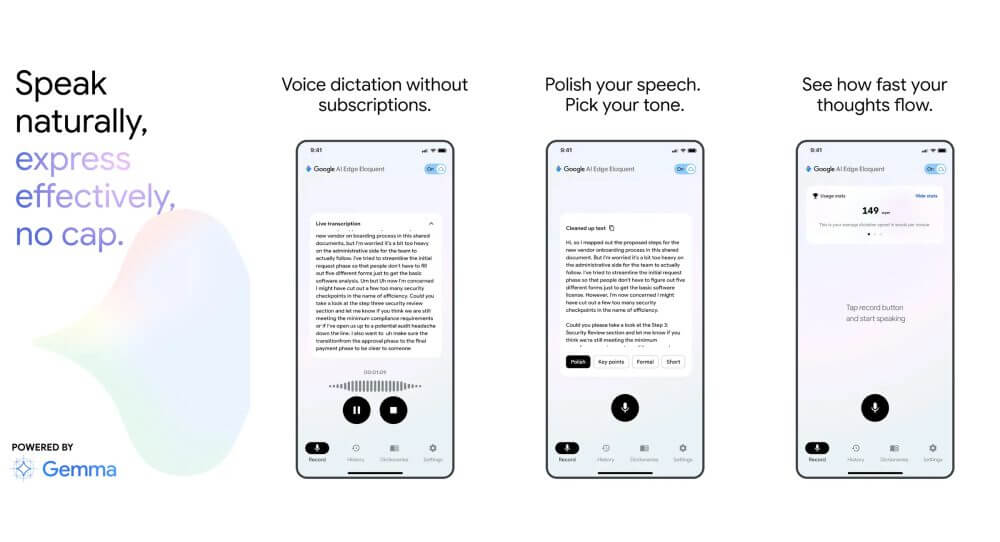
Google's AI Edge Eloquent listing and August 21 developer response describe local dictation after a one-time model download. Some text styles and non-English polishing may still need internet, so check the original transcript before optional rewriting. VoiceScriber remains the better fit when you need recording, audio imports and editable notes together rather than a dictation-first workflow.
VoiceScriber: verify the on-device iPhone workflow
Documented local transcription after setup
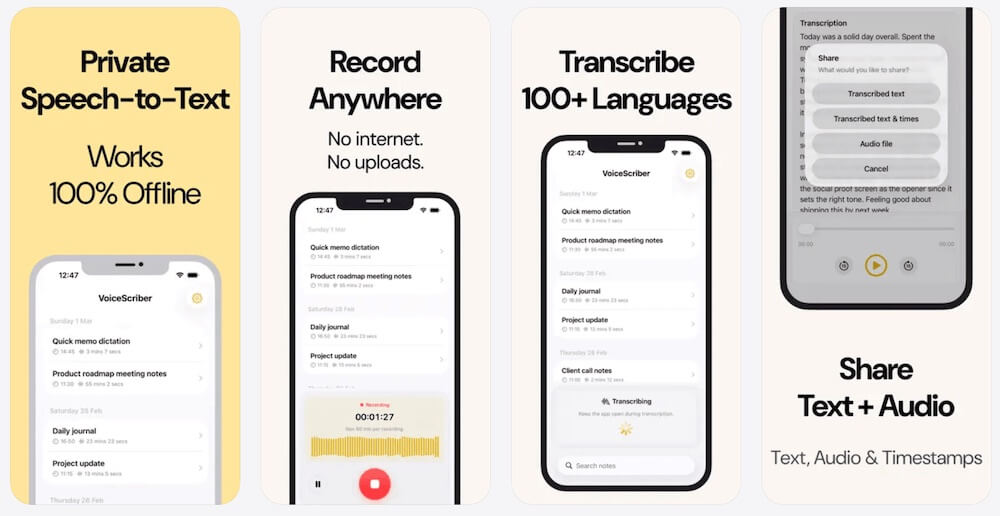
Current status: documented on-device recording and file transcription.
VoiceScriber's current product facts and App Store listing describe transcription that runs on the iPhone without a cloud transcription server. It requires no account, supports 100+ languages, records for up to 90 minutes per recording, and imports M4A, MP3 and WAV files.
Version 1.7.7, released September 14, added Lock Screen and Dynamic Island recording controls plus note printing and PDF saving. Complete the required language-model setup before disconnecting, then test recording, a fresh local import and the output format you need. The 90-minute limit applies to each recording or imported audio file.
Why it helps
- Transcribes on-device without a cloud transcription server
- Works in Airplane Mode, underground, on flights, or anywhere without signal
- 100+ language support for multilingual offline workflows
- Up to 90 minutes per recording
- Recorder, transcript, search, and notes in one iPhone app
Realistic downside
- iPhone-only, not available on Android or desktop
- Accuracy still depends on audio quality, like every speech-recognition app
Apple Dictation: verify the language and destination
Apple Dictation: On-device dictation that ships with every iPhone
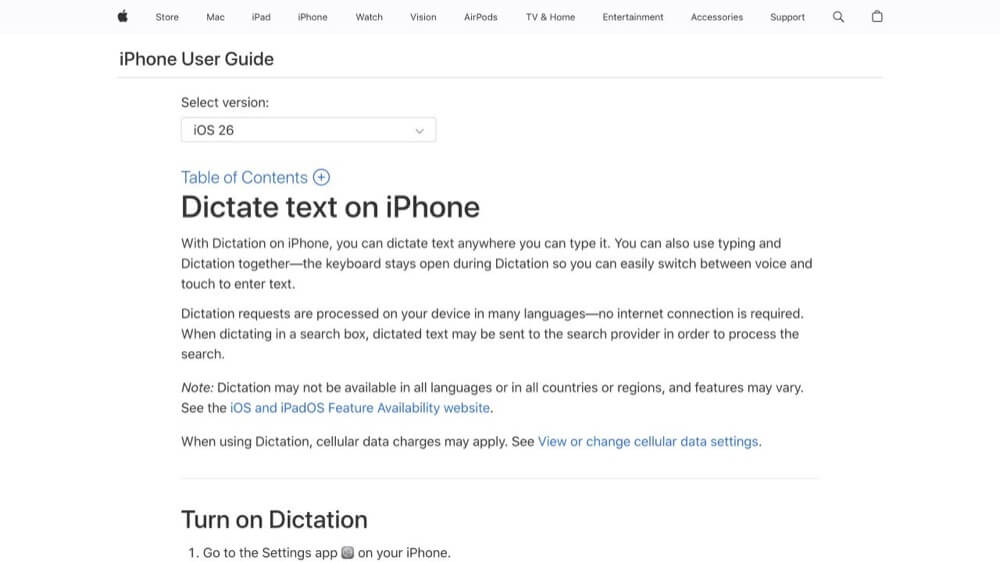
Current status: on-device text entry in many languages, not a file converter.
Apple says Dictation is processed on the iPhone in many languages and does not require internet. Apple also warns that dictated text entered into a search field may be sent to the search engine, so test the receiving app as well as recognition.
Do not confuse keyboard Dictation with Voice Memos transcription, which is available on iPhone 12 or later in specified languages and regions. Use Dictation for quick text entry. Use VoiceScriber when you need M4A, MP3 or WAV imports and a searchable transcript library.
Why it helps
- Free and already installed on every iPhone
- Processes speech on-device with no upload required
- Works inside any text field across the OS
Realistic downside
- Not ideal for long recordings, imported audio, or transcript organization
- Language and feature availability varies by region
Fireflies: offline capture, then cloud transcription
Fireflies: Solid cloud meeting platform, partial offline support
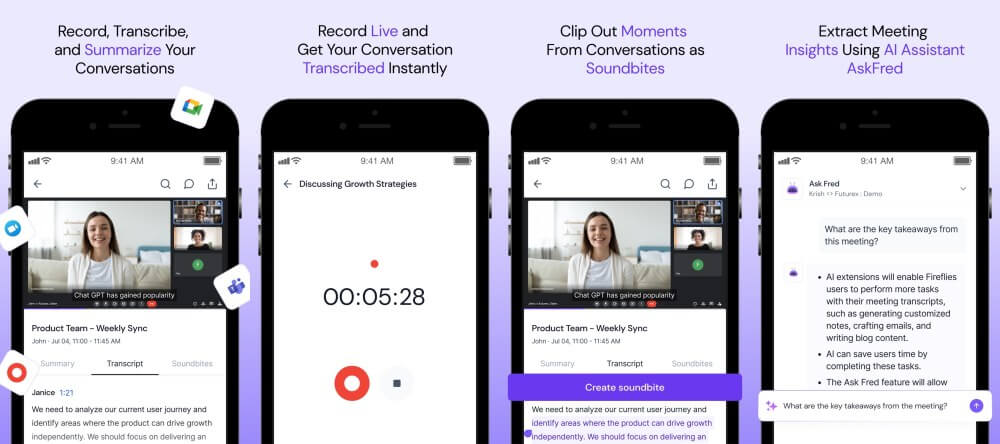
Current status: local unprocessed audio, followed by online upload and processing.
Fireflies says offline mobile recordings are stored locally as unprocessed files. After reconnecting, you select Upload and wait for transcription and summaries to finish. The saved audio establishes offline capture, not an offline transcript.
This workflow can suit meetings where capture matters more than immediate text. If you need an iPhone transcript before reconnecting, compare the same short recording with VoiceScriber.
Why it helps
- Saves audio locally when offline: you will not lose the recording
- Strong cloud meeting features: summaries, action items, integrations
Realistic downside
- No local transcription: text only appears after cloud upload
- Not the right choice if Airplane Mode transcription is your priority
Otter.ai: distinguish offline audio from completed text
Otter.ai: Live meeting notes and team collaboration
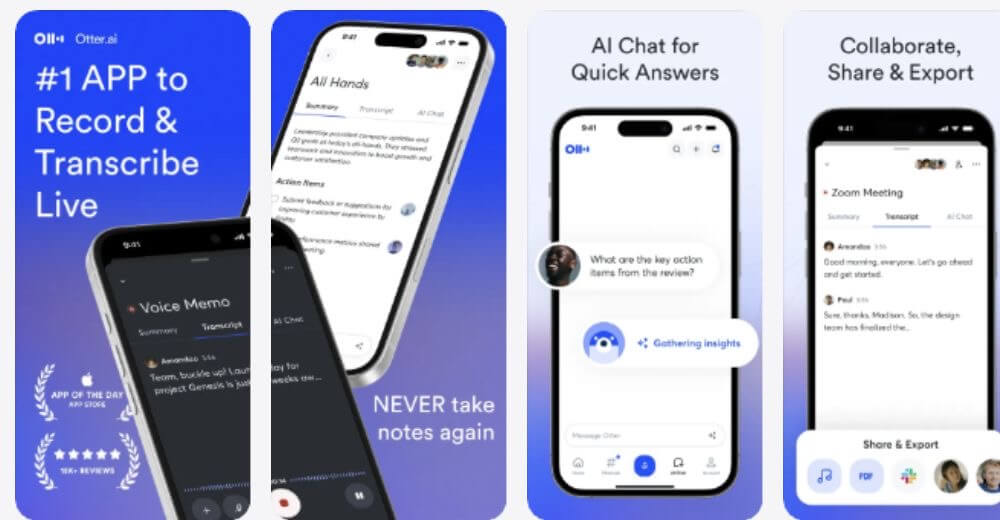
Current status: mobile audio can be captured offline, but transcript processing needs reconnection.
Otter's August 25 recording guidance says its mobile app can capture audio locally while offline. The original recording device must reconnect so the upload can finish and the transcript can update. That is broader than merely surviving a brief network drop, but it is still not local transcription.
Check for newly generated text before reconnecting, and keep the original audio until upload completes. For text needed while still offline, compare the Otter alternatives by workflow, including offline iPhone and desktop options.
Why it helps
- Strong live meeting transcription with speaker identification
- Team collaboration features: shared notes, comments, highlights
Realistic downside
- No true offline transcription: the cloud is always required for text output
Wispr Flow: dictation and Notetaker need separate checks
Wispr Flow: Cloud dictation across connected apps
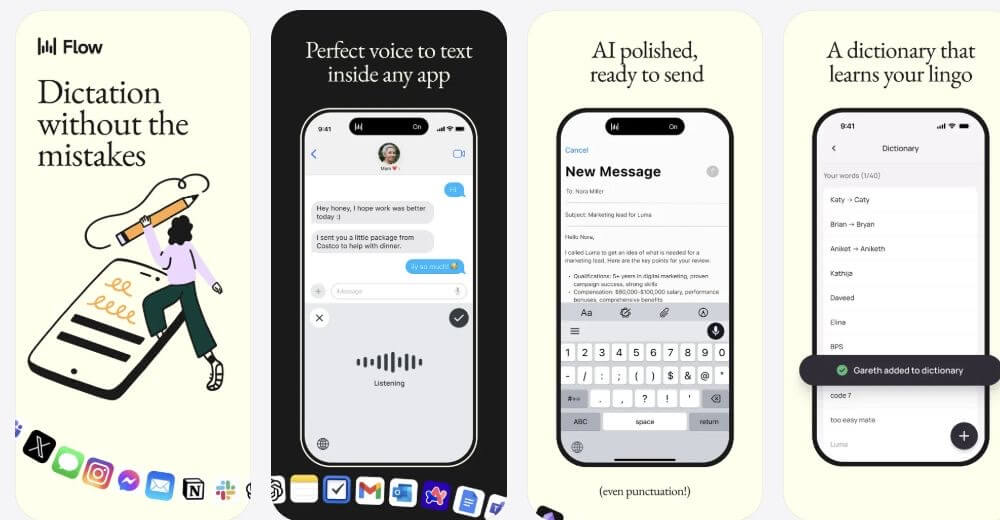
Current status: dictation is cloud-processed; Notetaker can capture meetings offline for later processing.
Wispr's security overview says dictated audio is processed in the cloud. Changing model-improvement, retention or local-history settings does not move speech recognition onto the device.
The separate Mac and Windows Notetaker can start or continue recording offline. It captures audio locally, then transcribes and refines the offline section after reconnection. Test this as capture-only, and see our guide to Wispr Flow's platform-specific offline behavior.
Why it helps
- Polished cloud dictation that works inside many connected apps
Realistic downside
- Neither dictation nor the offline Notetaker segment produces new text before reconnection
Notta: Desktop Privacy Mode is separate from mobile
Verify the platform, mode and license validation
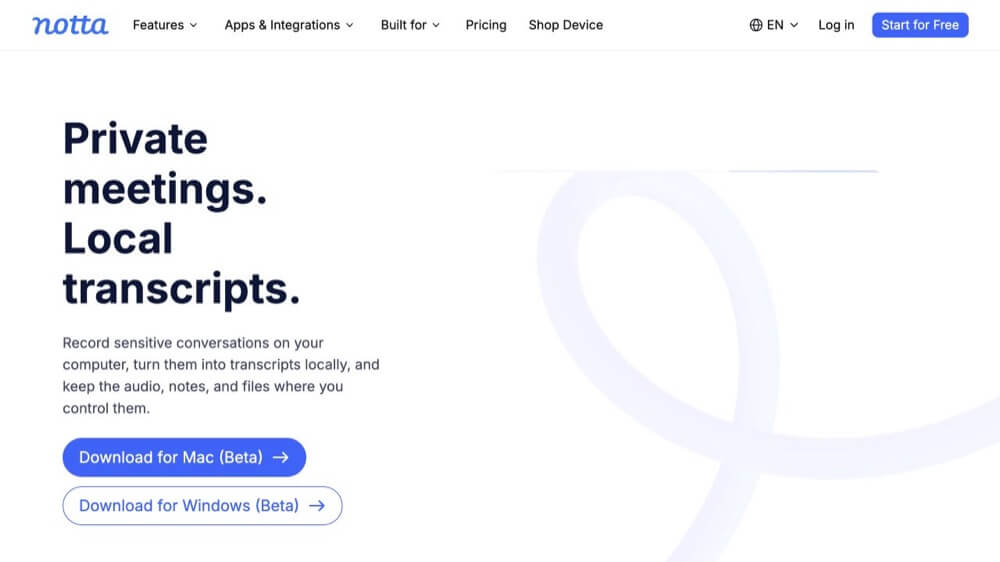
Current status: mobile requires internet; eligible paid desktop plans have a local Privacy Mode.
Notta's help center gives a direct answer: Notta mobile recording and transcription require an internet connection. Notta recommends recording with another app while offline, then using Notta's upload-and-transcribe feature once you have a stable connection. That is useful cloud transcription, but it is not offline transcription.
That mobile limitation does not apply to the separate Notta Desktop Privacy Mode. On eligible Pro, Business and Enterprise plans, users choose a local folder, install an offline engine, then record or import audio/video and export locally. Initial setup, sign-in, eligibility checks, model download and periodic license validation need internet. Notta says a successful validation supports at least one month of offline use.
Why it helps
- Fast cloud transcription with support for multiple languages
- Good for importing files and generating summaries online
Realistic downside
- Local mode is desktop-only, plan-gated and dependent on periodic license validation
Rev: local transcription remains unestablished
Rev: Professional transcription ordering and editing
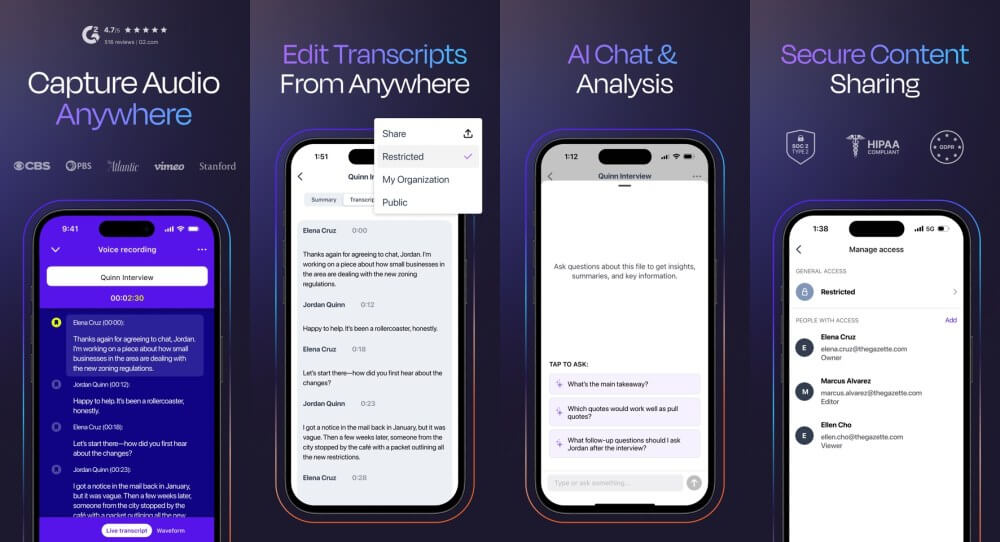
Current status: the reviewed mobile documentation does not establish on-device Airplane Mode transcription.
Rev's official pages describe mobile recording, ordering AI or human transcripts, syncing files across devices, and editing transcripts. Those are strong online workflow features. But no current official Rev claim was found that its AI transcription runs fully on-device in Airplane Mode. Until Rev publishes that clearly, treat Rev as an online-first transcription service rather than a true offline transcription app.
Rev's current guide shows a recording interface, live ASR, media uploads, account sync and transcript ordering. A microphone button does not establish processing location. Ask Rev about your exact version, then test fresh recording and imports without assuming either success or failure. A previously cited recording-recovery page now returns 404 and no longer supports a current claim.
Why it helps
- Strong cloud-based recording and transcript ordering workflow
- Human transcription option for high-accuracy needs
Realistic downside
- No verified on-device offline transcription found in current documentation
Which app should you actually choose?
If your priority is iPhone recording, imports and editable notes, start with VoiceScriber and verify the local export you need. If you only need to dictate into a text field, Apple Dictation may already cover the task. For desktop work, compare exact local modes, model setup and license checks rather than applying a brand-wide label.
If your priority is shared cloud notes, Otter, Fireflies, Wispr Flow and ordinary Notta modes offer different collaboration workflows. Their offline capture features should not be described as local transcription. The same distinction matters when comparing ChatGPT Record and Meetings with on-device iPhone transcription. For purchasing decisions by platform, features and price, use the offline transcription apps comparison. For continuing-free allowances, use the free no-upload converter guide.
Why offline matters beyond convenience
A transcript completed before reconnection is useful during fieldwork, travel and unreliable Wi-Fi. Local recognition also avoids sending audio to a transcription server. It does not remove device-security, backup, export or recording-consent responsibilities, so verify those separately instead of treating "offline" as a universal privacy or compliance guarantee.
Offline capability and accuracy are separate checks
The April 2026 paper Pushing the Limits of On-Device Streaming ASR evaluates a compressed CPU-based English model and reports faster-than-real-time processing with low algorithmic latency. It is not a benchmark of the commercial apps in this guide or proof of their iPhone accuracy.
After verifying offline operation, compare each output with the same reference recording. Check names, numbers, omissions and words inserted during silence. A workflow can create text offline and still produce an unacceptable transcript for your audio.
How to test any transcription app yourself in Airplane Mode
- Prepare while online. Install the app, download the required local model, select the local engine and complete legitimate activation. Use a separate warm-up clip.
- Keep fresh inputs local. Save two unused test recordings outside the app. Confirm they play fully from local storage, not an iCloud or other cloud placeholder.
- Disconnect every route. Turn on Airplane Mode, explicitly switch Wi-Fi off, and disconnect Ethernet, tethering or other routes. Apple allows Wi-Fi to be re-enabled in Airplane Mode.
- Create new text. Make a fresh microphone recording while offline, then separately import an untouched local file through the actual import control.
- Save and reopen locally. Export or copy the complete transcript to a local destination, close the app, reopen it while still offline and process the second unused recording.
- Test extras separately. Check speaker labels, translation, summaries and AI rewriting one at a time. A local speech engine does not prove these optional features are local.
Use passed on this configuration only when new text is complete before reconnection. Use failed this step for a supported task that demonstrably needs internet, blocked or inconclusive for missing models, permissions, quota or unexplained errors, and not supported when the feature does not exist. A generic "processing" label or slow conversion does not prove cloud use.
Verify imports, local exports and later network activity
An MP3 visible in Files may still be a cloud placeholder. Use a fully downloaded copy and play it after disconnecting. Test each required format separately, then save the output to a local destination. An email queue, share link or synced drive is not a local export.
After saving the offline results, reconnect and observe what changes. Apple's App Privacy Report lists contacted domains after you enable it, but it does not reveal every payload or prove a complete privacy audit. Local app data may also participate in device backups. Processing location, backup, sync and export are separate questions.
For a broader comparison of 11 apps, use the Offline Transcription Checker. You can also try free offline English speech-to-text in your browser, compare free converters that do not upload files, or set up Whisper locally on Windows, Mac or Linux.
FAQs
Which transcription apps actually work offline?
For iPhone recording and file imports, VoiceScriber documents on-device transcription after setup and is the strongest fit in this comparison. Apple Dictation creates text locally in many languages, and Notta Desktop offers a separate Privacy Mode on eligible paid plans. Verify the exact configuration with the table and Airplane Mode procedure.
Does Otter.ai work offline?
Otter mobile can capture audio locally while offline, but it does not produce the completed transcript before reconnection. Reopen Otter on the original recording device with a connection so the audio can upload and transcript processing can finish.
Does Wispr Flow work offline?
Wispr Flow dictation uses cloud processing. Its Mac and Windows Notetaker can capture a meeting while offline, but that offline audio is transcribed after reconnection. Storage, retention and model-improvement settings do not make recognition local.
Can Fireflies transcribe offline?
No. Fireflies can store offline recordings locally as unprocessed files, but creating the transcript requires reconnecting and uploading the recording for processing.
Does Notta work offline on mobile?
No. Notta mobile recording and transcription require internet. The separate Notta Desktop Privacy Mode can transcribe locally on eligible paid plans after model setup, with periodic online license validation.
Does Rev work offline?
Rev's current mobile documentation describes recording, live ASR, uploads, account sync and transcript ordering, but it does not establish on-device Airplane Mode transcription. Test the exact app version rather than assuming a local or cloud result.
What is the best offline transcription app for iPhone?
VoiceScriber is the best fit here for iPhone users who want to record or import M4A, MP3 and WAV audio, then create editable, searchable text on-device. It supports 100+ languages and up to 90 minutes per recording.
Is offline recording the same as offline transcription?
No. Offline recording only means the app can save audio without a connection. Offline transcription means the app can also convert that audio into text while still offline, without uploading the recording to a server.
Is Google AI Edge Eloquent an offline transcription app?
Google documents local Eloquent dictation after a one-time model download. Some text styles and non-English polishing may still require internet, so test the original transcript and optional rewriting separately.
Further reading
- Best HIPAA-compliant voice-to-text apps for clinicians
- VoiceScriber vs. cloud transcription: what actually changes when you go offline
- Wispr Flow pricing and review: cost, Privacy Mode, and offline limits
- Best offline transcription apps for iPhone in 2026
- Best free audio-to-text converters that do not upload files
- Offline transcription for journalists: field recording without cloud dependency
- Can ChatGPT transcribe audio? Limits, privacy, and the best offline alternative
- Best voice-to-text apps for iPhone in 2026: privacy, offline mode & price
Sources
- VoiceScriber. Current product facts and boundaries.
- Apple. VoiceScriber AI App Store listing and version history.
- Notta. Desktop Privacy Mode requirements and offline behavior.
- Notta. Mobile offline limitations.
- Wispr Flow. Offline Notetaker recording behavior.
- Otter.ai. Offline mobile capture and later upload.
- Fireflies. Local unprocessed recordings and cloud transcription.
- Rev. Current mobile workflow documentation.
- Apple. On-device Dictation behavior.
- Apple Developer. On-device SpeechTranscriber models and setup.
- Google. AI Edge Eloquent App Store listing and developer response.