
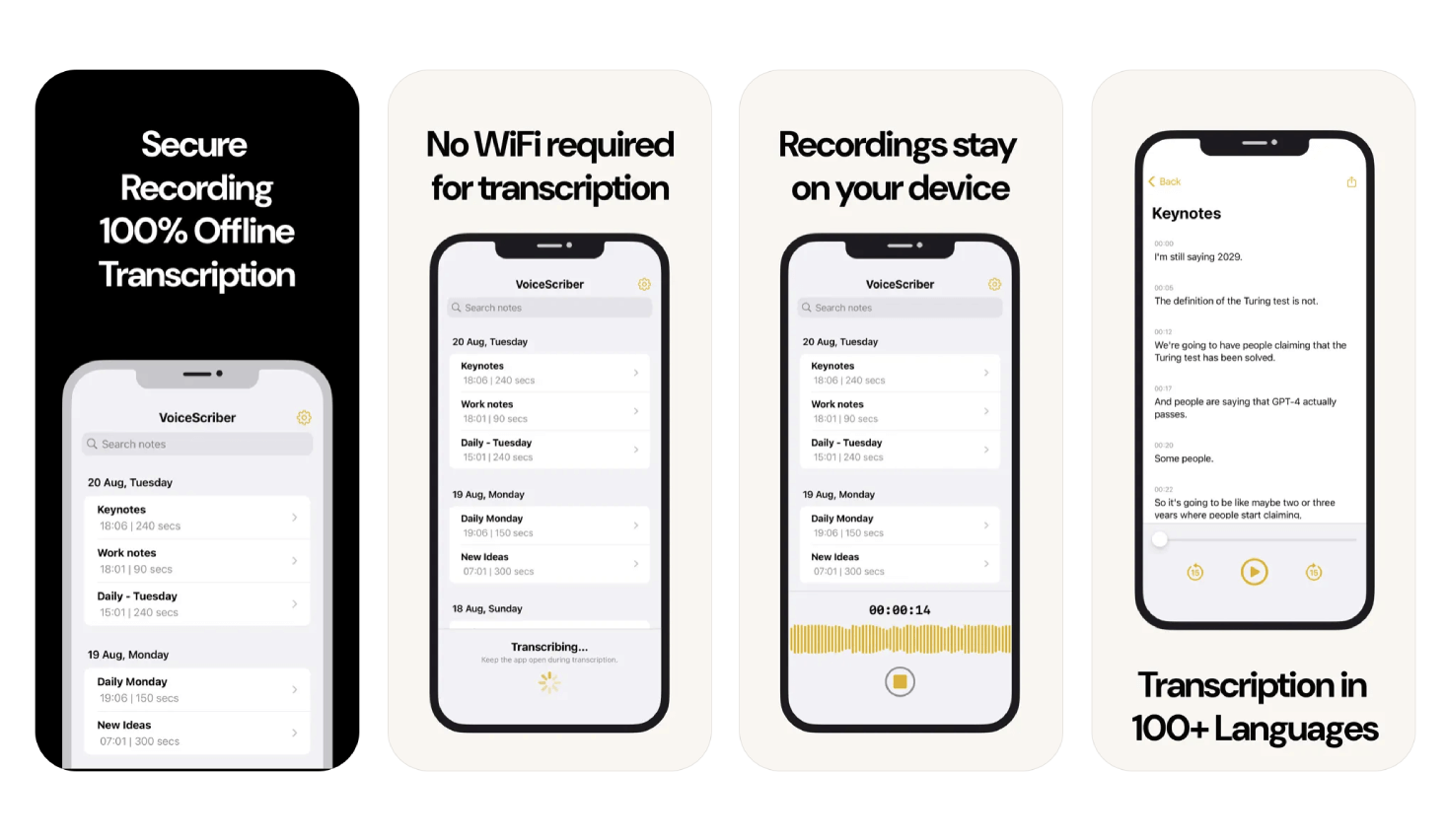
VoiceScriber AI is our first recommendation for iPhone users who want to record or import M4A, MP3, or WAV audio, transcribe on-device, and keep editable, searchable notes. It is free to try, with $5.99 weekly and $49.99 lifetime options. Google Recorder is the clearest Android choice for Pixel owners. On desktop, Buzz is the easiest free cross-platform starting point, while Subtitle Edit suits subtitle work and whisper.cpp gives technical users the most control. The key test is simple: the app must create a fresh, usable transcript while offline, not merely record audio for later cloud processing.
If your first goal is a reusable audio file before transcription, start with our voice recording apps for iPhone and Android guide.
That offline test reflects observed buyer behavior: in our original analysis of 1,000 reported voice-to-text searches, offline and local queries had a 2.65% click-through rate, the highest of the purchase-intent categories we studied.
If you're building a local-first privacy stack, on-device transcription is the critical first layer. If your main use case is confidential calls or client conversations, compare bot-free AI meeting recorders with local and cloud processing. Curious how the two most popular cloud transcription tools compare? See our Wispr Flow vs Otter.ai comparison on pricing, privacy, and offline mode, or jump straight to the free Otter.ai replacements that run on-device. If you are considering a chatbot, first compare ChatGPT Dictation, Record, Meetings, and API transcription with an offline iPhone workflow.
Choose your platform: iPhone and iPad · Android · Mac · Windows · Linux
Best offline transcription app by platform and use case
| Platform | Best starting point | Workflow | What to know before going offline |
|---|---|---|---|
| iPhone | VoiceScriber | Live recording and M4A, MP3, or WAV imports | The current app downloads the appropriate language model during setup. |
| Android | Google Recorder | Live recording and searchable transcripts on Pixel devices | Live transcription is on-device; “Transcribe again” and some summaries may use Google servers. |
| Mac | MacWhisper | Files, recording, dictation, and broad export options | Download a local model first. Optional cloud transcription modes are separate. |
| Windows | Buzz or Subtitle Edit | Buzz for general transcripts; Subtitle Edit for subtitle timing and formats | Install the app and model while online before disconnecting. |
| Linux | Buzz or whisper.cpp | Buzz for a GUI; whisper.cpp for scripts and command-line control | Both need local models. whisper.cpp also needs build or package setup. |
Quick recommendation: which offline transcription app should you choose?
If you are on iPhone and want private live recording plus transcription, choose VoiceScriber. It records and transcribes on-device, works without internet, covers 100+ languages, supports up to 90 minutes per recording, and can import an existing M4A, MP3, or WAV file to transcribe when you already have the audio. If language coverage is the deciding factor, use our multilingual offline transcription guide; for a language Apple Voice Memos does not support, see the dedicated Arabic transcription workflow for iPhone.
If you mainly transcribe files on desktop, choose by platform: Buzz for free open-source desktop use, OfflineTranscribe for Windows, Whisper Notes for low-cost Apple-device workflows, and Aiko for high-accuracy Apple file transcription where speed and live recording are less important.
If you want system-wide dictation across Mac, Windows, iOS, and Android, consider Superwhisper, but use an on-device speech model when offline privacy is the requirement. Cloud speech models and cloud AI rewriting create separate network paths, so Superwhisper should not be described as local-only in every mode.
Offline transcription app decision table (checked September 24, 2026)
| App | Best for | Platforms | Current pricing | Offline behavior | Language support | Main caveat |
|---|---|---|---|---|---|---|
| VoiceScriber | Offline iPhone voice notes, meetings, lectures, interviews, and imported M4A/MP3/WAV files | iPhone | Free to try; $5.99/week or $49.99 lifetime | True on-device transcription; no internet, no cloud, no uploads | 100+ languages | iPhone-focused; not a desktop dictation overlay |
| Buzz | Free/open-source desktop transcription | Mac, Windows, Linux | Free/open-source | Offline transcription and translation on your personal computer | Multilingual via Whisper / selected backend | Setup and speed depend on hardware, model, and backend |
| OfflineTranscribe | Windows users transcribing existing audio files | Windows 10/11 | 49.99€/year or 127€/3 years | Local after setup; one-time internet for licence activation, and possibly again to auto-download the chosen model | 99+ languages | Windows-only and license-based |
| Whisper Notes | Low-cost Apple offline transcription and Voice Memos imports | iPhone, iPad, Mac | $7.99 on the US App Store; direct Mac app has 5,000 free words/week or a $14 one-time unlock | Offline on-device transcription; vendor says it works the same in Airplane Mode | 100+ languages, auto-detected (optimized for English) | Vendor requires iPhone 12+ with iOS 18+; direct Mac licensing is separate |
| Aiko | High-accuracy Apple file transcription | iPhone, iPad, Mac, Apple Vision | $24.00 | Runs Whisper locally; nothing leaves the device | 100 languages | Can record, but transcribes after recording; no live transcription or speaker detection |
| MacWhisper | Mac-only file transcription with a usable free tier | Mac | Free tier; Pro €64 one-time, shown in local currency | Local Whisper and Parakeet models run on your Mac; optional cloud modes also exist | 100+ languages | Mac-only; check edition-specific OS and hardware requirements, and expect larger models to need more memory |
| Google Recorder | Free on-device recording and transcription for Pixel owners | Google Pixel only | Free, pre-installed | Live transcription is on-device; re-transcription and some summaries may use Google servers | Varies by Pixel model, region, and Recorder version | Pixel-exclusive; cloud-capable follow-up features must be distinguished from live transcription |
| LoroNote | Offline Apple recording with speaker labels and Apple Watch capture | iPhone, iPad; Apple Watch companion | Free first 2 minutes per recording; $4.99/month, $19.99/year, or $39.99 lifetime | Transcription and speaker labels run on-device; optional private iCloud sync is separate | 100+ languages | Free exports are restricted; requires supported Apple hardware and has no Android, Windows, or Mac app |
| Subtitle Edit | Cross-platform subtitle creation from audio or video | Windows 10 22H2+, macOS 12+ (14+ recommended), Linux | Free/open-source | Local after the selected speech engine and model are downloaded | Around 100 languages with Whisper | Version 5 is native cross-platform, but it remains a subtitle editor rather than a mobile recorder |
| whisper.cpp | Power users, scripts, and local Linux workflows | Mac, Windows, Linux, iOS, Android, WebAssembly, and more | Free/open-source | Runs locally after you build or install it and download a GGML model | Multilingual Whisper models | Command-line setup; the basic CLI expects 16-bit WAV unless FFmpeg support is enabled |
| Superwhisper | System-wide dictation and transcription across devices | Mac, Windows, iPhone, iPad, Android | Free tier; Pro $8.49/month, $84.99/year, or $249.99 lifetime | Free local Whisper models run offline; cloud speech and AI rewriting modes also exist | 100+ languages | Not local-only in every mode; Windows supports on-device models, while Intel Macs are steered toward cloud models |
| Apple Voice Memos | Free built-in iPhone baseline | iPhone 12 or later | Free | Apple says its on-device speech model powers Voice Memos on supported devices | English variants, Spanish, Portuguese, Italian, French, German, Japanese, Korean, Simplified Chinese, Traditional Chinese | Not available everywhere; not a 100+ language transcript-first app |
Quick summary
- Best offline transcription app for iPhone: VoiceScriber, because it combines recording, live on-device transcription, importing existing M4A/MP3/WAV files, search, export, 100+ languages, and up to 90 minutes per recording.
- Best free desktop option: Buzz, because it is open-source, cross-platform, and runs Whisper-based transcription offline on Mac, Windows, and Linux.
- Best Windows file-transcription app: OfflineTranscribe, because it is built around local audio-to-text conversion on Windows 10/11.
- Best low-cost Apple file workflow: Whisper Notes, with a $7.99 App Store purchase and a separately licensed direct Mac edition that is free for 5,000 words per week.
- Best Apple accuracy-first pick: Aiko, because it records or imports audio and runs Whisper locally after recording, but it does not provide live transcription.
- Best cross-platform dictation contender: Superwhisper, but only treat a workflow as offline when both speech recognition and any optional rewriting use on-device models.
- Best Mac-only file transcriber with a free tier: MacWhisper, because it runs Whisper and Parakeet models locally and costs nothing until you need the larger models.
- Best free option on Android: Google Recorder, but only if you own a Pixel: it is on-device and free, and unavailable on every other Android phone.
How to compare offline transcription apps
Compare each option across seven buyer-relevant fields:
- True offline behavior: Can the app produce a transcript while the device is still offline, not just record audio?
- Workflow fit: Is it best for live recording, file transcription, system-wide dictation, meeting capture, or built-in quick notes?
- Platform coverage: iPhone, iPad, Mac, Windows, Linux, Apple Vision, or cross-platform support.
- Language support: Exact vendor-stated count where available; otherwise “multilingual” when the vendor does not publish a clear count.
- Price clarity: Current public pricing, free tier, one-time purchase, subscription, or license model.
- Setup dependency: Whether installation, activation, or the initial speech-model download needs internet.
- Inputs and exports: Live recording versus imported media, plus documented TXT, subtitle, or other export formats.
We also separate offline recording from offline transcription. Offline recording only means the audio can be saved without internet. Offline transcription means the speech-to-text conversion also happens locally, without uploading the recording to a server.
Repeatable Airplane Mode test
Use a locally available recording that has never been processed by the app. A useful read-aloud sample is: “Today I am testing offline transcription. The quick brown fox jumps over the lazy dog. My reference number is four eight two seven.”
- While online, install the app, download the required speech model, and save two unused copies of the test recording locally.
- Turn on Airplane Mode, switch Wi-Fi off, and confirm the device has no connection before importing or recording.
- Create a fresh transcript from the first copy. Do not reopen a transcript generated earlier.
- Export the new result to a documented local format, such as TXT or SRT, while still disconnected.
- Close and reopen the app, then confirm the transcript and export remain accessible. Use the second copy to check that a new offline job still starts after relaunch.
- Record the device, operating system, app version, selected model, clip length, export result, and any reconnect prompt.
Apps that require a one-time activation or model download can still be valid offline transcription tools after setup, but they should be labeled clearly so buyers understand the difference between “offline after setup” and “zero-network from first launch.” For file-first workflows, compare the free local converters including Buzz, Subtitle Edit and MacWhisper, set up Whisper for free on Windows, Mac, or Linux, or use the offline transcription verification guide for recording, imports, exports and reopening.
What each vendor actually documents about offline operation
Below is what each vendor states in its own documentation or store listing, checked on September 24, 2026, with the source for every row.
| App | Documented offline verdict | What the vendor says | Source |
|---|---|---|---|
| VoiceScriber | Full offline | Transcription runs on the iPhone, works in Airplane Mode, and no recording is uploaded. | App Store listing |
| Whisper Notes | Full offline | "Everything runs on your device, there is nothing to upload, and nothing to leak." The listing states the app "works exactly the same" with Airplane Mode enabled. | App Store listing |
| Aiko | Full offline | "The transcription is done locally on your device. Nothing leaves your device." No internet required for processing. | App Store listing |
| MacWhisper | Full offline | Runs Whisper and Nvidia Parakeet models natively on the Mac; transcription happens on your machine rather than in the cloud. | Official Gumroad listing |
| Buzz | Full offline | Transcribes and translates locally on your own computer using Whisper-based backends. | Buzz documentation |
| OfflineTranscribe | Offline after setup ⚠️ | "Your data remains solely on your computer," but the program needs a one-time internet connection for licence activation, and possibly a second one to auto-download the selected transcription model. | Vendor site |
| Superwhisper | Conditional ⚠️ | Fast, Nano, and Standard Whisper models run locally on supported Macs, Windows PCs, and iPhones. Cloud speech models or cloud AI rewriting send data through Superwhisper's proxy. | Official model guide |
| Apple Voice Memos | On-device on supported hardware | Apple says its on-device SpeechTranscriber model powers Voice Memos, Notes, Journal, and other system features. | Apple Developer |
| Google Recorder | Local live transcript, Pixel only ⚠️ | Google documents on-device processing for live transcription. Its “Transcribe again” command and some summary languages may use Google servers. | Pixel Phone Help |
| LoroNote | Full offline on supported devices | Whisper transcription and speaker labels run on-device. Optional sync uses the user's private iCloud; Apple Watch recordings move to the iPhone for transcription. | App Store listing |
| Subtitle Edit | Offline after engine setup | Subtitle Edit 5 runs natively on Windows, macOS, and Linux. Local Audio to text still requires a selected engine and model. | Official repository |
| whisper.cpp | Full offline after model download | The official repository documents local inference across Mac, Windows, Linux, iOS, Android, and other targets after a GGML model is downloaded. | Official GitHub repository |
How to use this table. Start with the cited vendor documentation, then run the Airplane Mode test above on your own device, language, and hardware. Pay particular attention to one-time model downloads, optional cloud modes, hardware requirements, and commands that reprocess audio on a server.
Why offline transcription still matters in 2026
Offline transcription is not only about convenience. It is also about reducing unnecessary data paths. Verizon’s 2026 DBIR update says vulnerability exploitation now starts 31% of breaches, unapproved “shadow AI” use rose from 15% to 45% of employees in a single year, and third-party involvement in breaches now accounts for 48% of breaches after a 60% jump. For sensitive audio, fewer vendors and fewer uploads mean fewer systems to govern.
IBM’s 2026 Cost of a Data Breach study puts the global average breach cost at $4.99 million. That enterprise figure does not mean every cloud transcription tool is unsafe, and offline processing does not remove device, backup, or export risks. It does support a simple buying rule: use cloud collaboration when it is needed, and avoid adding an upload path when the recording should stay on the device.
On-device speech recognition is also becoming more practical. Recent 2026 ASR research showed CPU-only streaming speech recognition running faster than real time with sub-second algorithmic latency after model compression. The buyer takeaway is simple: offline transcription is no longer just a privacy niche; it is now a realistic workflow on modern phones and computers.
For a deeper dive into these advantages, see our guide on 5 reasons to choose offline AI transcription over cloud alternatives. For iPhone users comparing one-time purchases instead of subscriptions, use the lifetime speech-to-text app comparison alongside this offline roundup.
Top Offline Transcription Apps in 2026
Based on current first-party documentation, these are the leading choices by platform and workflow:
1. VoiceScriber
VoiceScriber is best for iPhone users who want live offline transcription and the ability to import existing recordings, not just one or the other. It is free to try, with $5.99 weekly or $49.99 lifetime access. The app supports 100+ languages, works in Airplane Mode, keeps recordings on-device, supports background recording, and imports M4A, MP3, and WAV files. The documented 90-minute limit applies to recordings; a separate imported-file limit is not published.
Version 1.7.7, released September 14, added Lock Screen and Dynamic Island recording controls plus note printing and PDF output. The same release added a Japanese interface; that should not be confused with newly adding Japanese transcription support.
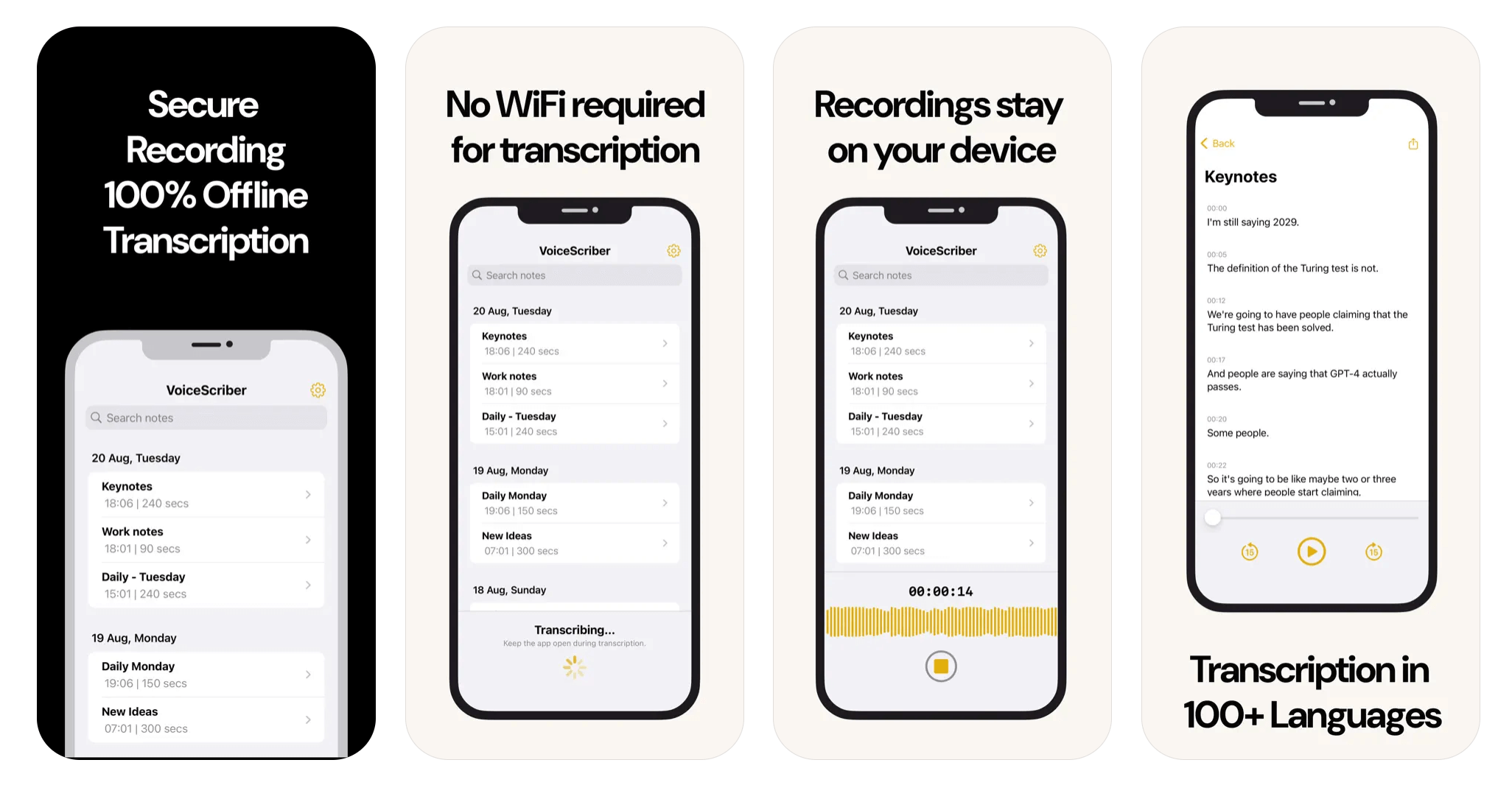
- Local Processing: Transcription happens on your device, so the core workflow does not require a cloud transcription server.
- Setup-Time Model: Downloads the appropriate language model during setup so transcription can run locally afterward.
- Multilingual Support: Transcribes in over 100 languages, making it ideal for global users.
- User-Friendly Interface: Simple and intuitive design allows you to start transcribing with minimal setup.
- One‑Tap Home Widget: Start recording instantly from your Home Screen with a single tap.
- No Internet Required: Perfect for use in areas with limited or no internet connectivity.
- Live Transcription While Recording: VoiceScriber begins transcription during recording, reducing wait time after you stop.
- Import Existing Audio Files: Tap the button next to the mic to import an M4A, MP3, or WAV file from your device and transcribe it on-device.
- Edit Transcripts In-App: Revise text directly in the app; current versions support up to 90 minutes per recording.
Best for offline iPhone voice notes: VoiceScriber
VoiceScriber is the strongest iPhone-first pick when the requirement is simple: record and transcribe without sending audio to a server. It is built for live capture, private voice notes, meetings, lectures, interviews, and field recordings where the transcript should be available on-device.
The practical difference is workflow. Buzz and OfflineTranscribe are stronger on desktop. Aiko remains a solid pick for accuracy-first Whisper transcription of large existing archives across Apple devices. VoiceScriber is the better fit when you want to open your iPhone, record fresh audio or import an existing M4A, MP3, or WAV file, then transcribe, search, tag, edit, and export from the same offline app.
2. Buzz
Buzz is the best free/open-source desktop option. It transcribes and translates audio offline on Mac, Windows, and Linux using Whisper-based local backends. It supports file import, microphone transcription, TXT/SRT/VTT export, a command-line interface, speaker identification, and speech separation.
Best fit: desktop users who want transparency, local processing, and open-source control. Tradeoff: setup, speed, and accuracy depend on hardware, model choice, and backend configuration. The current Mac build requires Apple silicon; Buzz 1.4.5 was the final Intel-compatible release.
- Fully Offline: All transcription and translation happens locally on your machine, with no cloud processing or data upload.
- Mic + File Input: Record directly from your microphone or import existing audio and video files for transcription.
- Export Formats: Export transcripts to TXT, SRT, and VTT, making it useful for subtitles and written records.
- Cross-Platform: Available on Mac, Windows, and Linux.
- Open Source: Free and actively maintained, with speaker identification and speech separation features.
Why Buzz Stands Out:
Buzz is the strongest desktop option for users who need strict offline transcription with full transparency. Its open-source codebase means you can verify exactly what the software does, and its cross-platform support covers all three major desktop operating systems.
Download Buzz3. OfflineTranscribe
OfflineTranscribe is best for Windows users who want a paid local file-transcription app. It supports Windows 10 and 11, needs roughly 500 MB of install space, handles MP3, WAV, OGG, FLAC, and M4A, and covers 99+ languages with TXT/SRT output. Pricing is currently 49.99€ for a 1-year single-user licence or 127€ for a 3-year licence, both with unlimited transcription; multi-user and terminal-server licences are also sold.
Important setup note: OfflineTranscribe processes files locally and states plainly that your data stays on your own computer with no uploads to external servers. But the vendor documents two separate moments where a connection is needed: a one-time internet connection for licence activation, and possibly a second one so the program can automatically download your selected transcription model. That makes it "offline after setup" rather than zero-network from first launch.
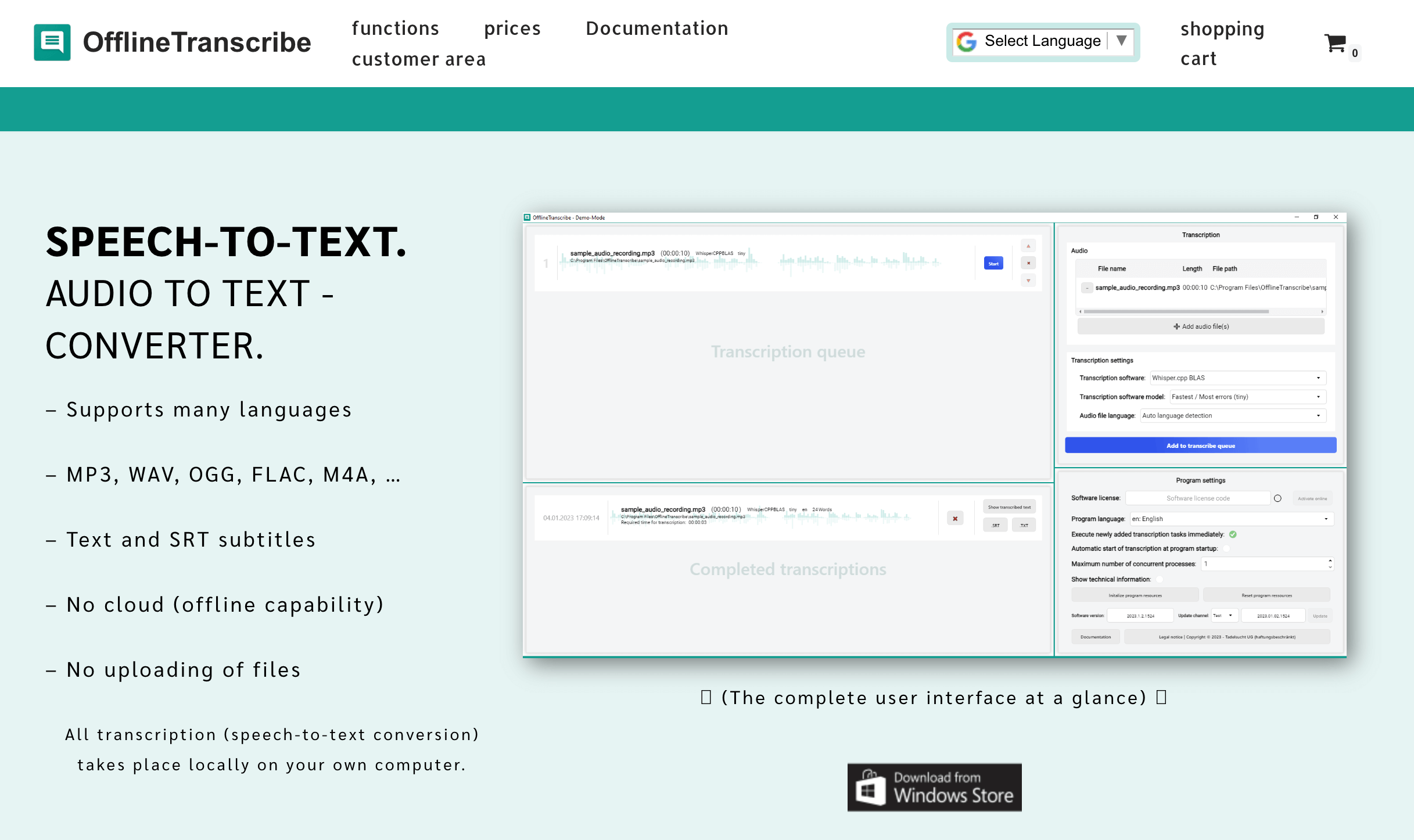
- Local Processing: All transcription runs on your device. Note: a one-time internet connection is needed for license activation and initial model download, but after setup all processing stays local.
- Multilingual Support: Supports transcription in numerous languages, catering to a global user base.
- Multiple Audio Formats: Compatible with various audio file types, including MP3, WAV, OGG, FLAC, and M4A.
- User-Friendly Interface: Offers a clear user interface consisting of a single window, facilitating easy operation.
Why OfflineTranscribe is a Top Choice:
OfflineTranscribe's focus on privacy, multilingual support, and compatibility with multiple audio formats makes it a reliable choice for users seeking an offline transcription solution. Its straightforward interface and local processing reduce third-party exposure after setup.
Download OfflineTranscribe4. Whisper Notes
Whisper Notes is best for Apple users who want a low-cost offline transcription app for voice notes and imported files. It runs offline on iPhone, iPad, and Mac, supports 100+ languages with auto-detection, imports MP3/M4A/WAV files, and can transcribe Voice Memos offline. Its App Store listing states that everything runs on your device, that there is "nothing to upload, and nothing to leak," and that the app "works exactly the same" with Airplane Mode enabled.
Pricing and workflow: the US App Store currently lists Whisper Notes at $7.99 as a one-time purchase. Its separately licensed direct-download Mac edition includes 5,000 free words per week, then costs $14 once for unlimited use. The current product documentation also lists recording, audio and video imports, speaker labels, and TXT, SRT, and VTT exports, so it is no longer best described as a file-only utility.
Best fit: Apple users who want offline recording and imports with one-time pricing. Tradeoff: the vendor now requires iPhone 12 or later with iOS 18+. The direct-download Mac edition is a separate licence from the App Store purchase.
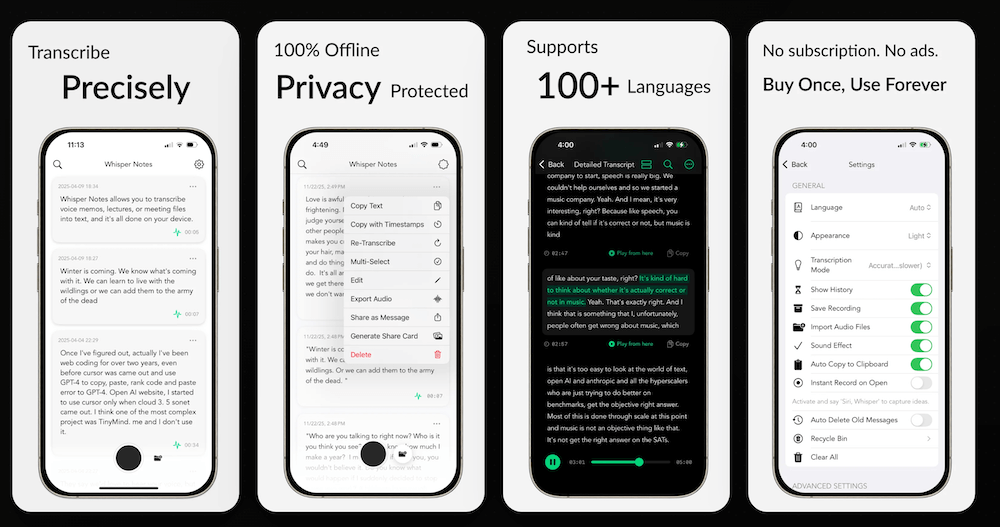
- Offline by Design: Processes audio locally and keeps your recordings private.
- Broad Language Support: Supports 100+ languages for transcription.
- Import & Export: Transcribe existing audio or video and export TXT, SRT, or VTT with timestamps and speaker labels.
- Apple Ecosystem: Available on iPhone, iPad, and Mac.
- Quick Capture Options: Home Screen widgets, Lock Screen widgets, Siri, and Action Button support for instant recording.
Why Whisper Notes is Worth Considering:
If you want a straightforward offline transcription experience across Apple devices, Whisper Notes is a solid option, especially for transcribing existing recordings while keeping everything on-device.
Download Whisper Notes5. Aiko
Aiko is best for accuracy-first transcription on Apple devices. The App Store lists Aiko at $24.00 and supports iPhone, iPad, Mac, and Apple Vision. It can record audio or import Apple-supported audio and video files, runs OpenAI Whisper locally, supports 100 languages, exports subtitles, and says nothing leaves your device.
Important workflow caveat: Aiko transcribes after recording rather than showing live text, and it does not currently support speaker detection. The developer also documents an iOS 26 Voice Memos sharing issue and provides a Shortcut workaround. It favors accuracy over speed, so it is better for post-recording transcription than instant live voice-note capture.
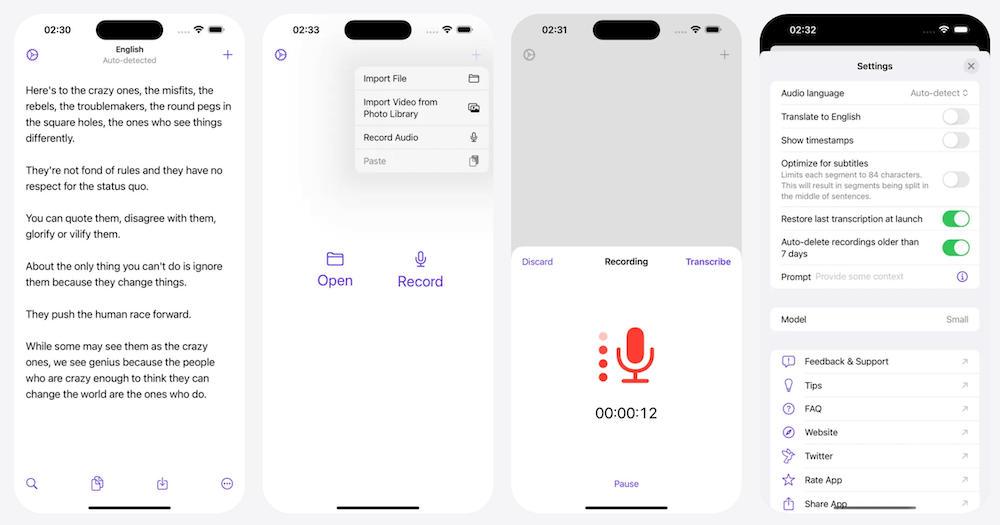
- On‑Device Whisper: Runs OpenAI’s Whisper model locally for strong privacy, with no server round-trip.
- 100 Language Support: Transcribes in 100 languages offline.
- Post-Recording Workflow: Record inside Aiko or import existing files, then transcribe on-device after recording ends.
- Cross-Apple Platform: Available on iPhone, iPad, Mac, and Apple Vision Pro.
Why Aiko is a Great Addition:
Aiko is best framed as an Apple-ecosystem post-recording transcription tool. It favors accuracy over speed and suits recordings that do not need live text. If you need transcription while recording, VoiceScriber is the better fit.
Download AikoAlso Worth Considering in 2026
Also worth considering: MacWhisper
MacWhisper is the strongest Mac-only pick if you mainly transcribe existing files. It is a native macOS app that can run OpenAI's Whisper models and Nvidia Parakeet directly on your machine, so audio is not uploaded when you choose a local model. There is a permanent free tier for local transcription, while optional cloud transcription modes are separate.
Pricing: the free tier costs nothing. MacWhisper's official site currently lists a one-time Pro licence at €64, with regional currency and tax affecting checkout. Pro adds larger models, batch transcription, more export options, and local speaker recognition on supported M-series Macs.
Best fit: Mac users with an archive of recordings to process. Tradeoff: the direct Mac licence and App Store purchases are separate. Good Snooze also offers Whisper Transcription on iPhone and iPad with iOS or iPadOS 18+. Its current version history records a fix that lets downloaded WhisperKit models load for the first time without a network connection.
Also worth considering: Google Recorder (Pixel only)
If you own a Google Pixel, Recorder is the clearest free offline option on Android. Google says its live recording transcription is handled by an on-device service or app, and you can use Recorder without a Google account.
The catch is availability and mode. Recorder is limited to Pixel phones and Pixel Tablet, and supported live-transcription languages vary by device generation. Google also warns that “Transcribe again” may process audio on its servers, while some summaries run in the cloud. Use the live transcript path and keep backup/sync off when a fully local workflow is the requirement.
Also worth considering: LoroNote
LoroNote is a current iPhone and iPad alternative when offline speaker labels or Apple Watch capture matter. Its official site says recording, imported audio/video transcription, and speaker diarization run on-device, with TXT and SRT export. Optional device-to-device synchronization uses the user's private iCloud rather than LoroNote transcription servers. The free version covers the first two minutes of each recording and restricts exports; paid options include a $39.99 lifetime purchase. It requires recent supported Apple hardware and has no Android, Windows, or Mac app.
Also worth considering: Subtitle Edit
Subtitle Edit is the practical cross-platform choice when the output is subtitles rather than general notes. Version 5 now runs natively on Windows 10 22H2 or later, macOS 12 or later (14 or later recommended), and Linux. Its Audio to text workflow supports local Whisper engines after the engine and model are downloaded. For a wider free-tool comparison, see the free no-upload converter guide.
Also worth considering: whisper.cpp
whisper.cpp is the most flexible local engine here, not the easiest consumer app. The official project supports macOS, Windows, Linux, iOS, Android, WebAssembly, Raspberry Pi, and more, with local file and microphone examples. You must install or build it and download a GGML model first. Keep the commands and troubleshooting in our dedicated guide to setting up Whisper offline for free on Windows, Mac, and Linux.
Also worth considering: Superwhisper
Superwhisper is worth considering if you want system-wide dictation across Mac, Windows, iPhone, iPad, and Android. Its Pro license works across platforms, with current pricing at $8.49/month, $84.99/year, or $249.99 lifetime. The free tier remains available after a 3,000-word Pro evaluation and includes local Fast, Nano, and Standard Whisper models.
Buyer caveat: Superwhisper includes local and cloud speech models, and its optional Super Mode can pass transcript text to a separate language model for rewriting. Windows supports on-device models, while the vendor still steers Intel Mac users toward cloud models. For a fully local workflow, choose an on-device speech model and either disable rewriting or select an on-device language model.
Also worth considering: Apple Voice Memos
Apple Voice Memos is now a credible free baseline. Apple says Voice Memos transcription works on iPhone 12 or later in supported languages and regions. Apple also says the on-device SpeechTranscriber model powers Voice Memos. The app can show transcription while recording, copy transcript text afterward, search transcript text, and transcribe older recordings that contain speech.
Buyer caveat: Voice Memos is still not a dedicated 100+ language offline transcription workspace. It is a good built-in starting point, but users who need searchable private voice notes, broader language coverage, tags, exports, and a transcript-first workflow should compare dedicated offline apps.
FAQs
What is the best offline transcription app in 2026?
The best offline transcription app depends on your platform. For private iPhone recording and file imports, VoiceScriber is the strongest fit. Pixel owners can start with Google Recorder. On desktop, Buzz is the easiest free cross-platform option, Subtitle Edit suits Windows subtitle work, and whisper.cpp gives technical Mac, Windows, and Linux users more control.
What is the best offline transcription app for iPhone?
VoiceScriber is the best fit for iPhone users who want to record and transcribe offline in one workflow. It works without internet, keeps audio on-device, supports 100+ languages, imports existing M4A/MP3/WAV recordings, and supports up to 90 minutes per recording.
Can VoiceScriber transcribe audio files I already recorded?
Yes. VoiceScriber has an import button next to the mic that lets you pick an M4A, MP3, or WAV file from your iPhone and transcribe it entirely on-device, alongside its live recording mode.
Which offline transcription app is best for desktop?
Buzz is the best free and open-source desktop option because it runs offline on Mac, Windows, and Linux. OfflineTranscribe is a stronger fit for Windows users who prefer a paid local file-transcription app. Superwhisper is worth considering for cross-platform dictation if you choose local models.
Is Aiko an offline transcription app?
Yes. Aiko records or imports audio, then runs Whisper locally on Apple devices and says nothing leaves your device. It supports 100 languages, but it transcribes after recording rather than showing live text and does not currently support speaker detection.
Is Whisper Notes offline?
Yes. Whisper Notes says transcription runs offline on iPhone, iPad, and Mac with no cloud upload. The US App Store purchase is $7.99; its separately licensed direct Mac edition includes 5,000 free words per week or a $14 one-time unlock.
Is Superwhisper fully offline?
Superwhisper can work offline with on-device speech models on supported Macs, Windows PCs, and iPhones. It also offers cloud speech and AI rewriting modes, so privacy-focused users should select local models for both transcription and any optional rewriting.
Does Apple Voice Memos count as an offline transcription app?
Apple Voice Memos is a good free baseline on supported iPhones. Apple says its on-device speech model powers Voice Memos, and transcription is available on iPhone 12 or later in supported languages and regions. It is not a dedicated 100+ language transcript workspace.
Do offline transcription apps ever need internet?
Some offline transcription apps need internet once for installation, license activation, updates, or model downloads. After setup, true offline apps should be able to create transcripts in Airplane Mode without uploading audio.
How do I test whether a transcription app is really offline?
Install the app and download any required model while online. Then turn on Airplane Mode, disable Wi-Fi, record or import a short clip, and try to generate a transcript. If the app fails, queues the job, or asks you to reconnect, it is not doing true offline transcription in that setup.
Conclusion
The right choice comes down to platform, workflow, and setup tolerance. VoiceScriber is the strongest iPhone-first fit for live capture and imported M4A/MP3/WAV files. Google Recorder covers local live transcription on Pixel devices. Buzz is the easiest free desktop starting point, while Subtitle Edit and whisper.cpp serve subtitle and power-user workflows. Confirm that the model is downloaded, select local rather than cloud modes, and run an Airplane Mode test before relying on any app for sensitive audio.
If your priority is a private iPhone workflow for recording or importing M4A, MP3, and WAV files, VoiceScriber keeps transcription on-device and offers weekly or lifetime access after the free trial. Not sure which workflow fits? Use our free Offline Transcription Checker to compare 11 apps side by side.
For practical guidance on using VoiceScriber in real-world scenarios, check out our step-by-step guide: How to Transcribe Meetings & Lectures on iPhone Completely Offline.
Content creators can take their transcripts further by learning how to turn voice notes into SEO blog posts and social content using AI prompts.
For a comprehensive comparison of AI-powered note-taking apps, including VoiceScriber, refer to our previous article: Top 6 AI-Powered Note Takers in 2026: Privacy, Accuracy, and Ease of Use Compared.
If you're coming from a desktop tool like OfflineTranscribe and want the same offline privacy on your phone, see our OfflineTranscribe alternative guide for iPhone and Mac. If you just need to convert an MP3 or WAV to text for free without uploading it, our browser tool does that on your own machine: up to 60 minutes, no install, no account, and the file never reaches a server. If you are comparing MP3, browser, and desktop options side by side, use the free no-upload audio-to-text converter roundup.
Further reading
- Best transcription apps for small business: six workflows compared
- Best voice-to-text apps for iPhone in 2026: privacy, offline mode & price
- VoiceScriber vs. cloud transcription: the privacy-first offline advantage
- Best free audio-to-text converters that do not upload your files
- Which transcription apps work offline? Setup and verification guide
- Top 5 iPhone voice recorder apps that transcribe
Sources
- Apple. VoiceScriber AI: Offline Notes.
- VoiceScriber. Current product facts.
- Whisper Notes. Official pricing, compatibility, and offline documentation.
- Apple. Aiko.
- Sindre Sorhus. Aiko workflow and troubleshooting documentation.
- LoroNote. Official features, pricing, and privacy documentation.
- Buzz. Official GitHub repository.
- ggml-org. whisper.cpp official repository.
- Subtitle Edit. Official repository and platform requirements.
- Google. How Pixel Recorder handles live transcription data.
- Google. Pixel Recorder transcription modes and languages.
- MacWhisper. Official product and pricing page.
- Apple. Whisper Transcription compatibility and version history.
- Superwhisper. Official local and cloud model guide.
- Superwhisper. Official plans and free-tier documentation.
- OfflineTranscribe. Official product site.
- Apple. View a Voice Memos transcription on iPhone.
- Apple Developer. On-device SpeechTranscriber technology used by Voice Memos.
- Verizon. 2026 Data Breach Investigations Report (DBIR).
- IBM. Cost of a Data Breach Report 2026 announcement.
- arXiv. Pushing the Limits of On-Device Streaming ASR (2026).
- Buzz. Buzz offline transcription documentation.
Transcribe offline, wherever life takes you
Try VoiceScriber for private, on-device iPhone transcription with recording, M4A/MP3/WAV imports, and weekly or lifetime access.
Get VoiceScriber Scan to download
on your iPhone