
Quick answer: which voice recorder should you install?
If you only need a quick memo, first try the recorder already on your phone. If you use an iPhone and want to keep the original audio together with a searchable transcript, VoiceScriber is our focused recording-plus-transcription pick. It records or imports audio and processes speech on your iPhone without uploading the recording. Android users and teams should use the job-based comparison below instead of buying an iPhone-only app.
Quick picks: choose by the recording job
| Your job | Starting app | Platform | Why it fits |
|---|---|---|---|
| Keep iPhone audio and transcript together | VoiceScriber | iPhone | Local transcription plus M4A, MP3 and WAV file import. |
| Record a free personal memo | Apple Voice Memos | iPhone | Already included, easy editing and M4A export. |
| Record with searchable text, free | Google Recorder | Compatible Pixel | On-device transcription and transcript sharing. |
| Record on a Galaxy phone | Samsung Voice Recorder | Galaxy | Interview mode and device-dependent Transcript Assist. |
| Share meetings and identify speakers | Otter | iPhone, Android | Cloud transcripts, summaries and team access. |
| Record from an Apple Watch | Just Press Record | Apple devices | One-tap watch recording and searchable text. |
| Save flexible audio formats on Android | Easy Voice Recorder | Android | Straightforward audio capture, with more formats in Pro. |
| Capture music or podcasts | Dolby On | iPhone, Android | Sound processing, noise reduction and export tools. |
On this page
- Eight voice recording apps compared
- What your phone already includes
- The eight apps reviewed
- Recording versus transcription: how to choose
- How to test a recorder in one minute
- Frequently asked questions
- Sources and further reading
Eight voice recording apps compared
Prices are in US dollars and may vary by country. Offline recording and offline transcription are different capabilities.
| App / platform | Record / import | Transcription | Works offline? | Export formats | Where audio is stored | Account needed? | US starting price | Checked |
|---|---|---|---|---|---|---|---|---|
| VoiceScriberiPhone (iOS 17.6+) | Record; import M4A, MP3, WAV | On-device, 100+ languages | Audio: yes. Text: yes after setup. | Recorded audio; copy/share notes and transcripts | On iPhone until user exports or shares | No | Free to try; US$5.99/week or US$49.99 lifetime offered | |
| Apple Voice MemosiPhone, iPad, Apple Watch | Record; no general external file-import workflow | Built-in on supported iPhones and languages | Audio: yes. Text: do not assume every configuration. | M4A audio by default; copy transcript | On device; optional iCloud sync | None for basic recording; Apple Account for iCloud | Free with iPhone | |
| Google RecorderPixel 3+ phones, Pixel Tablet | Record; general external-file import not documented | On-device speech-to-text; speaker labels on eligible models | Audio: yes. Text: on-device. Some AI features vary by model. | Share audio; transcript TXT and Docs | Local by default; optional Google Account backup/share | No: Use without an account option | Free on compatible Pixel devices | |
| Samsung Voice RecorderCompatible Galaxy phones/tablets | Record; no general file-import promise | Galaxy AI Transcript Assist on supported devices | Audio: yes. AI transcript: can work offline where supported. | Share recorded audio or transcript text | Device; sharing/cloud depends on chosen workflow | Core capture: no extra account stated; AI features may need Samsung Account | Included/free on compatible Galaxy devices | |
| Otter.aiiPhone and Android; web/desktop workflows | Record; import audio and video | Cloud; live transcripts, speaker labels, AI notes | Audio: temporarily yes. Text: no until reconnected. | TXT on free; more transcript formats on paid plans | Temporary device audio then uploaded to Otter cloud | Yes | Free Basic: 300 min/month, 3 lifetime imports; Pro US$16.99/month (web) | |
| Just Press RecordiPhone, iPad, Mac, Apple Watch | Record; share supported audio in from other apps | Uses Apple speech recognition; language/device matters | Audio: yes. Text: configuration-dependent. | WAV, AIF, M4A audio; text and transcript sharing | Choose local or iCloud Drive | No for local; Apple Account for iCloud sync | US$6.99 one-time | |
| Easy Voice RecorderAndroid, some Wear OS devices | Record; imports are Pro-only | No built-in speech-to-text claim | Audio: yes. Text: not offered. | Free PCM, MP4, AMR; Pro MP3, FLAC, AAC | Device files; optional Pro cloud backup | No for basic recording | Free with ads/IAP; Pro US$4.99 one-time on US Play | |
| Dolby OniPhone and Android | Record audio/video; import audio/video for editing | No built-in transcript feature documented | Audio: confirm on your device before relying on it. Text: none. | Export/share audio or video; check format and settings | In app until export/share; destinations chosen by user | Check current app onboarding; not confirmed | Free to download |
The quickest money-saving decision is whether your built-in recorder already meets the job. Most people do not need an extra app just to save a spoken reminder. A third-party recorder earns its place when you need searchable text in more languages, supported audio imports, specific export formats, cross-device recording or shared meeting workflows.
What your phone already includes
iPhone: start with Apple Voice Memos
Voice Memos can record a personal reminder, a lecture, an interview or a music idea without a separate purchase. Apple documents trim and replace editing, adjustable playback, an Enhance Recording option and sharing to Files. The usual file export is M4A. If you turn on Voice Memos in iCloud, recordings can sync to other devices signed into your Apple Account. Apple recording guide · Apple export guide · iCloud settings
Voice Memos now does more than save sound. Apple's transcription guide says transcripts are available on iPhone 12 or later in supported languages and regions. If your device and language qualify, view and copy text in Voice Memos before purchasing another transcription app. Its audio-import workflow is not the same as a general-purpose MP3/WAV file transcriber. To work from a memo in another app, use our Voice Memos offline transcription guide.
Android: your built-in recorder depends on the manufacturer
There is no single standard recorder shared by every Android phone. Pixel owners can use Google Recorder on supported devices for recordings, searchable transcripts and sharing. Google's device documentation lists Pixel 3 and later and the Pixel Tablet. Recordings remain local by default unless you enable backup, share a recording or save it elsewhere. Google also describes a Use without an account option.
Galaxy owners should start with Samsung Voice Recorder. Samsung's app supports normal and Interview recording modes, bookmarks and sharing. On supported Galaxy models, Transcript Assist can turn eligible recordings into text. Transcription, language downloads, account requirements and summarization options vary by device and feature. Other Android manufacturers may ship different recorder apps. Check your app drawer before installing a substitute.
For a more focused iPhone-only ranking, use our iPhone voice recorders that transcribe guide rather than treating every record button as a full transcript workflow.
Eight apps reviewed
1. VoiceScriber: best iPhone record-and-transcribe workflow without uploading
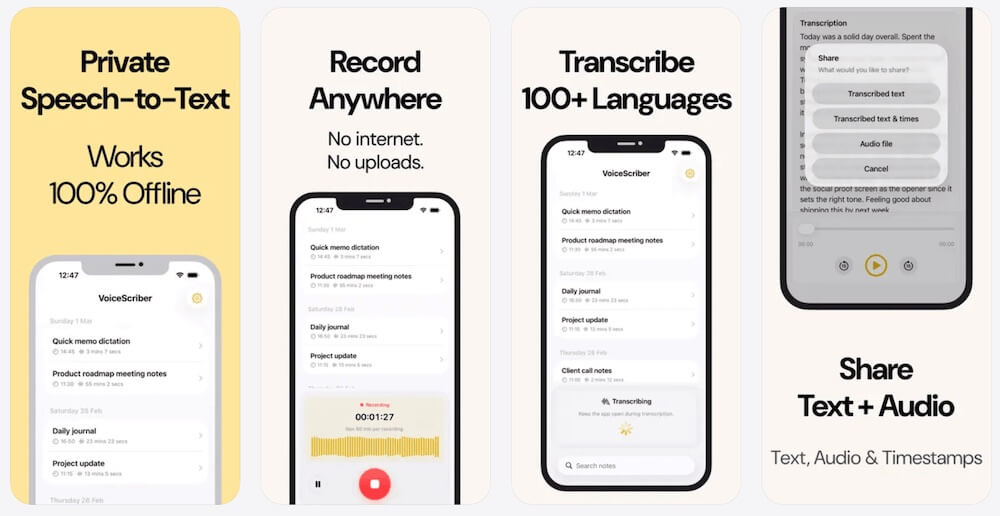
Best for: iPhone voice notes, interviews and existing files when you need both original audio and searchable text on your phone. Platform: iPhone. Price: free to try; US$5.99 per week or US$49.99 one-time lifetime, according to the current VoiceScriber offer checked October 11, 2026.
VoiceScriber records live audio and imports M4A, MP3 and WAV files. It transcribes on-device in 100+ languages, works in Airplane Mode once set up, and requires no account. You can edit, search, tag, copy or export the resulting notes. The current recording cap is 90 minutes per new recording. The developer's App Store privacy label says Data Not Collected. App Store product and release notes
Where it falls short: VoiceScriber is not available as an Android app, not a systemwide keyboard replacement, not a multitrack music recorder and not a shared team meeting workspace. It does not currently document automatic speaker identification. If you want to assign meeting tasks to five colleagues, choose a collaboration product instead. For more iPhone-only choices and detailed import limits, read iPhone recording apps with transcription.
2. Apple Voice Memos: best free built-in iPhone recorder
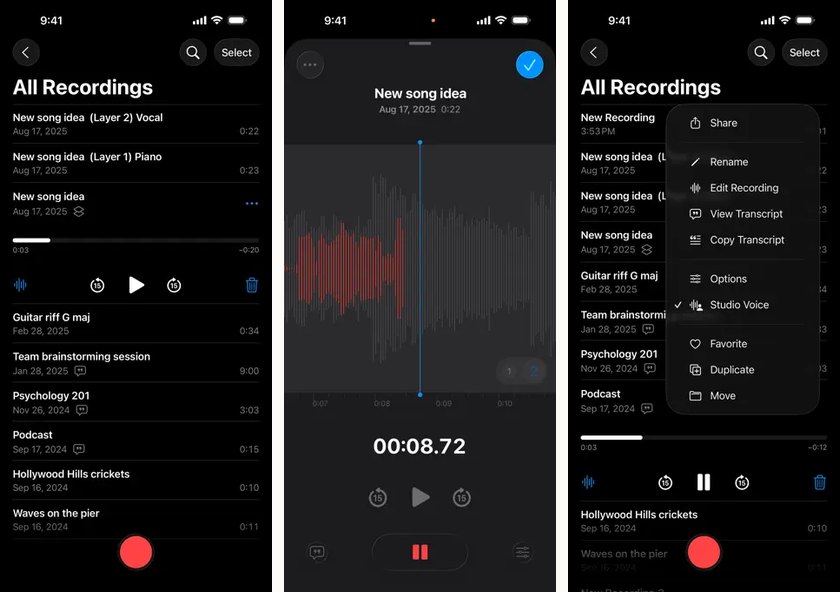
Best for: everyday iPhone memos, reminders, classes and interviews where you want minimal setup. Platform: iPhone, with other Apple device support. Price: included/free.
Voice Memos makes a strong default because you can capture audio immediately, label it, trim mistakes, and share an M4A file. On eligible iPhones, it also displays transcriptions during or after recording. Folders and search help, while adjustable playback speed is useful for reviewing a long conversation. None of this requires purchasing a separate recording subscription. Store listing · Apple transcription support
Where it falls short: its transcription language and device availability are limited. It is not a universal audio-import transcription workspace, nor does it create the shared team action items that cloud meeting assistants do. And local recording is not the same as permanent local-only storage if you enable iCloud sync. Try it before paying, then upgrade only for a specific missing workflow.
3. Google Recorder: best included voice-to-text option on Pixel
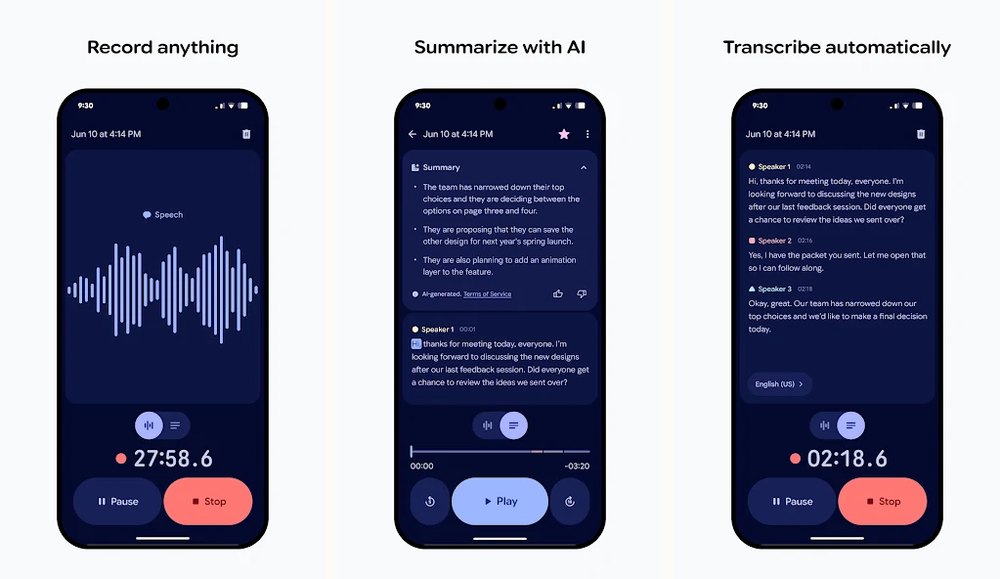
Best for: Pixel owners who want to find spoken details in long recordings. Platform: supported Pixel phones and Pixel Tablet. Price: free for compatible devices.
Google Recorder pairs audio with a transcript you can search, edit and share. Google says transcription is handled through an on-device service, and its support pages describe exporting the transcript as TXT, sharing the audio or saving the text in Google Docs. You can use Recorder without an account for a device-only library, or enable Google Account backup for access elsewhere. Google Play · On-device processing · Export and sharing
Where it falls short: this is not a universal Android download; Pixel device requirements matter. The available languages, speaker labels and AI summaries may also depend on the Pixel model. Backing up or sharing changes where recordings are accessible. For non-Pixel phones, start with the manufacturer's recorder or a widely compatible Android app.
4. Samsung Voice Recorder: best first choice for Galaxy owners
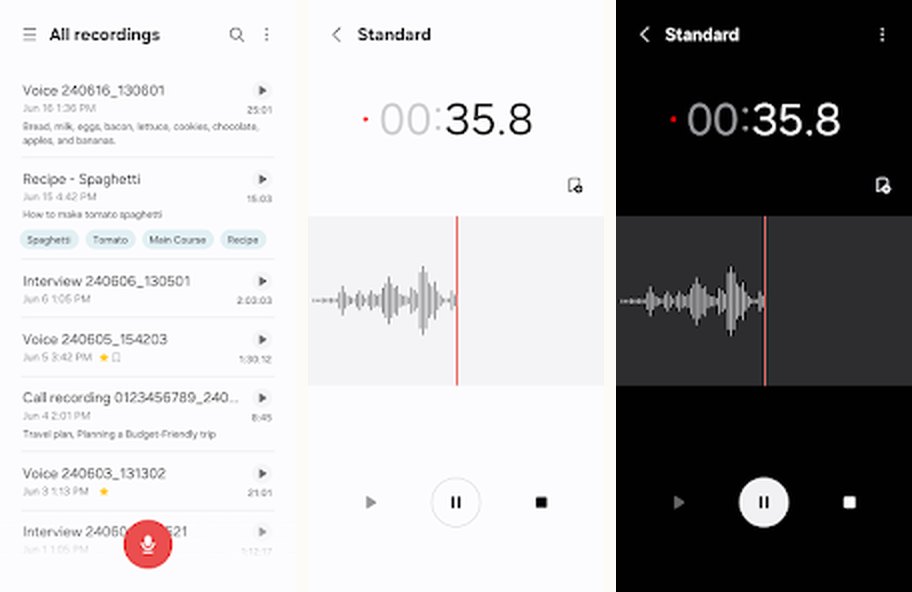
Best for: interviews and ordinary audio capture on compatible Samsung Galaxy devices. Platform: Galaxy phones and tablets. Price: included/free where supported.
The Galaxy Voice Recorder listing describes a waveform-based normal mode, an Interview mode using different microphones, bookmarks and sharing audio or transcribed text. Some Galaxy devices also support Galaxy AI Transcript Assist after recording. Samsung has documented on-device transcription for eligible Galaxy AI configurations, while summaries and some connected AI operations can have different requirements. Samsung Galaxy AI guidance
Where it falls short: not every Samsung phone offers the same AI features. A free recording app on the phone does not guarantee offline text generation on every Galaxy model or in every language. Check for Transcript Assist in your own app, and test it with the network disconnected before relying on it for an important interview.
5. Otter: best for cloud meeting notes and collaboration
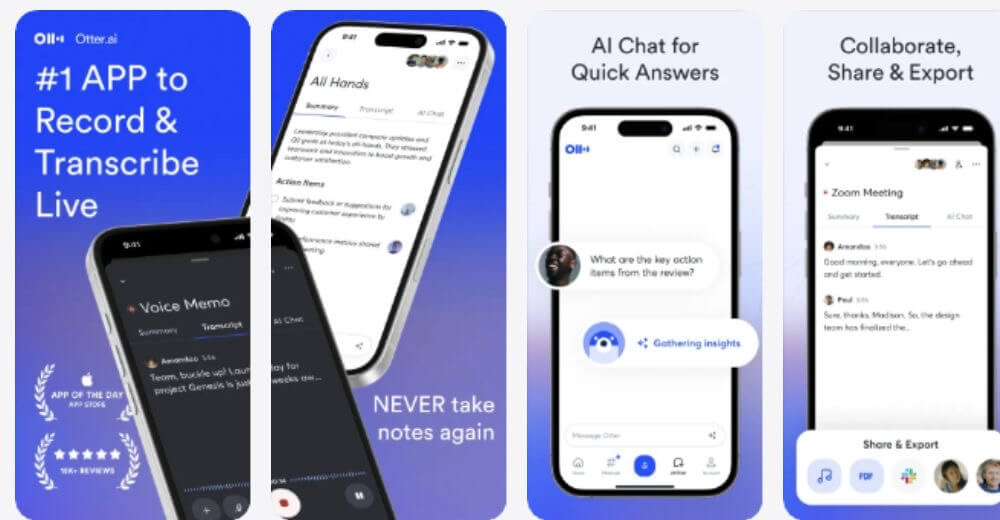
Best for: recurring meetings, interviews and team notes where sharing, speaker labels and summaries are more important than keeping the transcript offline. Platforms: iPhone, Android and supported web/desktop workflows. Price: free Basic; paid subscriptions.
Otter for iPhone and Otter for Android record meetings and create searchable, shareable transcripts with speakers and AI notes. Its official pricing page lists 300 transcription minutes per month and three lifetime audio/video imports on Basic. At the time of review, Pro was advertised from US$16.99/month on monthly web billing, with annual billing available. Confirm current per-meeting limits and checkout totals for your workspace.
Where it falls short: recording offline does not mean transcribing offline. Otter says the app may keep capturing audio without internet, but its live transcript pauses and the recording uploads for processing when a connection returns. Keep the app open until upload finishes to avoid losing unfinished data. Audio is handled in the cloud, and your workspace sharing controls deserve review. Otter offline-recording explanation
6. Just Press Record: best Apple Watch recorder
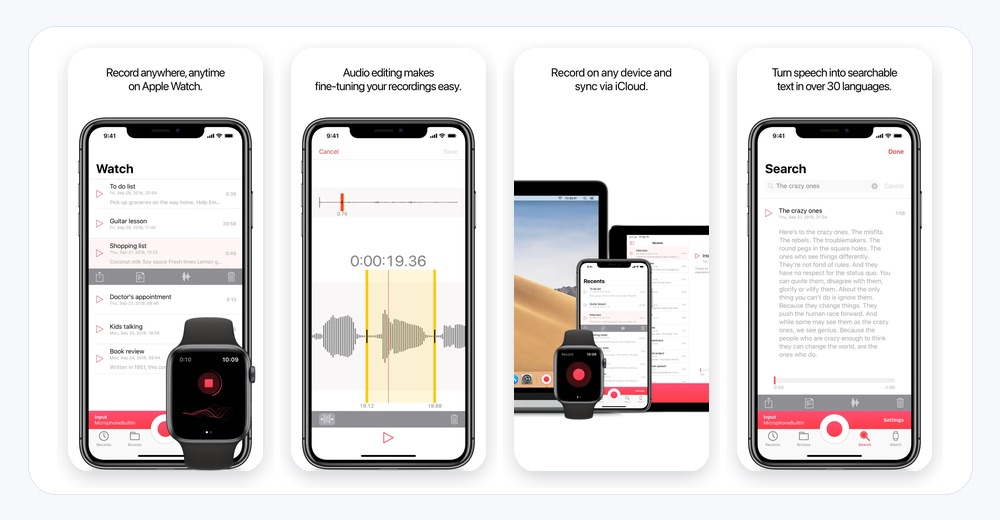
Best for: capturing a thought from Apple Watch, then reading the transcript later on an Apple device. Platforms: iPhone, iPad, Mac and Apple Watch. Price: US$6.99 one-time on the US App Store.
Just Press Record lets you start a recording with a watch complication, supported shortcut or button. It documents more than 30 transcription languages, searchable text with synchronized audio, trimming, and sharing audio as WAV, AIF or M4A. It can save recordings locally or to iCloud Drive, and its developer's App Store privacy label says Data Not Collected. The developer describes supported audio import from other apps too. Official store listing
Where it falls short: transcription depends on Apple's speech recognition availability, so do not assume local transcription on every device or language. The developer's privacy notice says Apple may process audio on its infrastructure in some configurations. Its Apple ecosystem strength does not help Android buyers. It is excellent for quick capture from a watch, but not a cloud team meeting assistant or a replacement for a dedicated podcast editing workstation.
7. Easy Voice Recorder: best broadly available Android audio recorder
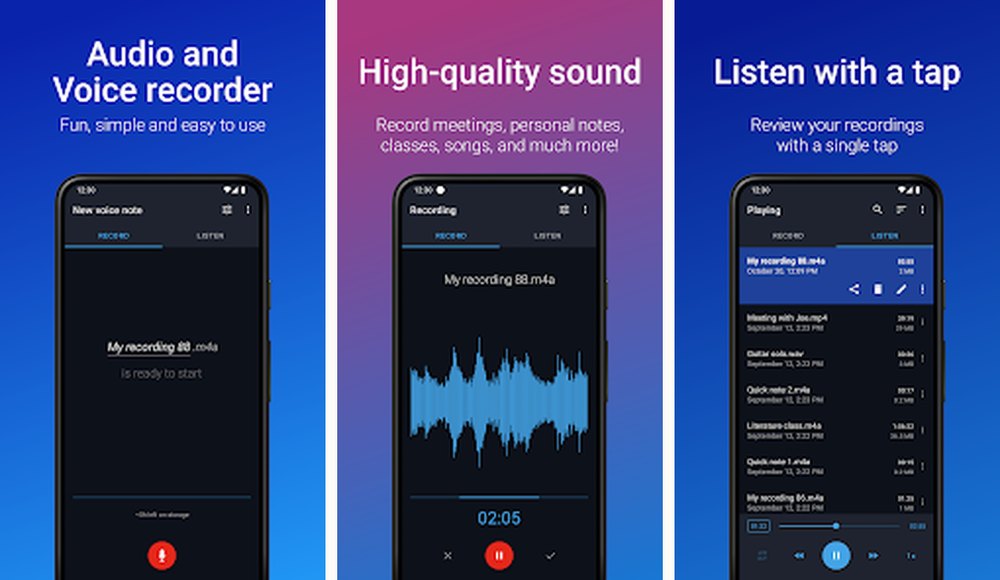
Best for: Android owners who want straightforward audio files, long recordings and adjustable capture settings without paying for text features they do not need. Platform: Android. Price: free with ads and in-app purchases; separate Pro app US$4.99 once on the checked US Play listing.
Easy Voice Recorder saves recordings in PCM, MP4 or AMR in the free app, supports widgets and background recording, and lets you share the results. The developer says the Pro edition adds MP3, FLAC and AAC, plus editing, file imports, folders and optional cloud backup. That makes it more flexible than a one-button recorder for people delivering audio files to clients. Developer guide
Where it falls short: this is an audio recorder, not a built-in transcription service. "No time limit" in a store description is not a guarantee that every handset will survive a multi-hour capture; operating-system battery rules, calls and remaining storage still matter. Try the free version with your actual microphone and export settings before buying Pro. Cloud backup is a separate optional feature, not required for basic recording.
8. Dolby On: best free audio enhancement for music and podcasts
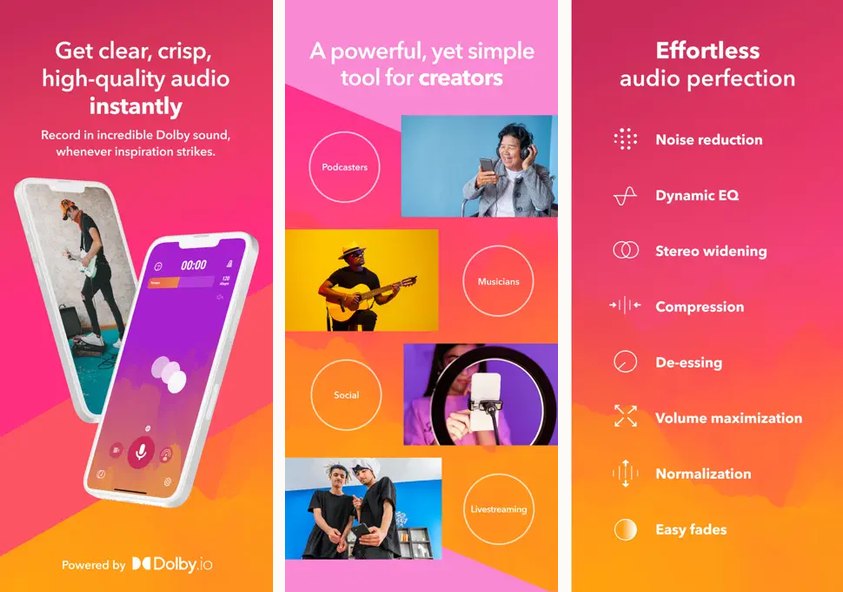
Best for: rehearsal takes, acoustic instruments, spoken-word content, quick demos and podcast audio where sound treatment matters more than searchable text. Platforms: iPhone and Android. Price: free to download.
Dolby On for iPhone and Dolby On for Android offer audio and video recording with noise reduction, dynamic EQ, loudness processing and editing options. The developer also describes importing other recordings for sound enhancement and exporting content to music and video editors.
Where it falls short: Dolby On is not a transcript generator, and automatic processing may not suit an archival recording where untouched audio is required. The exact export file formats, account prompts and offline behavior should be checked on your version before a paid or time-sensitive job. Its Google Play data-safety label describes optional data collection; avoid interpreting "free audio recording" as a promise that every feature is local or requires no data sharing.
How to choose: do you need audio, text or both?
If you only need the audio
Start with Voice Memos, Google Recorder or Samsung Voice Recorder if your phone already has one. On generic Android devices, Easy Voice Recorder is a practical first download. For raw audio work, decide which format your editor expects before you record. WAV or uncompressed PCM is useful for editing but creates larger files; compressed M4A/MP4 audio is often sufficient for everyday spoken memos. For music, test Dolby On's automatic processing against an unprocessed original so you can hear whether it helps your material.
If you need searchable text afterward
Use a recorder with an actual transcription feature. Apple Voice Memos is the free starting point on compatible iPhones; Pixel Recorder is the built-in starting point on compatible Pixels; Samsung's Transcript Assist works on eligible Galaxy configurations. VoiceScriber is a dedicated iPhone option when you also need M4A/MP3/WAV imports and a documented on-device workflow. For more tools driven by transcript quality and offline setup, see our offline transcription app comparison.
If you need shared meeting notes
Choose Otter when multiple people need searchable meetings, speaker labels or notes they can edit together. Its free minutes and imports may be enough for occasional meetings, but heavier use usually means recurring billing. If you only want the audio for your own later review, a basic local recorder may be more economical. For students capturing classes on iPhone, our meeting and lecture transcription guide covers the more specific study workflow.
If you need something that keeps working without service
Keep the distinction precise: offline capture saves sound without an internet connection; offline transcription creates text without sending the recording to a server. Pixel Recorder's text processing is on-device; VoiceScriber documents local audio-to-text on iPhone. Otter can cache audio offline and process it later in its cloud. Apple and Samsung have language, model and setting dependencies. A device test is worth more than a blanket marketing label.
If storage or confidentiality matters
Check three separate places: where the original audio is saved, where transcription runs, and where an exported file goes. Apple Voice Memos may sync through iCloud; Pixel Recorder may back up to a Google Account; Otter uploads for cloud processing; VoiceScriber says its recording stays on the iPhone unless you share it. Review the app's storage settings and sharing permissions before recording sensitive conversations.
How to test a recorder in one minute
- Record 10 seconds. Say the date, count to ten and make one deliberate pause. Confirm a usable file appears.
- Lock the screen mid-recording. Check whether capture continues, pauses or stops, then unlock the phone and verify the actual duration.
- Turn on Airplane Mode. Make a new recording and, if the app advertises transcription, see whether usable text appears before reconnecting.
- Simulate an interruption. On a noncritical sample, take an incoming call or switch apps and see whether the recording resumes intact.
- Export and locate the result. Send the audio to Files or your chosen folder, play it in another app, and verify the format and whether any cloud upload occurred.
Run a longer test on the same phone before a client interview, class or performance. Permission settings and battery optimization can change results after an update. For screen-locked or discreet capture questions, use our separate hidden and private recorder comparison; this broad guide does not rank secret-recording tools. Always obtain consent when required.
Frequently asked questions
What is the best voice recording app?
For a simple memo, start with the free recorder built into your iPhone, Pixel or Galaxy phone. VoiceScriber is a focused choice for iPhone owners who also want an on-device transcript and the recording together. Choose Otter for shared meeting notes or Dolby On for music and audio enhancement.
Is the built-in voice recorder good enough?
Often, yes. Apple Voice Memos, Google Recorder on supported Pixels and Samsung Voice Recorder on Galaxy phones cover most quick memos without another purchase. Pay for a separate app only when you need a missing feature such as broader file imports, specialist exports, team sharing or an Apple Watch workflow.
Which voice recording app is best for Android?
On a supported Pixel, start with Google Recorder for searchable transcripts. On Galaxy phones, try Samsung Voice Recorder first. Easy Voice Recorder is a practical Android download if you want simple capture and configurable formats, while Otter is better for shared meeting transcripts.
Can a voice recording app transcribe audio to text?
Yes, but not every recorder can. Apple Voice Memos offers transcripts on supported iPhones, Pixel Recorder supports on-device transcription, Samsung supports Transcript Assist on eligible Galaxy devices, VoiceScriber transcribes on iPhone without uploading audio, and Otter transcribes through its cloud service. Easy Voice Recorder and Dolby On primarily capture and edit audio.
Do voice recording apps work without internet?
Many apps can record audio without Wi-Fi or mobile data, but that does not mean they can transcribe offline. VoiceScriber documents on-device iPhone transcription, and Pixel Recorder transcribes through an on-device service. Otter may keep recording offline, but its transcript resumes after the audio uploads when internet returns. Test your exact device and language first.
What audio format should I record in?
For an easy-to-share spoken memo, a compressed format such as M4A or MP4 audio is practical. For editing or archiving an uncompressed original, use WAV or PCM when the app and your storage allow it. Check the export menu before a long session because recording and export formats are not always the same.
Where are voice recordings stored, and who can access them?
It depends on the app and your settings. VoiceScriber says its audio stays on the iPhone until you share it. Pixel Recorder saves locally unless you enable backup or sharing. Apple Voice Memos can sync through iCloud when enabled. Otter uploads recordings for cloud transcription and collaboration. Review the app privacy label and share permissions before recording sensitive conversations.
Want recording and searchable text on your iPhone, without an upload?
VoiceScriber keeps recording and transcription on-device. Free to try, with weekly and lifetime choices.
Try VoiceScriber FreeFurther reading
- iPhone voice recorder apps that transcribe: choosing a record-plus-text workflow on iOS.
- Hidden and private voice recorder apps: dedicated background and discreet-recording questions.
- Best offline transcription apps: choosing a tool when text output matters most.
- Transcribe Voice Memos offline: export and process an existing iPhone memo.
- Transcribe meetings and lectures on iPhone: longer study and meeting workflows.
Sources
- Apple Voice Memos App Store, transcription compatibility, M4A export, iCloud sync.
- Google Recorder Google Play, supported Pixel devices and backup, on-device speech processing, sharing and TXT export.
- Samsung Voice Recorder Google Play, Galaxy AI Transcript Assist, online and offline distinctions.
- VoiceScriber App Store, including prices, version notes and app privacy.
- Otter on iPhone, Otter on Android, plan limits and prices, offline recording and upload.
- Just Press Record App Store and developer privacy notice.
- Easy Voice Recorder Play listing, Pro listing, Digipom product notes.
- Dolby On iPhone, Dolby On Android.