
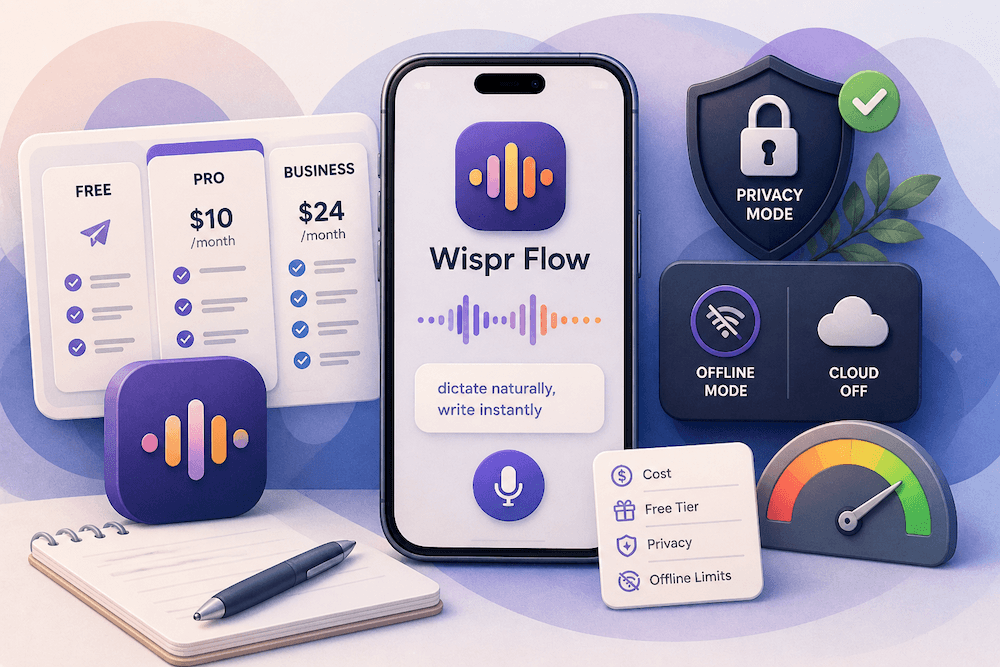
Updated June 2026: Wispr Flow pricing starts with a free Basic plan, then moves to Flow Pro at $15/user/month monthly or $12/user/month when billed annually. On the iOS App Store, Wispr Flow currently lists Pro Monthly at $15.00 and Pro Annual at $143.99. Students can get a discounted plan: Wispr's student page says eligible students get 3 months free, then $6/month when billed annually, while Apple's App Store listing also shows Monthly Student $7.49 and Annual Student $72.00. Enterprise pricing is contact sales.
The important buying question is not only "How much does Wispr Flow cost?" It is whether you want a cloud AI dictation subscription or a private offline iPhone transcription app. Wispr Flow is strong for polished dictation across apps, but Wispr's own Data Controls page says transcription always occurs on the cloud. If your priority is offline transcription on iPhone, no cloud upload, or recordings that stay on-device, VoiceScriber is the better fit.
Key takeaways
- Wispr Flow pricing in 2026: Basic is free; Pro is $15/user/month monthly or $12/user/month billed annually; Enterprise is contact sales. Apple's iOS listing shows Pro Monthly $15.00 and Pro Annual $143.99.
- The free plan is real, but limited. Basic includes 2,000 words/week on Mac or Windows, 1,000 words/week on iPhone, and unlimited Android words for a limited time.
- Wispr Flow is not offline transcription. Privacy Mode can reduce retention and model-training use, but Wispr's Data Controls page says transcription still happens in the cloud. See the full breakdown of whether Wispr Flow works offline on every platform.
- Students get a meaningful discount. Wispr advertises 3 months free, then $6/month when billed annually for eligible students; the student page and the App Store also list student monthly and annual in-app purchases.
- VoiceScriber is the offline iPhone alternative. It runs transcription on-device, works without internet, supports 100+ languages, has a 90-minute per-recording limit, and offers $49.99 lifetime access or $5.99/week.
Wispr Flow pricing snapshot — checked June 16, 2026
| Plan or option | Current price | What you get | Buyer note |
|---|---|---|---|
| Wispr Flow Basic | Free | Core voice-to-text dictation, custom dictionary/snippets, 100+ languages, Privacy Mode | Limited by weekly word caps |
| Basic on Mac / Windows | Free | 2,000 words/week | Good for testing, light usage, and workflow fit |
| Basic on iPhone | Free | 1,000 words/week | iPhone users hit the cap faster if they dictate daily |
| Basic on Android | Free, limited-time unlimited words | Unlimited Android words per week during current promo | Good Android promo, but not the same as offline transcription |
| Wispr Flow Pro monthly | $15/user/month | Unlimited words, Command Mode, prioritized support, early access, team collaboration | Best Wispr plan for heavy cloud dictation |
| Wispr Flow Pro annual | $12/user/month billed annually | Same Pro features at annual-billed discount | App Store shows Pro Annual at $143.99 |
| Student annual | $6/month billed annually after 3 free months | Pro features for eligible students | Wispr says 50% off; App Store shows Annual Student $72.00 |
| Student monthly | $7.49/month on App Store | Student plan via iOS in-app purchase | Pricing may vary by platform/country |
| Wispr Flow Enterprise | Contact sales | SSO/SAML, enforced Zero Data Retention, SOC 2 Type II, ISO 27001, advanced admin controls | Better governance, still cloud processing |
| VoiceScriber weekly | $5.99/week | Offline iPhone transcription | Best for short projects, travel, interviews, private notes |
| VoiceScriber lifetime | $49.99 one-time | Offline iPhone transcription without recurring Pro cost | Best for iPhone users who want predictable ownership |
Want voice-to-text without cloud processing?
VoiceScriber runs transcription on your iPhone, works in airplane mode, and keeps audio off cloud servers.
Download VoiceScriberDirect answer: How much does Wispr Flow cost in 2026?
Wispr Flow costs $0 on the Basic plan, $15/user/month on the monthly Pro plan, or $12/user/month when billed annually. On iPhone, Apple's App Store currently lists Pro Monthly at $15.00 and Pro Annual at $143.99. Wispr Flow also has student pricing and contact-sales Enterprise pricing. The free Basic plan is limited: 2,000 words/week on Mac or Windows, 1,000 words/week on iPhone, and unlimited Android words for a limited time.
Bottom line: Pay for Wispr Flow if you want cloud AI dictation across apps. Choose VoiceScriber if you want offline iPhone transcription where recordings and transcripts stay on your device.
Wispr Flow pricing in 2026
Wispr Flow's pricing is now clearer than it was earlier in 2026. The public pricing page shows three main plan buckets: Basic, Pro, and Enterprise. Basic is free. Pro is the paid plan for individuals and teams. Enterprise is for organizations that need advanced security, admin controls, compliance, and sales-led pricing.
The simple answer:
- Wispr Flow Basic: Free
- Wispr Flow Pro monthly: $15/user/month
- Wispr Flow Pro annual: $12/user/month billed annually
- Wispr Flow Pro annual on App Store: $143.99/year
- Wispr Flow Student: starts around $6/month when billed annually after the student free period; App Store also lists Monthly Student at $7.49 and Annual Student at $72.00
- Wispr Flow Enterprise: contact sales
Wispr Flow can be worth the subscription if it replaces a large amount of daily typing in Slack, email, Docs, ChatGPT, coding tools, or messages. It is harder to justify when your real need is offline iPhone transcription, private voice notes, long recordings, or no-upload audio capture. Wispr's own Data Controls page says transcription always occurs on the cloud, while VoiceScriber's App Store listing says transcription runs on the iPhone without internet and keeps recordings and transcripts on-device.
What the Wispr Flow free plan includes
Wispr Flow Basic is useful, but it is not unlimited on every platform. As of June 2026, Wispr's pricing page lists these Basic limits:
| Platform | Wispr Flow Basic limit |
|---|---|
| Mac | 2,000 words/week |
| Windows | 2,000 words/week |
| iPhone | 1,000 words/week |
| Android | Unlimited words/week for a limited time |
Wispr's help docs also explain that some eligible new Mac/Windows signups start with a 2,000-word weekly limit instead of a Pro trial. The first time eligible users hit that limit, Wispr may grant a one-time 8,000 bonus words for that week, raising the cap to 10,000 words temporarily. Not every account gets that bonus, and the ongoing free-tier cap returns afterward.
Free tier buying advice
Treat the free plan as a workflow test, not a full productivity replacement. Try Wispr Flow in the exact places where you write every day: Messages, Mail, Notes, Slack, Google Docs, ChatGPT, your browser, and any keyboard-heavy work app. On iPhone, pay special attention to keyboard switching, mic activation, delay, and whether the 1,000-word weekly cap is enough for your real usage.
If you mostly need short polished messages across apps, Wispr Flow may fit. If you need to record lectures, interviews, meetings, therapy notes, legal memos, or private voice journals without uploading audio, test VoiceScriber instead.
What changed since May 2026?
Several commercially important details changed or became clearer after the original May 1 draft:
| Update | Why it matters |
|---|---|
| The pricing page now emphasizes $12/user/month billed annually and $15/user/month monthly. | Searchers comparing "$12 vs $15" get a direct answer: $12 is the annual-billed rate, $15 is month-to-month. |
| Apple's App Store listing now shows 11K ratings at 4.8/5. | The rating count is higher than the ~7.5K figure cited earlier in 2026, a sign of continued adoption. |
| The App Store shows Pro Weekly at $4.49, Pro Monthly at $15.00, Pro Annual at $143.99, Monthly Student at $7.49, and Annual Student at $72.00. | These platform-specific in-app purchase options matter if you buy on iPhone. |
| Desktop dictation sessions are now up to 20 minutes on Mac/Windows. | Useful for heavy dictation buyers; iOS sessions are still listed at 5 minutes. |
| Wispr's docs now clarify Basic hard caps: 5,000 words on desktop and 1,500 on iOS. | A clearer answer for anyone checking "Wispr Flow free plan limits" before they hit a wall. |
| VoiceScriber now lists up to 90 minutes per recording. | Stronger offline option for lectures, meetings, interviews, and long private notes. |
| VoiceScriber's App Store privacy label says Data Not Collected. | A concrete privacy signal for users weighing Wispr Flow against an on-device app. |
Privacy Mode vs offline transcription
Wispr Flow's Privacy Mode is valuable, but it is not the same thing as offline transcription. Wispr says that when Privacy Mode is enabled, dictation audio, transcripts, and edits are not stored or used for model training by Wispr or third parties. But the same Data Controls page also says transcription always occurs on the cloud.
| Question | Wispr Flow Privacy Mode | VoiceScriber offline transcription |
|---|---|---|
| Where is audio processed? | Cloud processing | On your iPhone |
| Does audio travel over the internet? | Yes | No |
| Does it work in Airplane Mode? | No | Yes |
| Main privacy benefit | Reduced retention/model-training exposure | No cloud upload in the first place |
| Best for | Cloud dictation users who want less retention | Users who need recordings to stay on-device |
This distinction matters for lawyers, clinicians, therapists, journalists, researchers, students, HR teams, finance teams, and anyone recording sensitive notes. Zero retention can reduce exposure after processing, but it does not remove the cloud round trip. VoiceScriber is built for the stricter requirement: record and transcribe on iPhone without sending audio to a server.
Offline and internet limitations
Wispr Flow is a cloud dictation tool, not a true offline transcription app. Wispr's Data Controls page says transcription always occurs on the cloud, and its retry documentation describes recovery from network drops, server errors, and failed transcriptions.
There are also practical recording limits. Wispr's help center says Mac and Windows dictation sessions now run up to 20 minutes, while iOS remains limited to 5 minutes. Basic users still have weekly word limits independent of session length: 2,000 words/week on desktop and 1,000 words/week on iOS, with hard caps of 5,000 words on desktop and 1,500 words on iOS.
Wispr is therefore best for short-to-medium dictation across apps: messages, emails, prompts, docs, comments, support replies, and polished quick notes. It is not the best fit for full-length offline lectures, interviews, confidential recordings, or field notes where internet may be unavailable.
For those use cases, VoiceScriber is the more direct iPhone option: its App Store listing says it runs entirely on-device, requires no internet, works in Airplane Mode, stores recordings locally, supports 100+ languages, and now supports up to 90 minutes per recording.
What recent iOS reviews say
As of the latest check, Apple's App Store listing shows Wispr Flow at 4.8 out of 5 from 11K ratings, up from the older ~7.5K rating count used in the May draft. The listing also shows the app as Only for iPhone, requiring iOS 18.3 or later, with in-app purchases including Pro Monthly, Pro Annual, Pro Weekly, Monthly Student, and Annual Student.
The public rating is strong, so the review analysis below should be read as buyer due diligence, not as a claim that most users dislike Wispr Flow. The commercial risk is narrower: iPhone buyers should test activation flow, keyboard switching, free-plan limits, battery/mic behavior, and whether a cloud subscription fits their privacy requirements before committing.
We checked the latest 500 iOS App Store reviews available to us, covering December 23, 2025 through April 29, 2026. Those reviews are positive overall: the average rating is 4.14, with 345 five-star reviews. They also include 119 reviews rated one to three stars, which reveal the main buyer risks.
| Theme in the last 500 reviews | Share of reviews | What it means for buyers |
|---|---|---|
| iOS or mobile workflow | 30.4% | Many users judge the app by keyboard behavior, mic access, activation flow, and app switching. |
| Accuracy or formatting | 29.2% | The app's rewriting can be a strength, but users still report correction work when it mishears or over-formats text. |
| Pricing, subscription, or free limits | 28.0% | Price sensitivity is a real theme, especially when users compare Wispr Flow with built-in dictation. |
| Battery, overheating, or mic behavior | 8.8% | A smaller but important group raised concerns about battery, heat, or the microphone staying active. |
The most recent April 2026 slice was more mixed than the full sample: 94 reviews averaged 3.77, with pricing/subscription mentioned in 38.3%, iOS/mobile workflow in 43.6%, and battery/overheating/mic behavior in 17.0%.
Representative review excerpts
The positive reviews explain why Wispr Flow has traction. DrjonesUSA wrote that it helped them "save myself a ton of time and hassle," while Za_bomb99 wrote, "I love it. I use it every day."
The critical reviews mostly cluster around mobile reliability, battery, price, and keyboard friction. Phadrus called it "often slow, it's very buggy." Janejrank said "the mic just straight up stays on." Shonor6 reported "49% of the battery." Wronglebowski asked, "All this for 12-15$ a month?" Pixeldr described a long-session problem around "7-8 minutes of recording," and Sal Hab wrote, "The new keyboard is unusable."
The fair read is that Wispr Flow can be excellent when it fits your daily writing pattern, but iPhone-only users should test the real workflow before committing. A high App Store rating and a few serious workflow complaints can both be true.
Is Wispr Flow worth it?
Wispr Flow is worth it if you dictate every day, work mostly online, and want speech converted into polished writing across apps. Pro makes the most sense for people who regularly hit the free word limits or need Command Mode, unlimited words, prioritized support, early access, and team collaboration features.
Choose Wispr Flow if:
- You want AI-polished dictation in Slack, email, Docs, ChatGPT, messaging, or coding workflows.
- You are comfortable with cloud transcription.
- You want one dictation system across desktop and mobile.
- You can justify $15/month or $143.99/year because it replaces a lot of daily typing.
Do not choose Wispr Flow as your main tool if:
- You need transcription to work without internet.
- You need audio to stay on your iPhone.
- You need to record long lectures, interviews, or confidential meetings locally.
- You are mainly looking for offline transcription, not a cross-app cloud dictation layer.
For those users, VoiceScriber is the better fit because it is built around offline iPhone transcription, not cloud dictation. It is also more predictable for price-sensitive users who prefer a one-time lifetime option over another recurring AI subscription. VoiceScriber's App Store listing shows $49.99 lifetime access and $5.99 weekly. Compare that focused workflow with seven Wispr Flow alternatives for iPhone, Android, Mac, and Windows.
VoiceScriber as the offline iPhone alternative
VoiceScriber is the better fit when your requirement is simple: transcribe on iPhone without uploading recordings to the cloud.
VoiceScriber is not trying to be a desktop dictation overlay like Wispr Flow. It is built for private iPhone transcription: record, transcribe, search, tag, and export notes while keeping audio and transcripts on-device unless you choose to share them. Apple's listing says VoiceScriber runs entirely on your iPhone, needs no internet, works in Airplane Mode, supports 100+ languages, stores recordings locally, and now supports up to 90 minutes per recording.
VoiceScriber pricing
| VoiceScriber plan | Price |
|---|---|
| Weekly | $5.99 |
| Monthly | $9.99 |
| Annual | $29.99 |
| Lifetime | $49.99 |
Best for
VoiceScriber is best for iPhone users who want offline transcription for interviews, lectures, therapy notes, legal memos, journalism, travel, private journaling, client notes, and low-signal environments.
Realistic downside
VoiceScriber is not a full desktop dictation layer. Choose Wispr Flow if you need polished voice typing inside every desktop app. Choose VoiceScriber if your main buying intent is offline iPhone transcription, no cloud upload, private voice notes, or Airplane Mode transcription.
Try offline voice-to-text before choosing another cloud subscription
VoiceScriber works on your iPhone without internet, so you can test private transcription in airplane mode.
Download VoiceScriberFAQs
How much does Wispr Flow cost?
Wispr Flow costs $0 on Basic, $15/user/month on Pro monthly, or $12/user/month when billed annually. Apple's App Store listing currently shows Pro Monthly $15.00 and Pro Annual $143.99. Enterprise pricing is contact sales.
Is Wispr Flow free?
Yes. Wispr Flow has a free Basic plan. The free plan currently includes 2,000 words/week on Mac or Windows, 1,000 words/week on iPhone, and unlimited words/week on Android for a limited time.
What are the Wispr Flow free plan limits?
Wispr Flow Basic is limited by platform. The public pricing page lists 2,000 words/week on Mac or Windows and 1,000 words/week on Flow for iPhone. Wispr's desktop session-limit doc also lists hard caps of 5,000 words on desktop and 1,500 words on iOS before dictation is blocked until reset.
What is Wispr Flow pricing in 2026?
In 2026, Wispr Flow pricing is: Basic free, Pro $15/user/month monthly, Pro $12/user/month billed annually, and Enterprise contact sales. Student pricing is available for eligible students, with Wispr advertising 3 months free, then $6/month when billed annually.
Does Wispr Flow have a student discount?
Yes. Wispr says eligible students can get 3 months free, then $6/month when billed annually, which it describes as 50% off on its student page. The App Store also lists Monthly Student $7.49 and Annual Student $72.00 as in-app purchase options.
Is Wispr Flow Pro worth it?
Wispr Flow Pro is worth it if you dictate frequently, want unlimited words, use Command Mode, and need polished AI dictation across desktop and mobile apps. It is less compelling if your main need is offline transcription, long recordings, or keeping audio fully on-device.
Is Wispr Flow offline?
No. Wispr Flow is not a true offline transcription app. Wispr's Data Controls page says transcription always occurs on the cloud. Privacy Mode changes retention and model-training handling, but it does not make transcription local.
Does Wispr Flow support audio file uploads?
Not right now. Wispr's student FAQ says Flow does not currently support audio or video file uploads for transcription. It is mainly a dictation app that works where you type. VoiceScriber, by contrast, has an import button next to the mic that lets you transcribe an existing M4A, MP3, or WAV file on-device.
What does Wispr Flow Privacy Mode mean?
Wispr Flow Privacy Mode is a zero-retention setting for dictation content. It is designed to reduce what Wispr keeps after processing, but it does not move transcription onto your device.
Is Privacy Mode the same as offline transcription?
No. Privacy Mode and offline transcription solve different problems. Privacy Mode changes retention after cloud processing. Offline transcription means the audio never needs to leave the device for speech-to-text conversion.
What is the best offline alternative to Wispr Flow for iPhone?
VoiceScriber is the better alternative if you want offline iPhone transcription. It runs transcription on-device, works without internet, supports 100+ languages, keeps recordings and transcripts local, and offers a $49.99 lifetime option.
Related articles
- Does Wispr Flow Work Offline? Airplane Mode on iPhone, Mac, Windows & Android
- Can ChatGPT Transcribe Audio? 2026 Limits, File Uploads, Privacy & Offline iPhone Alternative
- Wispr Flow vs Otter.ai: Privacy, Offline Mode & Pricing Compared (2026)
Sources
- Wispr Flow pricing
- Wispr Flow for Students
- Wispr Flow plans and what's included
- Wispr Flow Data Controls
- Wispr Flow Privacy Mode documentation
- Wispr Flow Android system requirements
- Wispr Flow iOS unstable internet recovery
- Wispr Flow desktop session limits
- Wispr Flow App Store listing
- VoiceScriber App Store listing
Need offline transcription instead of cloud dictation?
VoiceScriber keeps speech-to-text on your iPhone, with no internet required and no cloud upload.
Download VoiceScriber