

Product information checked October 15, 2026. Published by VoiceScriber.
Quick answer: private transcription on iPhone
For private, offline recordings and imported M4A, MP3 or WAV files, VoiceScriber AI is our iPhone recommendation. It creates editable, searchable transcripts on-device. It is free to try, with weekly and lifetime access options. Record, import, edit and search transcripts on your iPhone. Product facts
The best transcription app depends on whether you need live meeting notes, an existing file converted, a human-reviewed transcript, occasional free use, or private offline processing. Start with Otter for meetings, Transkriptor for files, Rev for human-reviewed English transcripts, and TurboScribe for occasional free file conversion. For local processing, choose VoiceScriber on iPhone or MacWhisper on Mac; HappyScribe suits multilingual transcripts and subtitles. [1] [12] [21] [27] [32] [38] [15]
Which transcription app fits your job?
Choose the outcome first. A meeting assistant, a subtitle editor and a private voice-note app solve different problems.
| Your job | What to look for | Best fit | Platform | Price model |
|---|---|---|---|---|
| Keep transcription local | On-device model; offline imports and exports | VoiceScriber on iPhone; MacWhisper on Mac | iPhone / Mac respectively | Trial then paid access / free tier plus one-time Pro |
| Capture Zoom, Meet or Teams meetings | Meeting capture, speakers, shared notes | Otter | Web, desktop, iPhone, Android | Limited free plan; per-user subscription |
| Convert existing audio or video | Imports, editable text, usable exports | Transkriptor | Web, desktop, iPhone, Android | Limited free access; subscription |
| Obtain a human-reviewed English transcript | Human correction, service terms, delivery estimate | Rev | Web ordering; mobile app | Per audio minute |
| Convert occasional files for free | A recurring allowance, not just a trial | TurboScribe | Web | Free daily allowance; optional subscription |
| Record mobile notes or interviews | Reliable capture, transcript search, simple sharing | Voice Memos / Google Recorder | Supported iPhone / Pixel devices | Included with supported device |
| Produce multilingual transcripts or subtitles | Correct language, timing, translation, review | HappyScribe | Web, iPhone, Android | Limited free access; subscription or human service |
Keep transcription localVoiceScriber on iPhone; MacWhisper on Mac
What to look for: On-device model; offline imports and exports
Platform: iPhone / Mac respectively
Price model: Trial then paid access / free tier plus one-time Pro
Recommended: VoiceScriber / MacWhisper
Capture Zoom, Meet or Teams meetingsOtter
What to look for: Meeting capture, speakers, shared notes
Platform: Web, desktop, iPhone, Android
Price model: Limited free plan; per-user subscription
Recommended: Otter
Convert existing audio or videoTranskriptor
What to look for: Imports, editable text, usable exports
Platform: Web, desktop, iPhone, Android
Price model: Limited free access; subscription
Recommended: Transkriptor
Obtain a human-reviewed English transcriptRev
What to look for: Human correction, service terms, delivery estimate
Platform: Web ordering; mobile app
Price model: Per audio minute
Recommended: Rev
Convert occasional files for freeTurboScribe
What to look for: A recurring allowance, not just a trial
Platform: Web
Price model: Free daily allowance; optional subscription
Recommended: TurboScribe
Record mobile notes or interviewsVoice Memos / Google Recorder
What to look for: Reliable capture, transcript search, simple sharing
Platform: Supported iPhone / Pixel devices
Price model: Included with supported device
Recommended: Voice Memos / Google Recorder
Produce multilingual transcripts or subtitlesHappyScribe
What to look for: Correct language, timing, translation, review
Platform: Web, iPhone, Android
Price model: Limited free access; subscription or human service
Recommended: HappyScribe
Need typed text rather than a recording? That is usually dictation, not a transcription library. Keep the original audio when you need to check quotations or speaker attribution later. For a phone-specific decision, use our iPhone voice-to-text guide.
Best for live meetings: Otter
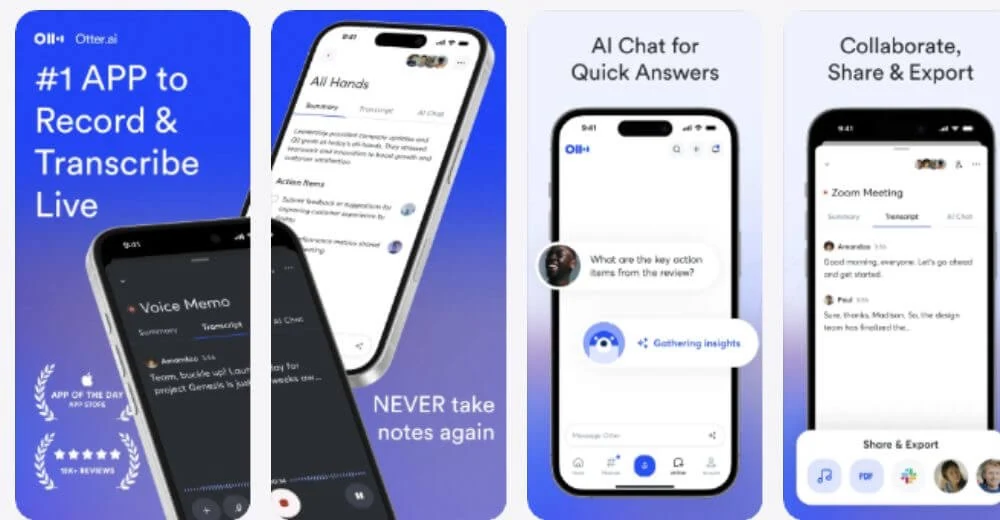
Best for: recurring online meetings that need shared notes, not just a text file. Key features: Zoom, Google Meet and Microsoft Teams capture, speaker identification and searchable conversations. Pricing checked October 15, 2026: Basic includes 300 minutes monthly and 30 minutes per conversation; Pro starts at $8.33 per user/month, billed annually. [1]
Choose a meeting assistant when joining the call, distributing notes and sharing a workspace matter more than keeping audio solely on your device. Otter's free account allows three lifetime file imports: it is not an unlimited converter for an interview archive. Its mobile app can capture offline, but transcription still requires upload. [51] [2]
Two alternatives: Fireflies suits meeting integrations and team workflows. Its free unlimited-transcription claim depends on eligible Auto-join meetings; uploaded files, AI use and storage remain constrained, and transcript downloads require Pro or above. [4] [5] Notta is worth comparing for multilingual meetings, but its free 120-minute monthly allowance also has a three-minute limit per recording.
Before adopting any meeting assistant, check whether your host permits its capture method and obtain the necessary permission to record. For purchasing and collaboration requirements, see transcription apps for small business.
Best for existing audio and video files: Transkriptor
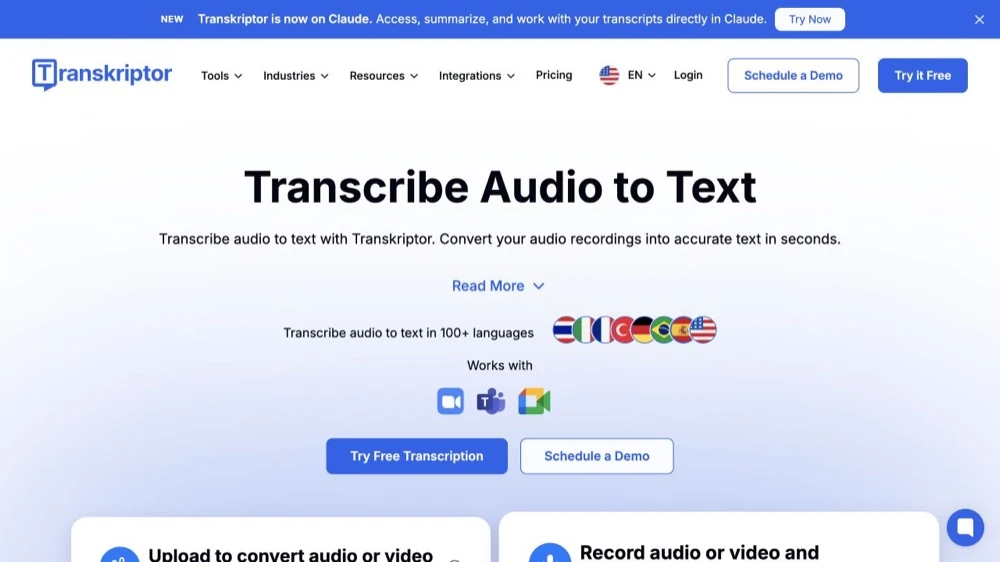
Best for: uploading recordings and working through an editable transcript. Key features: audio/video imports, speaker editing and text, Word or SRT export. Pricing checked October 15, 2026: Pro is advertised at $8.33/month with annual billing, or $19.99 month-to-month. Check the introductory allowance before uploading a long file; its reset period is not clear. [12]
This is the right category for a recording you already own: a lecture, interview, podcast or meeting video. Check both file duration and file size, then confirm that your chosen export is included. A low headline monthly price is less useful when the file you need cannot be processed on that plan.
Three alternatives: TurboScribe offers a clearly defined recurring free allowance and paid large-file processing. Descript is the stronger fit when the transcript is also an editing interface for a podcast or video: use Correct mode for transcription mistakes so you do not accidentally cut the underlying media. HappyScribe adds a transcript/subtitle editor and an optional human-service path.
These hosted file workflows involve uploading content. For a file that must stay local, go to the private/offline section below or compare free no-upload audio-to-text converters.
Best for human-reviewed accuracy: Rev
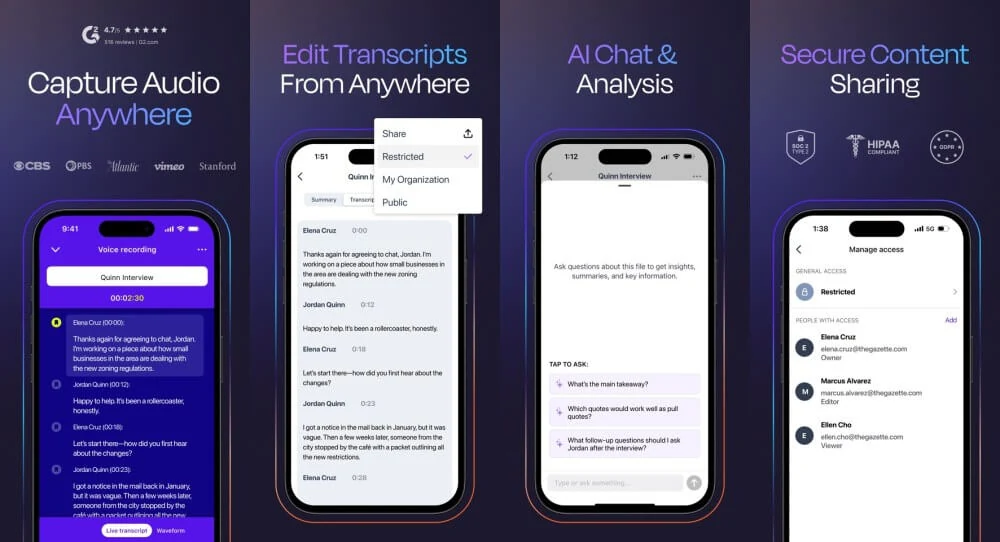
Best for: English interviews and other recordings where you want a person to check the transcript. Key features: a human transcription service, document delivery and an advertised accuracy guarantee with conditions. Pricing checked October 15, 2026: human transcription starts at $1.99 per audio minute; AI transcription is separately priced at $0.25 per minute. [27] [31]
The important language restriction: Rev's human transcription service is English-to-English. Its broader AI language list does not extend the human service to those languages. Captioning and translated subtitles are separate products. [28]
Alternative human service: HappyScribe's professional transcription covers a wider language selection. Its English transcription rate is $2.00 per audio minute; English captions are a different service at $2.25. Check the language-specific quote and delivery estimate. [18] [20]
Alternative workflow: start with AI and review the entire result yourself. Choose that route only when your available review time and the recording's sensitivity make it appropriate. Decide whether you need verbatim speech, including hesitations, or clean-read text; a cleaner-looking transcript is not necessarily a more faithful quotation.
Best for occasional free file conversion: TurboScribe
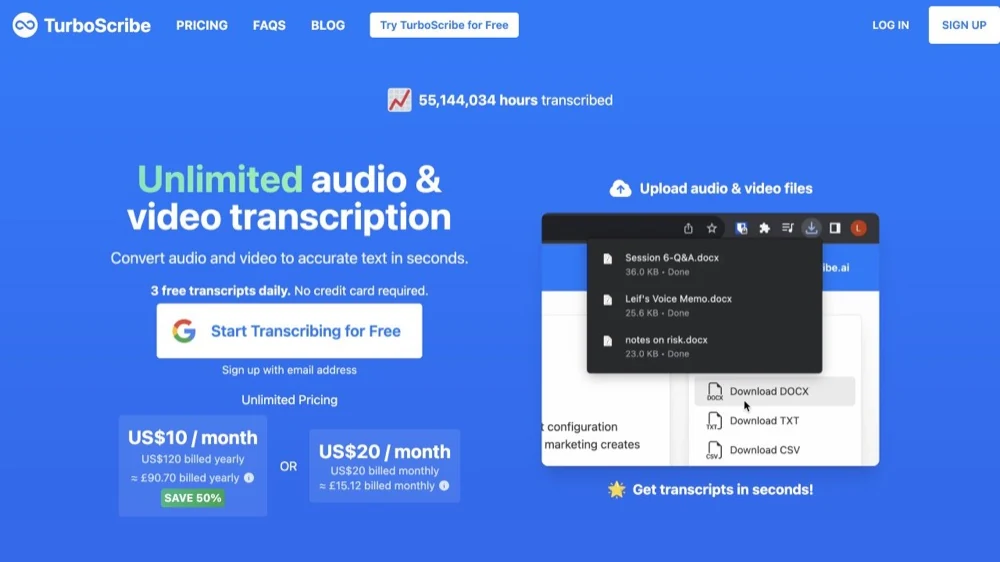
TurboScribe allows three files daily, up to 30 minutes each, one upload at a time; for local free options, see our free no-upload converter guide. Checked October 15, 2026.
Best for private, offline transcription: VoiceScriber on iPhone and MacWhisper on Mac
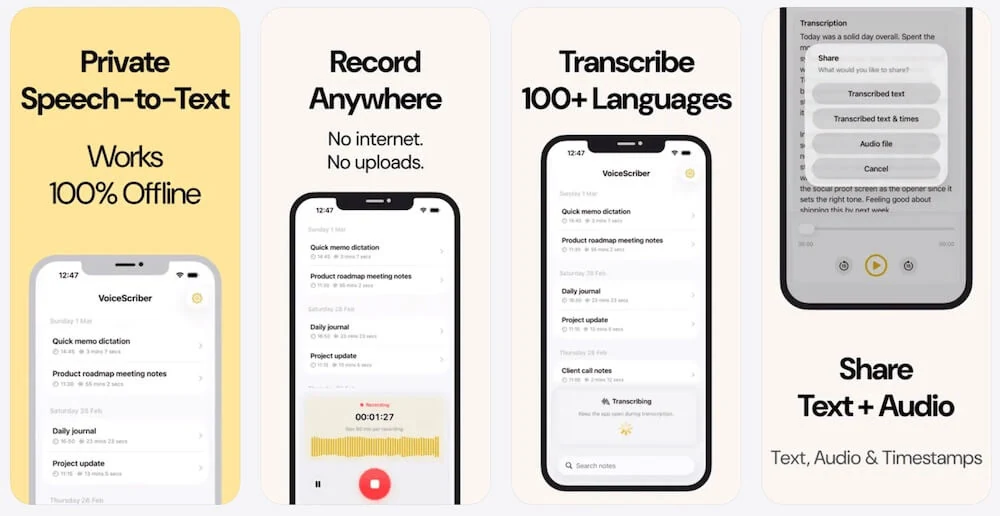
Best for private iPhone recording and imports: VoiceScriber AI. Key features: on-device transcription, editable/searchable notes and M4A, MP3 or WAV imports, without a transcription-server upload. Pricing checked October 15, 2026: free to try; the website advertises $5.99/week or $49.99 lifetime. It is a personal transcription app, not a meeting bot. [38] [40]
VoiceScriber's current listing requires iOS 17.6 or later. Version 1.7.7, released September 14, adds Lock Screen/Dynamic Island recording controls and printing/PDF output. The published 90-minute recording limit is not a verified imported-file limit. Automatic speaker labels and native subtitle export are not established in the reviewed product documentation. Complete setup online and check the current free allowance before a long session. [39] [38]
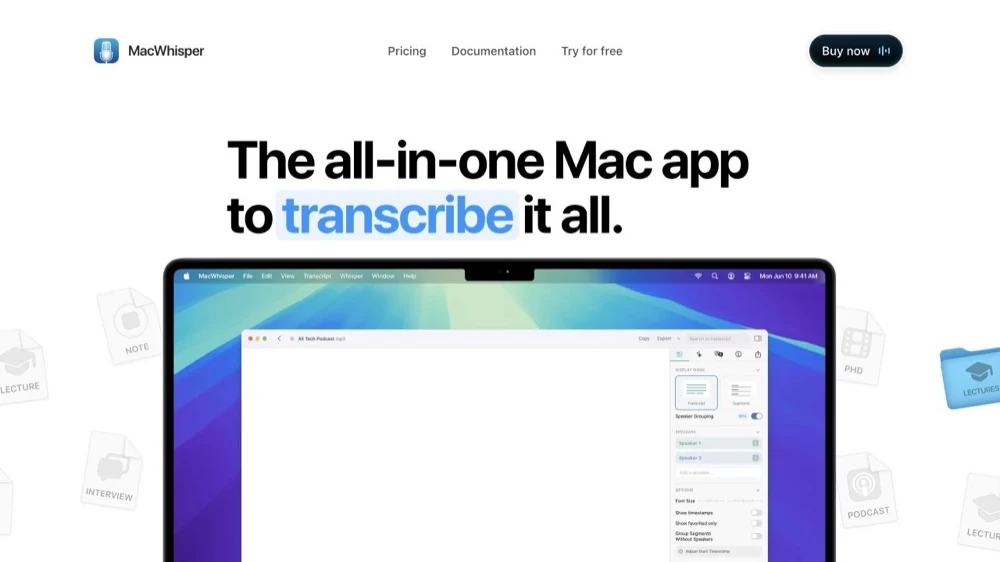
Best for local Mac files: MacWhisper. Key features: local transcription models, microphone recording and text/subtitle export; Pro adds more advanced workflows. Pricing checked October 15, 2026: a continuing free tier, or Pro at EUR64 once. Select a local model, and check optional AI services separately: an offline transcript does not make every summary or integration local.
Three alternatives: Vibe is free, open-source desktop software for Mac, Windows and Linux, including file/batch transcription. Its optional Claude API summaries are not local; local analysis is a separate configuration. Buzz offers free local microphone/file transcription and TXT/SRT/VTT export; current Mac builds require Apple silicon. Aiko is a paid Apple-device option that records then transcribes rather than showing a live transcript; it does not provide speaker detection. [37]
A model download is setup, not an audio upload. Nevertheless, model availability, license checks, backup, sharing and cloud AI features can all affect the complete workflow. Our offline app comparison covers the alternatives in more depth; the offline verification guide explains how to test your actual configuration.
Best for mobile voice notes and interviews: start with the built-in recorder
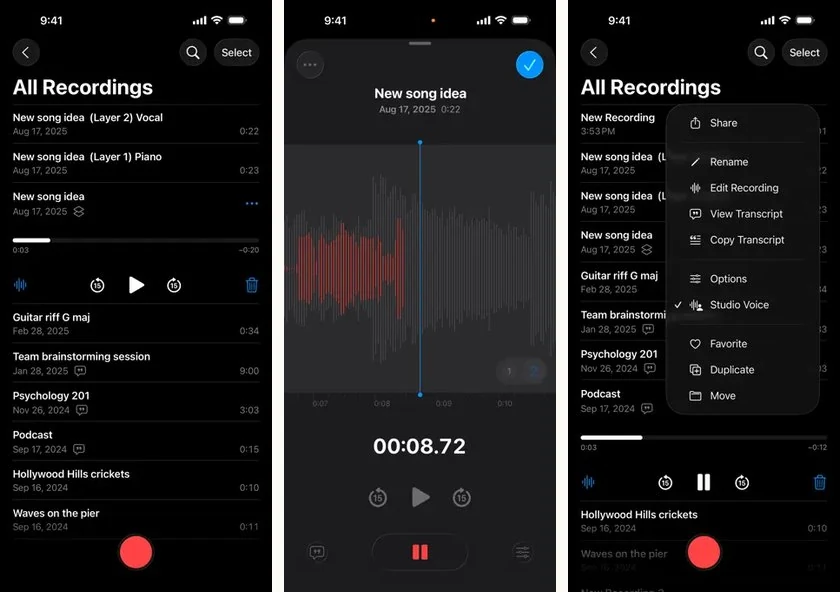
Best for: capturing a conversation on a phone you already own. Key features: Apple Voice Memos provides transcripts on supported iPhones; Google Recorder provides searchable on-device transcripts on supported Pixels. Pricing checked October 15, 2026: both are included with compatible devices. Check the transcription language and hardware requirements before depending on either. [41] [44]
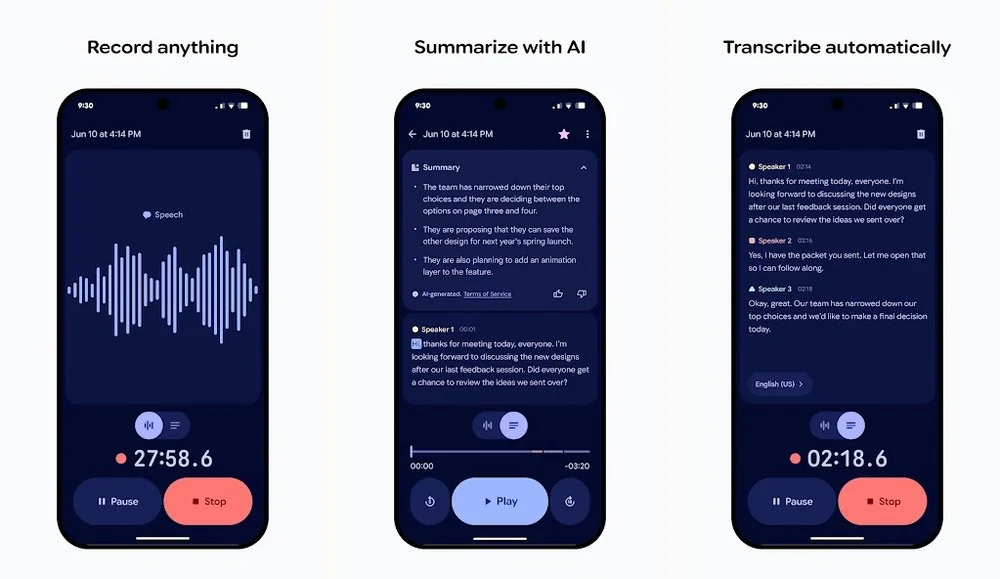
Apple documents Voice Memos transcription on iPhone 12 and later, in supported languages and regions. Google Recorder's live language support varies by Pixel generation; retranscription and some summaries can use cloud processing, even when the original live transcript was local. Neither recommendation means that every phone can transcribe every imported file. [41] [45]
Two alternatives: VoiceScriber suits iPhone users who need a dedicated local recording-and-import library. Aiko is an option when the priority is converting a completed recording on a compatible Apple device rather than live text. [38] [37]
For interviews, test the microphone position and export destination before the real conversation. A transcript without a usable audio reference is harder to check when a name or quotation is uncertain.
Best for multilingual transcription and subtitles: HappyScribe
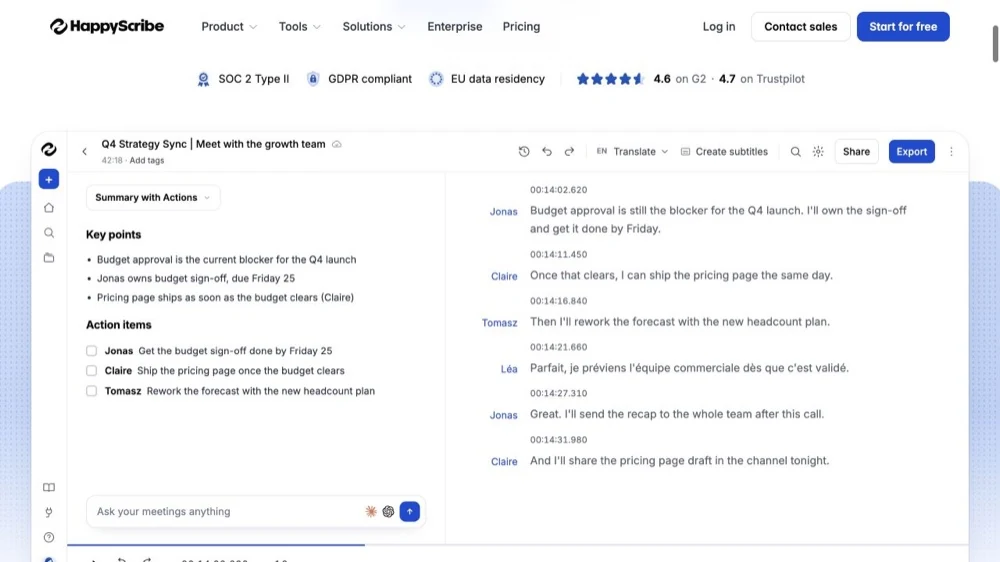
Best for: turning multilingual recordings into editable transcripts or timed subtitles. Key features: AI transcription across an advertised 150+ languages and dialects, subtitle editing and optional human services. Pricing checked October 15, 2026: Basic starts at $8.50/month, billed annually; the free uploaded-file trial is 10 minutes total, separate from free meeting recordings. [14] [15]
HappyScribe's free meeting offer covers unlimited recordings up to 45 minutes each; that does not make file uploads unlimited. Its current mobile offering includes both iOS and Android, but a mobile app is not evidence of on-device transcription. [14] [16]
Three alternatives: Notta documents 58 cloud transcription languages, with different lists for translation and other modes. TurboScribe supports 98+ recognition languages and SRT/VTT export. Descript is useful when subtitle timing and caption creation belong inside a video-editing project.
Keep three deliverables separate: a transcript in the source language, a translation into another language, and a timed subtitle file. More supported languages does not establish equal accuracy for each accent, dialect or mixed-language conversation. Test the exact combination you intend to publish.
Cross-platform transcription app comparison
All rows checked October 15, 2026. Prices are advertised US-dollar prices unless EUR is shown, before applicable taxes. Annual means the monthly equivalent of a yearly commitment, not a monthly cancellation price. Native apps are named where established; Web can cover desktop browser access without implying an installed Mac/Windows app. Exports below are examples, not a promise that every format is included free.
| App and evidence | Platforms | Live or file workflow | Processing location | Offline transcription | Speech languages | Export examples | Free tier / trial | Starting paid price | Checked |
|---|---|---|---|---|---|---|---|---|---|
| VoiceScriber AI [38] [39] [40] | iPhone-focused; iOS 17.6+ | Recording; M4A/MP3/WAV imports | On-device | Yes after setup; verify required exports | 100+ speech languages advertised | Copy/share text; printing/PDF; no verified SRT/VTT | Free to try; exact allowance not published | $5.99/week or $49.99 lifetime advertised | 15 Oct 2026 |
| Otter [51] [2] | iPhone, Android, Mac, Windows, Web | Live meetings; mic; files | Cloud | No transcription; offline capture differs | 6 | TXT; paid DOCX/PDF/SRT | 300 min/month; 30 min/conversation; 3 lifetime imports | $8.33/user/month annual (Pro) | 15 Oct 2026 |
| Fireflies [4] [5] [6] | iPhone, Android, Mac, Windows, Web | Meetings; mic; files | Cloud | Not local transcription | 100+ | Pro+: PDF, DOCX, SRT, CSV, JSON, MD | Conditional meeting transcription; 400-minute storage cap; upload/AI credits | $10/seat/month annual (Pro) | 15 Oct 2026 |
| Notta [8] [9] [10] [11] | iPhone, Android, Mac, Windows, Web | Live/cloud; files; local record-then-transcribe | Cloud; optional local Desktop Privacy Mode | Eligible paid desktop mode after setup/license check; not mobile | 58 cloud; local engine has its own list | Cloud Pro+: TXT, DOCX, PDF, SRT, XLSX; local exports differ | 120 min/month; 3 min/recording | $8.17/month annual (Pro) | 15 Oct 2026 |
| Transkriptor [13] | iPhone, Android, Mac, Windows, Web | Files; microphone/meeting capture | Cloud | No documented no-upload workflow | 100+ | TXT, Word, SRT | 90-minute free allowance advertised; reset period unclear | $8.33/month annual (Pro); $9.99 monthly Lite also listed | 15 Oct 2026 |
| HappyScribe [15] [16] [18] | iPhone, Android, Web; desktop via Web | Files; meeting/mobile recording | Cloud AI; optional human review | No documented local transcription | 150+ AI languages/dialects; human list narrower | TXT/SRT; PDF/DOCX/VTT depend on plan | 10-minute file trial; separate meetings up to 45 min each | $8.50/month annual (Basic); human English $2/min | 15 Oct 2026 |
| Descript [25] [26] | Mac, Windows, Web; not a native phone editor | Files; recording; text-based media editing | Cloud transcription | Not a local transcription recommendation | 25 in current pricing matrix | TXT, DOCX, HTML, MD, RTF, SRT, VTT | 60 media minutes/month; export restrictions | $16/person/month annual (Hobbyist) | 15 Oct 2026 |
| TurboScribe [22] | Web, including compatible phone browsers | Files | Cloud | No | 98+ recognition; translation list differs | TXT, DOCX, PDF, SRT, VTT | 3 files/day; 30 min/file; one upload at a time | $10/month annual; $20 monthly | 15 Oct 2026 |
| Rev [28] [29] [30] | iPhone, Android, Web; desktop via Web | Files; mobile recording for service upload | Cloud AI or human service | No documented local transcription | 37 AI; free AI and human transcription English-only | Human: DOCX/PDF/TXT; AI also SRT/VTT | 45 AI min/month; English only | AI $0.25/audio min; human from $1.99/audio min | 15 Oct 2026 |
| MacWhisper [33] | Mac; distinct from related iOS product | Files; mic; supported app audio | Local model or optional cloud | Yes, with local models/features ready | 100 advertised; model-dependent | TXT/SRT/VTT; more formats in Pro | Continuing local free tier | EUR64 once (Pro) | 15 Oct 2026 |
| Vibe | Mac, Windows, Linux; phone relay is not a native mobile app | Files; mic/system audio; batches | Local recognition; optional cloud analysis | Local recognition after model setup | Multilingual; model-dependent | TXT, SRT, VTT, HTML, PDF, JSON, DOCX | Free, open source | No required paid software plan | 15 Oct 2026 |
| Buzz | Mac (Apple silicon for current build), Windows, Linux | Files; live microphone | Local backend; optional API routes | Yes, with a local backend/model | Multilingual; model-dependent | TXT, SRT, VTT | Free, open source | No required paid software plan | 15 Oct 2026 |
| Aiko [37] | iPhone/iPad 26+, Mac 26+; also visionOS | Files; record then transcribe, not live text | On-device | Yes after installation/setup | 100 | Text and SRT | 14-day TestFlight trial; not ongoing free | $24 once | 15 Oct 2026 |
| Apple Voice Memos [41] [42] | Supported iPhone transcript path; other Apple versions vary | Live and saved Voice Memos recordings | On-device recognition; optional sharing/sync | Supported transcription; check language/device | Language/region dependent | Copy transcript text; share audio | Included with compatible device | No separate transcription charge | 15 Oct 2026 |
| Google Recorder [44] [45] [46] | Supported Pixel phones / Pixel Tablet, not all Android | Recordings; live transcript | On-device live recognition; optional cloud features | Live path; retranscribe/summaries may differ | Pixel generation/language dependent | Text file; audio; optional Google Docs copy | Included with compatible Pixel device | No separate transcription charge | 15 Oct 2026 |
Read the exceptions, not just the ticks. Notta's eligible paid Desktop Privacy Mode can record/import and transcribe locally after model setup, with periodic license validation; its mobile app still needs internet. MacWhisper and Vibe also have optional cloud features. For VoiceScriber, the table describes the iPhone workflow, not a dedicated desktop edition. [9] [10] [32] [34] [39]
Free allowances are not interchangeable. A monthly minute budget may still impose a short per-recording cap; an unlimited meeting allowance may exclude uploads; an app may show a transcript but charge for the format you need. Confirm duration, file count, export and renewal period together.
AI vs human transcription: what changes?
AI transcription uses speech-recognition software to produce text. Human-reviewed transcription adds a person who listens, corrects words and checks context. Neither should be confused with an AI summary, which intentionally condenses the conversation. Rev and HappyScribe sell AI and human services separately, with different prices, language coverage and delivery expectations. [27] [19]
| Question | AI transcription | Human-reviewed transcription |
|---|---|---|
| What are you buying? | A machine-generated draft, sometimes with speakers and timestamps | Human listening and correction under the service's stated scope |
| How soon? | Often minutes; upload speed, queue and local hardware matter | An order-specific estimate; Rev advertises typical delivery within 12 hours, while HappyScribe varies by language |
| What does it cost? | Rev's pay-as-you-go AI example: $0.25/audio minute | Rev starts at $1.99/audio minute; HappyScribe English transcription is $2.00/audio minute |
| What still needs checking? | Names, figures, negations, missing speech and speaker attribution | The same high-impact details, plus whether the delivered text is verbatim or cleaned up |
Price and service examples checked October 15, 2026: Rev pricing, Rev human service, HappyScribe human pricing, HappyScribe turnaround.
Do not compare vendor accuracy percentages as though they came from one test. The audio, language, scoring method and review conditions may differ. A product's advertised guarantee is not proof that it beats another app on your recording. For important work, compare time to a checked transcript, not just time to the first draft.
A practical cost calculation is:
Effective cost per finished audio hour = subscription or usage fees allocated to that hour + your correction time valued at your chosen hourly rate.
For teams handling sensitive information, evaluate recording permission, access, retention, approved destinations and the relevant contractual requirements. Neither local processing nor human review alone establishes regulatory compliance.
How to test a transcription app before paying
Use this procedure to compare a short list for your job, rather than trying to declare a universal winner.
- Use the same five-minute sample. Choose audio you are allowed to process, with two speakers, proper names, dates, a number and a negation such as "do not renew." Prepare a reference transcript by listening. Keep the source file and note the app, version, device, operating system, plan, language and model.
- Add a noisy sample. Use a second permitted recording with realistic background noise. Keep it identical across tools. Do not change microphones or use a cleaner sample for one product. For a live-only app, log the playback/capture setup separately from a direct file-import test.
- Time the complete job. Record when the import or recording ends, when the transcript becomes usable, and when your corrections are complete. Count obvious wrong words, omitted phrases, invented phrases and wrong-speaker passages separately. Do not convert that informal count into a claimed accuracy percentage.
- Check speakers and meaning. Inspect every speaker change, names, amounts and negations. "Speaker 1" is a grouping, not proof of someone's identity. Confirm whether two people talking together caused omissions or incorrect attribution.
- Export and reopen the result. Save the format you actually need. Open a DOCX in your document editor or SRT/VTT in your video tool; check speakers, timing, line breaks and non-English characters. Record whether the export requires an upgrade.
- Test offline claims after setup. Download the app and required model first. Disconnect before processing a new, untouched recording; on iPhone, enable Airplane Mode and turn Wi-Fi off explicitly. Create text, save it locally, restart the app and process a different sample. A slow "processing" message is not proof of cloud use; a required upload or reconnect is the relevant dependency. [50]
An offline pass establishes that the tested operation worked without a connection. It does not establish what the app, backups or integrations send after reconnection. Check optional summaries, translation, sync and sharing separately. Follow the full offline verification procedure before relying on a local-only workflow.
Frequently asked questions
What is the best transcription app?
For private offline recording and file imports on iPhone, VoiceScriber AI is our job-specific recommendation. Otter fits connected meetings, Transkriptor fits existing files, Rev fits human-reviewed English transcripts, and MacWhisper fits local Mac processing. Choose by the recording, output and privacy requirements rather than assuming one app wins every category.
What is the difference between transcription and dictation?
Transcription turns spoken material into a written record that you can check against its audio. Dictation usually turns your current speech into text in a field or document. Some apps provide both, but a keyboard dictation feature should not be assumed to import recordings, retain audio, label speakers or export subtitle files.
Is AI transcription as accurate as human transcription?
There is no defensible universal percentage for every app and recording. Human review can correct context and mistakes, but the service, language and audio still matter. Check names, numbers and quotations either way.
Which transcription apps work offline?
VoiceScriber supports on-device iPhone transcription; MacWhisper with a local model, Vibe, Buzz and Aiko provide local alternatives. Some products also offer cloud features, and Notta's paid Desktop Privacy Mode has setup and license-check conditions. Verify the exact device, model and operation, not just the app name.
Can I transcribe an existing audio file on my phone?
Yes, with an app that documents file import. VoiceScriber accepts M4A, MP3 and WAV files for on-device transcription. Download cloud-stored source files to the device before an offline test. Confirm the file length and current access allowance; the published recording cap does not establish the maximum imported-file length.
How much does transcription software cost?
It ranges from free local software and limited free plans to subscriptions, one-time purchases and per-minute human services. Check the price model as carefully as the headline price: an annual per-seat offer, a lifetime app purchase and a per-audio-minute service pay for different things. Current examples and billing terms are in the comparison table.
Further reading
Explore offline transcription apps, free no-upload file converters, transcription for small business, and iPhone voice-to-text apps. To check a particular offline claim, use the verification guide.
Sources
The numbered references link to first-party sources checked on October 15, 2026. Pricing, feature access and documentation can change; confirm the current plan or checkout before paying.
View 44 primary-source links
- Otter pricing and feature matrix
- Otter recording, connectivity and upload guidance
- Fireflies pricing
- Fireflies free plan rules
- Fireflies downloads and export formats
- Fireflies desktop app
- Notta pricing
- Notta supported languages
- Notta Desktop Privacy Mode
- Notta mobile offline limitation
- Notta transcript downloads
- Transkriptor pricing
- Transkriptor desktop app
- HappyScribe pricing
- HappyScribe language coverage
- HappyScribe mobile availability
- HappyScribe professional-service price table
- HappyScribe human transcription service
- HappyScribe human turnaround guidance
- TurboScribe pricing
- TurboScribe product and export details
- Descript pricing
- Descript audio-to-text and correction workflow
- Descript subtitle exports
- Rev pricing
- Rev available languages
- Rev free allowance and pricing help
- Rev export formats
- Rev human transcription service
- MacWhisper official product and pricing
- MacWhisper editions and licensing
- Vibe official repository
- Buzz official repository
- Aiko developer documentation
- VoiceScriber product facts
- VoiceScriber App Store listing
- VoiceScriber pricing
- Apple Voice Memos transcription guide
- Apple on-device SpeechAnalyzer presentation
- Google Recorder creation and processing
- Google Recorder languages and transcription modes
- Google Recorder export and backup guidance
- Apple Airplane Mode guidance
- Otter Basic conversation and import limits