
Product information checked October 17, 2026. Published by VoiceScriber.
Quick answer: free-to-try private transcription on iPhone
For private recordings and imported M4A, MP3 or WAV files on iPhone, VoiceScriber AI is our recommendation. It transcribes on-device in 100+ languages, works in Airplane Mode and needs no account. It is free to try, not a permanently free app: after the trial, choose weekly ($5.99) or lifetime ($49.99) access. [45] [47]
The best free transcription software depends on whether you need live meeting notes, existing audio files or local processing without a subscription. Otter suits occasional meetings, TurboScribe offers a clearly capped web allowance, and Buzz or MacWhisper suit local desktop work. A free download, however, does not guarantee a complete transcript or a usable export. [25] [26] [22] [1] [5]
What "free" actually means
Permanently free tools have no software subscription, although hardware and storage still cost money. A free tier remains available with usage or feature limits. A free trial ends after time or usage runs out. A free download with paid features lets you install an app but may charge before transcription or export. These are different offers.
Free transcription limits: compare the actual offer
Start with the export column. A complete downloadable transcript is more useful than a generous headline allowance that only reveals a short preview. "No published cap" below means the vendor did not establish a universal numeric limit in the checked documentation; it does not mean every file will work.
| App / workflow | Free allowance / period | Maximum length | Free export | Type of free | Platform | Live or file | Account required? | Offline? | What triggers payment? | Checked |
|---|---|---|---|---|---|---|---|---|---|---|
| Recurring free services | ||||||||||
| TurboScribe [22] [23] |
3 files/day; one at a time | 30 min/file | TXT, DOCX, PDF, SRT, VTT | Free tier with limits | Web; computer or mobile browser | Files | Yes | No; cloud upload | More daily files, longer files or faster queue | 2026-10-17 |
| Riverside public tool [24] |
Repeated free use advertised; no signup | Numeric standalone cap not published | TXT, SRT | Free tier with limits | Web; supported browser | Files | No for public tool | No; upload-based | Paid studio/editor features; separate product limits | 2026-10-17 |
| Otter Basic [25] [26] [27] [28] |
300 min/month; 3 lifetime imports | 30 min/conversation accessible | TXT text export | Free tier with limits | Web, desktop, iPhone, Android | Meetings + files | Yes | No; offline capture uploads later | Longer conversations, more imports or advanced exports | 2026-10-17 |
| Rev Free [29] [30] [31] |
45 AI min/month; English only | Separate free file cap not published; monthly budget applies | DOCX, PDF, TXT, SRT, VTT | Free tier with limits | Web, iPhone, Android | Recordings + files | Yes | No; cloud service | More minutes/languages; human transcription costs extra | 2026-10-17 |
| HappyScribe meetings [39] [40] |
Unlimited number of meeting recordings | 45 min/meeting | TXT/SRT; other free format claims conflict | Free tier with limits | Web | Meeting recording | Yes | No; cloud processing | Longer meetings, history/features beyond free plan | 2026-10-17 |
| Notta Free [32] [33] [34] |
120 min/month; 50 uploads/month | 3 min/conversation on Free | No transcript download on Free | Free tier with limits | Web, desktop, iPhone, Android | Meetings + files | Yes | No free offline mode | Full-length access and exports; paid desktop local mode is separate | 2026-10-17 |
| Fireflies Free [35] [36] [37] [38] |
3 default meeting credits; eligible Auto-join removes meeting count cap; 400 min storage (scope differs across docs) | 2 h/meeting; uploaded files 150 min/100 MB | Transcript downloads require paid plan | Free tier with limits | Web, desktop, iPhone, Android | Meetings + credit-metered files | Yes | No; processing requires upload | Downloads, credits and larger storage; check Auto-join settings | 2026-10-17 |
| Local desktop tools | ||||||||||
| Buzz [1] [2] |
No vendor-metered minute quota | Hardware/model dependent; no universal cap published | TXT, SRT, VTT | Permanently free | Windows, Mac, Linux | Files + microphone | No for local engine | Yes after engine/model setup | None for local open-source app; hosted API use is separate | 2026-10-17 |
| Vibe [3] |
No vendor-metered minute quota | Hardware/model dependent; no universal cap published | TXT, SRT, VTT, DOCX, PDF, HTML, JSON | Permanently free | Windows, Mac, Linux | Files + microphone/system audio | No for local transcription | Yes after model setup | No local transcription fee; optional hosted AI may cost extra | 2026-10-17 |
| MacWhisper Free [5] |
No published minute quota for included local models | Hardware/model dependent; no universal cap published | TXT, SRT, VTT | Free tier with limits | Mac | Files + microphone | No transcription account; download/store access differs | Yes with downloaded local model | Pro models/features, batches and advanced exports; optional cloud use | 2026-10-17 |
| Anarlog Free [6] [7] [8] [9] [10] |
Unlimited local transcription advertised | Model/hardware dependent; no numeric free cap published | Text, Markdown, PDF, Org | Free tier with limits | Mac; Windows/Linux beta with AI-path restrictions | Meeting capture + files | No in fully local mode | Built-in local AI on supported Apple silicon; other builds need setup | Hosted AI, cloud sync/collaboration or external API charges | 2026-10-17 |
| whisper.cpp [4] |
No vendor-metered minute quota | Model, memory and input-format dependent | TXT, SRT, VTT, JSON and other CLI outputs | Permanently free | Windows, Mac, Linux; developer tooling elsewhere | Files; microphone examples | No | Yes after install/model download | None for local engine; hardware/hosting is your responsibility | 2026-10-17 |
| Built-in, dictation and manual tools | ||||||||||
| Apple Voice Memos [11] [12] |
No published monthly transcription quota | No universal numeric cap published | Copy transcript text; recording sharing | Permanently free | iPhone 12+; supported software/language/region | Own Voice Memos recordings; not generic file import | No separate app account for local use | On-device recognition; iCloud/share paths are separate | No feature charge on eligible device | 2026-10-17 |
| Google Recorder [14] [15] [16] |
No published monthly transcription quota | 18 h/recording | TXT; other sharing routes | Permanently free | Pixel 3+ and Pixel Tablet; language varies | Own Recorder recordings | No; Use without an account option | Live recognition on-device; re-transcription, some summaries and optional backup may use cloud | No feature charge on eligible hardware | 2026-10-17 |
| oTranscribe [17] |
No AI minutes: all typing is manual | Browser/media dependent | TXT, Markdown, OTR | Permanently free | Desktop web browser | Files you listen to and type yourself | No | Local files/text; current cold-start offline behavior needs testing | None; your transcription time is the main cost | 2026-10-17 |
| Apple Dictation [18] |
No published monthly quota | Not a file-import tool | Text goes into chosen app | Permanently free | Supported Apple devices/languages | Live text entry, not files | No separate Dictation account | On-device in many languages; check device and destination | No feature charge; destination apps can have paid plans | 2026-10-17 |
| Google Docs voice typing [19] |
No published monthly quota | Not a file-import tool | Save/download the resulting document | Permanently free | Desktop Chrome, Edge or Safari | Live text entry, not files | Google account | Not guaranteed; recognition controlled by browser | No separate voice-typing fee for personal Docs | 2026-10-17 |
| Windows voice typing [20] |
No published monthly quota | Not a file-import tool | Text goes into chosen app | Permanently free | Windows | Live text entry, not files | No separate transcription account | No; internet required | No feature fee; Windows licence/destination app separate | 2026-10-17 |
| Dictanote Free [21] |
60 min/day; 50 notes in 1 notebook | No separate session cap stated; mic stops after 20 s silence | PDF, HTML, text | Free tier with limits | Supported desktop browsers, Android Chrome; Safari 26+ on Apple | Live dictation, not files | Yes | Offline notes advertised; offline recognition not established | More notes/dictation, background listening and advanced controls | 2026-10-17 |
| Trials and paid-feature boundaries | ||||||||||
| VoiceScriber AI [45] [46] [47] |
Exact current free allowance not published | 90 min/recording; import maximum not verified | Copy/share/print-to-PDF documented; trial gating not specified | Free trial / free to try | iPhone; iOS 17.6+ | Record + M4A/MP3/WAV imports | No account or card to start trial | On-device; works in Airplane Mode | Paid access: USD5.99/week or USD49.99 lifetime | 2026-10-17 |
| Aiko current app [41] [42] |
14-day developer trial | No universal numeric duration cap published | Text and subtitle outputs during trial | Free trial / free to try | iPhone/iPad/Mac 26+; Apple Vision | Files + record, then transcribe | No app account; Apple/TestFlight access needed | Yes; model is included in download | USD24 current app after trial; no automatic TestFlight charge | 2026-10-17 |
| HappyScribe uploaded files [39] |
10 minutes of AI file transcription; one-off trial | Trial budget is 10 min, not 45 min/file | TXT/SRT common to checked free-plan descriptions | Free trial / free to try | Web | Existing audio/video files | Yes | No; upload-based | More file minutes or advanced formats/features | 2026-10-17 |
| Transkriptor [43] [44] |
90-minute trial advertised; no recurring reset verified | Separate free per-file cap not established | TXT/SRT/Word offered; exact trial export gating not explicit | Free trial / free to try | Web, iPhone, Android | Files + recording/meetings | Yes; advertised no-card trial | No; cloud processing | Trial exhaustion or gated features; subscriptions auto-renew | 2026-10-17 |
| Microsoft Word Transcribe [48] |
No standalone free entitlement verified; Microsoft 365 required | 300 uploaded min/month with standard eligible subscription | Transcript can be added to Word | Free download; feature paid | Word web; eligible desktop versions | Recording + uploaded files | Yes, with eligible subscription | No; cloud/OneDrive workflow | Subscription needed before this transcription allowance applies | 2026-10-17 |
Recurring free services
TurboScribeFree tier with limits3 files/day; 30 min/file; free exports
- Free allowance / period
- 3 files/day; one at a time
- Maximum length
- 30 min/file
- Free export
- TXT, DOCX, PDF, SRT, VTT
- Platform
- Web; computer or mobile browser
- Live or file
- Files
- Account required?
- Yes
- Offline?
- No; cloud upload
- What triggers payment?
- More daily files, longer files or faster queue
- Checked
- 2026-10-17
Riverside public toolFree tier with limitsNo signup; TXT/SRT; no numeric file cap established
- Free allowance / period
- Repeated free use advertised; no signup
- Maximum length
- Numeric standalone cap not published
- Free export
- TXT, SRT
- Platform
- Web; supported browser
- Live or file
- Files
- Account required?
- No for public tool
- Offline?
- No; upload-based
- What triggers payment?
- Paid studio/editor features; separate product limits
- Checked
- 2026-10-17
Official evidence: [24]
Otter BasicFree tier with limits300 min/month; 30 min/session; 3 lifetime imports
- Free allowance / period
- 300 min/month; 3 lifetime imports
- Maximum length
- 30 min/conversation accessible
- Free export
- TXT text export
- Platform
- Web, desktop, iPhone, Android
- Live or file
- Meetings + files
- Account required?
- Yes
- Offline?
- No; offline capture uploads later
- What triggers payment?
- Longer conversations, more imports or advanced exports
- Checked
- 2026-10-17
Rev FreeFree tier with limits45 AI min/month; English; downloads included
- Free allowance / period
- 45 AI min/month; English only
- Maximum length
- Separate free file cap not published; monthly budget applies
- Free export
- DOCX, PDF, TXT, SRT, VTT
- Platform
- Web, iPhone, Android
- Live or file
- Recordings + files
- Account required?
- Yes
- Offline?
- No; cloud service
- What triggers payment?
- More minutes/languages; human transcription costs extra
- Checked
- 2026-10-17
HappyScribe meetingsFree tier with limitsUnlimited meeting count; 45 min each; not unlimited imports
- Free allowance / period
- Unlimited number of meeting recordings
- Maximum length
- 45 min/meeting
- Free export
- TXT/SRT; other free format claims conflict
- Platform
- Web
- Live or file
- Meeting recording
- Account required?
- Yes
- Offline?
- No; cloud processing
- What triggers payment?
- Longer meetings, history/features beyond free plan
- Checked
- 2026-10-17
Notta FreeFree tier with limits120 min/month, but only 3 min/conversation; exports paid
- Free allowance / period
- 120 min/month; 50 uploads/month
- Maximum length
- 3 min/conversation on Free
- Free export
- No transcript download on Free
- Platform
- Web, desktop, iPhone, Android
- Live or file
- Meetings + files
- Account required?
- Yes
- Offline?
- No free offline mode
- What triggers payment?
- Full-length access and exports; paid desktop local mode is separate
- Checked
- 2026-10-17
Fireflies FreeFree tier with limits3 default meetings; conditional unlimited; downloads paid
- Free allowance / period
- 3 default meeting credits; eligible Auto-join removes meeting count cap; 400 min storage (scope differs across docs)
- Maximum length
- 2 h/meeting; uploaded files 150 min/100 MB
- Free export
- Transcript downloads require paid plan
- Platform
- Web, desktop, iPhone, Android
- Live or file
- Meetings + credit-metered files
- Account required?
- Yes
- Offline?
- No; processing requires upload
- What triggers payment?
- Downloads, credits and larger storage; check Auto-join settings
- Checked
- 2026-10-17
Local desktop tools
BuzzPermanently freeNo minute quota; local; TXT/SRT/VTT
- Free allowance / period
- No vendor-metered minute quota
- Maximum length
- Hardware/model dependent; no universal cap published
- Free export
- TXT, SRT, VTT
- Platform
- Windows, Mac, Linux
- Live or file
- Files + microphone
- Account required?
- No for local engine
- Offline?
- Yes after engine/model setup
- What triggers payment?
- None for local open-source app; hosted API use is separate
- Checked
- 2026-10-17
VibePermanently freeNo minute quota; local; batch and document exports
- Free allowance / period
- No vendor-metered minute quota
- Maximum length
- Hardware/model dependent; no universal cap published
- Free export
- TXT, SRT, VTT, DOCX, PDF, HTML, JSON
- Platform
- Windows, Mac, Linux
- Live or file
- Files + microphone/system audio
- Account required?
- No for local transcription
- Offline?
- Yes after model setup
- What triggers payment?
- No local transcription fee; optional hosted AI may cost extra
- Checked
- 2026-10-17
Official evidence: [3]
MacWhisper FreeFree tier with limitsLocal free models; TXT/SRT/VTT; Pro features separate
- Free allowance / period
- No published minute quota for included local models
- Maximum length
- Hardware/model dependent; no universal cap published
- Free export
- TXT, SRT, VTT
- Platform
- Mac
- Live or file
- Files + microphone
- Account required?
- No transcription account; download/store access differs
- Offline?
- Yes with downloaded local model
- What triggers payment?
- Pro models/features, batches and advanced exports; optional cloud use
- Checked
- 2026-10-17
Official evidence: [5]
Anarlog FreeFree tier with limitsFree local tier; not identical offline support on every OS
- Free allowance / period
- Unlimited local transcription advertised
- Maximum length
- Model/hardware dependent; no numeric free cap published
- Free export
- Text, Markdown, PDF, Org
- Platform
- Mac; Windows/Linux beta with AI-path restrictions
- Live or file
- Meeting capture + files
- Account required?
- No in fully local mode
- Offline?
- Built-in local AI on supported Apple silicon; other builds need setup
- What triggers payment?
- Hosted AI, cloud sync/collaboration or external API charges
- Checked
- 2026-10-17
whisper.cppPermanently freeFree local engine; setup required; no app-style paywall
- Free allowance / period
- No vendor-metered minute quota
- Maximum length
- Model, memory and input-format dependent
- Free export
- TXT, SRT, VTT, JSON and other CLI outputs
- Platform
- Windows, Mac, Linux; developer tooling elsewhere
- Live or file
- Files; microphone examples
- Account required?
- No
- Offline?
- Yes after install/model download
- What triggers payment?
- None for local engine; hardware/hosting is your responsibility
- Checked
- 2026-10-17
Official evidence: [4]
Built-in, dictation and manual tools
Apple Voice MemosPermanently freeBuilt-in transcripts on eligible iPhones; copy text
- Free allowance / period
- No published monthly transcription quota
- Maximum length
- No universal numeric cap published
- Free export
- Copy transcript text; recording sharing
- Platform
- iPhone 12+; supported software/language/region
- Live or file
- Own Voice Memos recordings; not generic file import
- Account required?
- No separate app account for local use
- Offline?
- On-device recognition; iCloud/share paths are separate
- What triggers payment?
- No feature charge on eligible device
- Checked
- 2026-10-17
Google RecorderPermanently freePixel only; 18 h/recording; TXT export
- Free allowance / period
- No published monthly transcription quota
- Maximum length
- 18 h/recording
- Free export
- TXT; other sharing routes
- Platform
- Pixel 3+ and Pixel Tablet; language varies
- Live or file
- Own Recorder recordings
- Account required?
- No; Use without an account option
- Offline?
- Live recognition on-device; re-transcription, some summaries and optional backup may use cloud
- What triggers payment?
- No feature charge on eligible hardware
- Checked
- 2026-10-17
oTranscribePermanently freeFree manual editor, not automatic speech recognition
- Free allowance / period
- No AI minutes: all typing is manual
- Maximum length
- Browser/media dependent
- Free export
- TXT, Markdown, OTR
- Platform
- Desktop web browser
- Live or file
- Files you listen to and type yourself
- Account required?
- No
- Offline?
- Local files/text; current cold-start offline behavior needs testing
- What triggers payment?
- None; your transcription time is the main cost
- Checked
- 2026-10-17
Official evidence: [17]
Apple DictationPermanently freeLive voice typing; not a saved-recording converter
- Free allowance / period
- No published monthly quota
- Maximum length
- Not a file-import tool
- Free export
- Text goes into chosen app
- Platform
- Supported Apple devices/languages
- Live or file
- Live text entry, not files
- Account required?
- No separate Dictation account
- Offline?
- On-device in many languages; check device and destination
- What triggers payment?
- No feature charge; destination apps can have paid plans
- Checked
- 2026-10-17
Official evidence: [18]
Google Docs voice typingPermanently freeFree live document dictation; not file transcription
- Free allowance / period
- No published monthly quota
- Maximum length
- Not a file-import tool
- Free export
- Save/download the resulting document
- Platform
- Desktop Chrome, Edge or Safari
- Live or file
- Live text entry, not files
- Account required?
- Google account
- Offline?
- Not guaranteed; recognition controlled by browser
- What triggers payment?
- No separate voice-typing fee for personal Docs
- Checked
- 2026-10-17
Official evidence: [19]
Windows voice typingPermanently freeWin+H voice typing needs internet
- Free allowance / period
- No published monthly quota
- Maximum length
- Not a file-import tool
- Free export
- Text goes into chosen app
- Platform
- Windows
- Live or file
- Live text entry, not files
- Account required?
- No separate transcription account
- Offline?
- No; internet required
- What triggers payment?
- No feature fee; Windows licence/destination app separate
- Checked
- 2026-10-17
Official evidence: [20]
Dictanote FreeFree tier with limits60 min/day; 50 notes; free PDF/HTML/text
- Free allowance / period
- 60 min/day; 50 notes in 1 notebook
- Maximum length
- No separate session cap stated; mic stops after 20 s silence
- Free export
- PDF, HTML, text
- Platform
- Supported desktop browsers, Android Chrome; Safari 26+ on Apple
- Live or file
- Live dictation, not files
- Account required?
- Yes
- Offline?
- Offline notes advertised; offline recognition not established
- What triggers payment?
- More notes/dictation, background listening and advanced controls
- Checked
- 2026-10-17
Official evidence: [21]
Trials and paid-feature boundaries
VoiceScriber AIFree trial / free to tryFree to try, not unlimited free; private iPhone recordings/imports
- Free allowance / period
- Exact current free allowance not published
- Maximum length
- 90 min/recording; import maximum not verified
- Free export
- Copy/share/print-to-PDF documented; trial gating not specified
- Platform
- iPhone; iOS 17.6+
- Live or file
- Record + M4A/MP3/WAV imports
- Account required?
- No account or card to start trial
- Offline?
- On-device; works in Airplane Mode
- What triggers payment?
- Paid access: USD5.99/week or USD49.99 lifetime
- Checked
- 2026-10-17
Aiko current appFree trial / free to try14-day TestFlight trial; current app is paid
- Free allowance / period
- 14-day developer trial
- Maximum length
- No universal numeric duration cap published
- Free export
- Text and subtitle outputs during trial
- Platform
- iPhone/iPad/Mac 26+; Apple Vision
- Live or file
- Files + record, then transcribe
- Account required?
- No app account; Apple/TestFlight access needed
- Offline?
- Yes; model is included in download
- What triggers payment?
- USD24 current app after trial; no automatic TestFlight charge
- Checked
- 2026-10-17
HappyScribe uploaded filesFree trial / free to try10-minute file trial, not the 45-minute free meeting tier
- Free allowance / period
- 10 minutes of AI file transcription; one-off trial
- Maximum length
- Trial budget is 10 min, not 45 min/file
- Free export
- TXT/SRT common to checked free-plan descriptions
- Platform
- Web
- Live or file
- Existing audio/video files
- Account required?
- Yes
- Offline?
- No; upload-based
- What triggers payment?
- More file minutes or advanced formats/features
- Checked
- 2026-10-17
Official evidence: [39]
TranskriptorFree trial / free to try90-minute trial offer; verify allowance and export before upload
- Free allowance / period
- 90-minute trial advertised; no recurring reset verified
- Maximum length
- Separate free per-file cap not established
- Free export
- TXT/SRT/Word offered; exact trial export gating not explicit
- Platform
- Web, iPhone, Android
- Live or file
- Files + recording/meetings
- Account required?
- Yes; advertised no-card trial
- Offline?
- No; cloud processing
- What triggers payment?
- Trial exhaustion or gated features; subscriptions auto-renew
- Checked
- 2026-10-17
Microsoft Word TranscribeFree download; feature paid300 uploaded min/month is a paid-plan benefit, not free
- Free allowance / period
- No standalone free entitlement verified; Microsoft 365 required
- Maximum length
- 300 uploaded min/month with standard eligible subscription
- Free export
- Transcript can be added to Word
- Platform
- Word web; eligible desktop versions
- Live or file
- Recording + uploaded files
- Account required?
- Yes, with eligible subscription
- Offline?
- No; cloud/OneDrive workflow
- What triggers payment?
- Subscription needed before this transcription allowance applies
- Checked
- 2026-10-17
Official evidence: [48]
TXT is plain text; DOCX is a Word document; SRT and VTT are timed subtitle files. Export formats listed here are the documented free subset, not every format a product advertises.
Four limits worth reading twice
Otter: monthly minutes and lifetime imports are separate. Its Basic plan provides 300 minutes per month, but only three audio/video imports over the lifetime of the account. Deleting an import does not replenish that allowance. Someone recording new meetings has a different free workflow from someone uploading an existing archive. [25] [26] [27]
Notta: 120 monthly minutes do not buy a 120-minute free transcript. The free plan limits each conversation to three minutes, and transcript downloads require Pro or above. The paid desktop Privacy Mode does not turn the free mobile or web plan into offline software. [32] [33] [34]
HappyScribe: meetings and uploaded files have different rules. Its free meeting offer allows an unlimited number of recordings up to 45 minutes each. Existing files instead receive a 10-minute AI trial. The pricing page also gives inconsistent free-format detail; TXT and SRT are the common supported subset used here. [39]
Fireflies: meeting credits, AI credits and storage are different units. New accounts start with a small meeting allowance; eligible Auto-join settings unlock unlimited meeting transcription. Downloads remain paid. Its documentation disagrees about some AI-credit resets and whether the 400-minute storage figure is per seat or team. Verify the allowance shown in your workspace, and review which meetings Auto-join will capture. [35] [36] [37] [38]
The strongest free options by task
These are recommendations by task, not a claim that one service is the most accurate. Prices below were checked October 17, 2026; annual equivalents require annual payment, and local taxes or store prices can differ.
Free meeting transcription: Otter
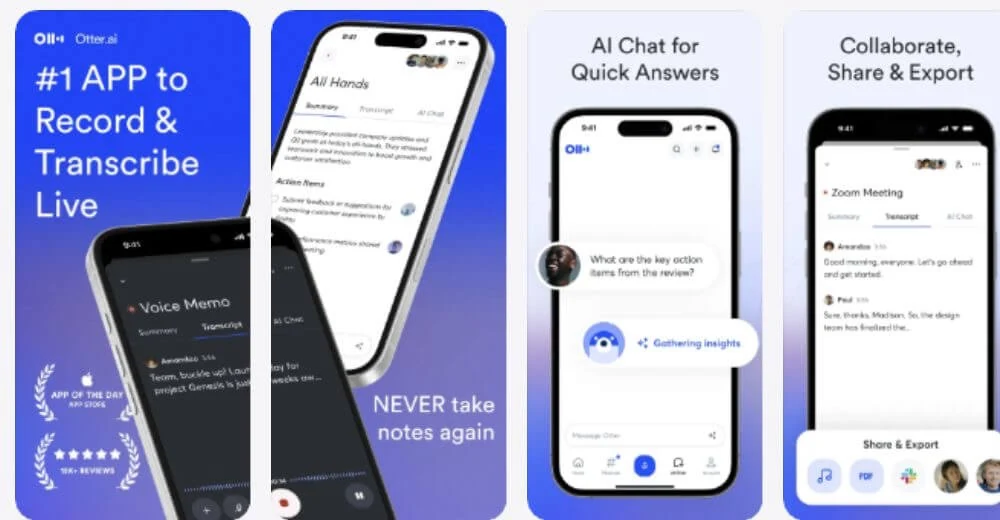
Best for: occasional meetings. Key features: meeting capture, editable transcripts and TXT export. Free limit: 300 minutes per month, 30 minutes per conversation and three lifetime file imports. Paid price: Pro starts at US$8.33 per user per month, billed annually. Choose it for connected meetings, not transcription while disconnected. [25] [26] [27] [28]
Free file transcription on the web: TurboScribe
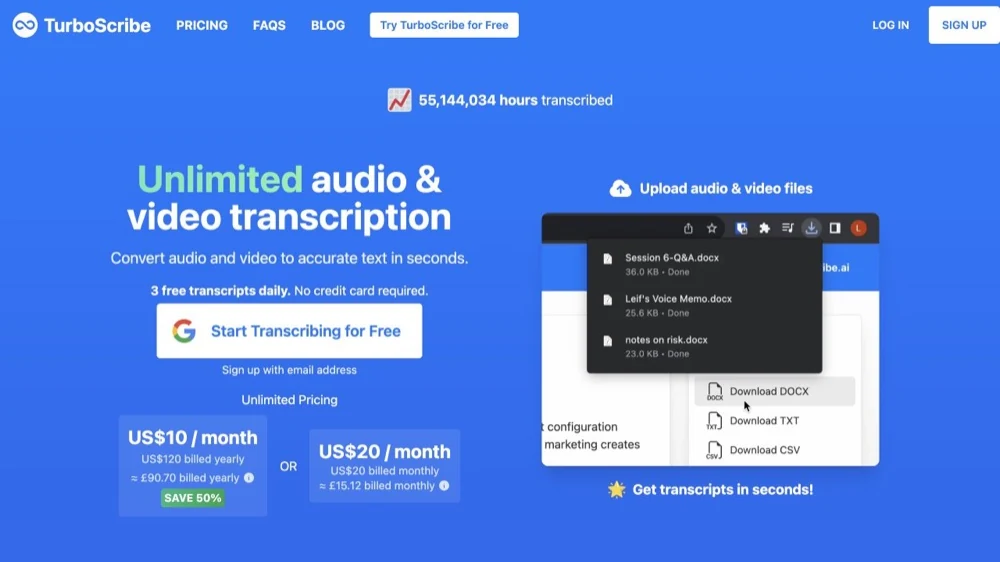
Best for: a few existing recordings each day. Key features: media uploads and document or subtitle exports. Free limit: three files per day, 30 minutes each, processed one at a time. Paid price: from US$10 per month, billed US$120 annually. Processing is cloud-based; a free account is required. [22] [23]
Free offline transcription on Windows: Buzz
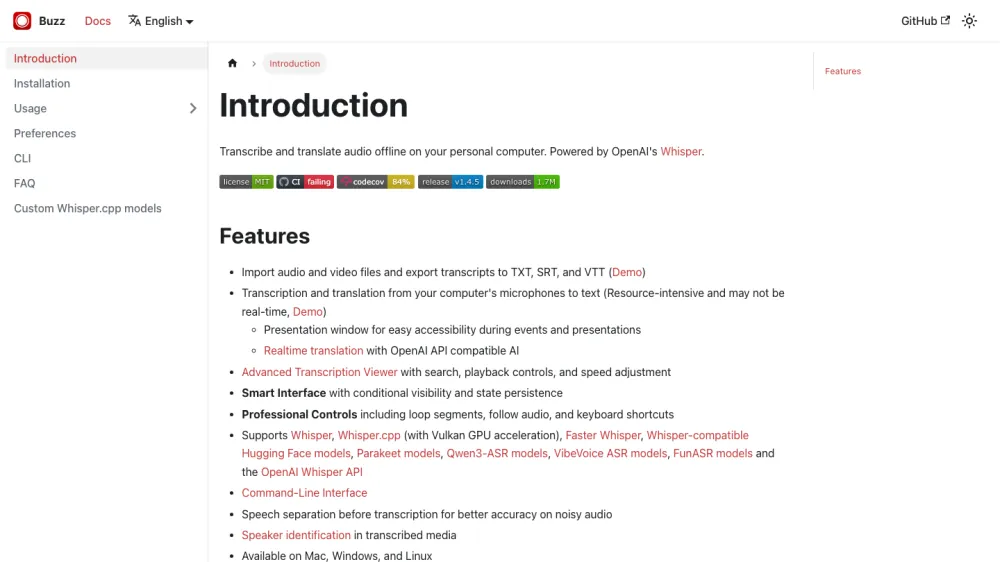
Best for: Windows users avoiding usage charges. Key features: local file and microphone transcription with TXT, SRT and VTT exports. Free limit: no vendor-metered minutes; performance depends on hardware and model. Paid price: no purchase required for the open-source app. Download its engine and model before going offline. [1] [2]
Free offline transcription on Mac: MacWhisper
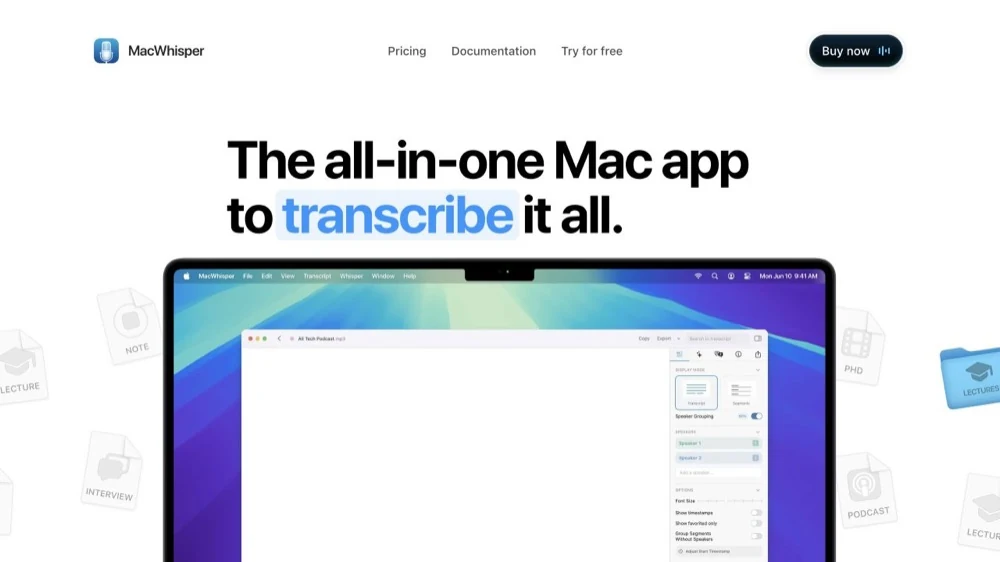
Best for: straightforward local Mac transcription. Key features: included local models and TXT, SRT and VTT exports. Free limit: no published minute quota for those models. Paid price: Pro is EUR64 once, adding features such as advanced exports and batching. Optional cloud providers are not the same local workflow. [5]
Free built-in phone transcripts: Voice Memos and Recorder
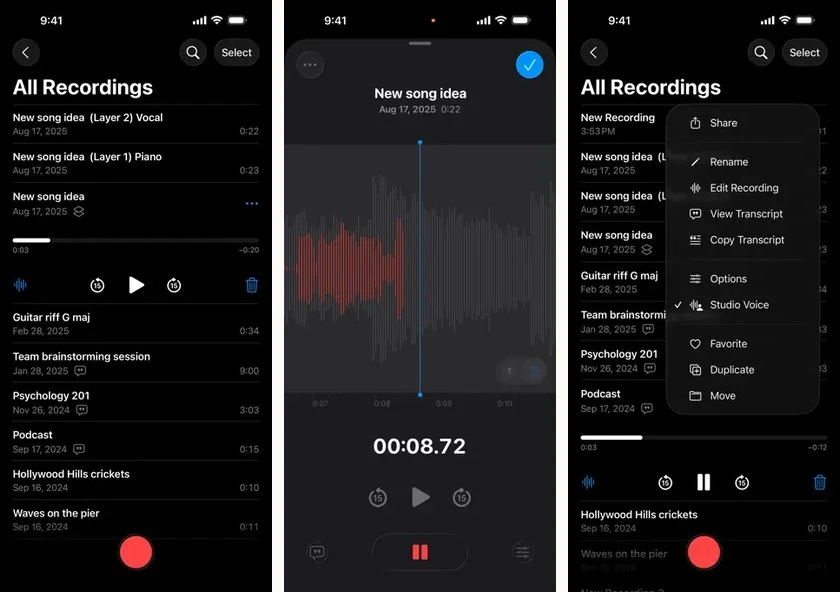
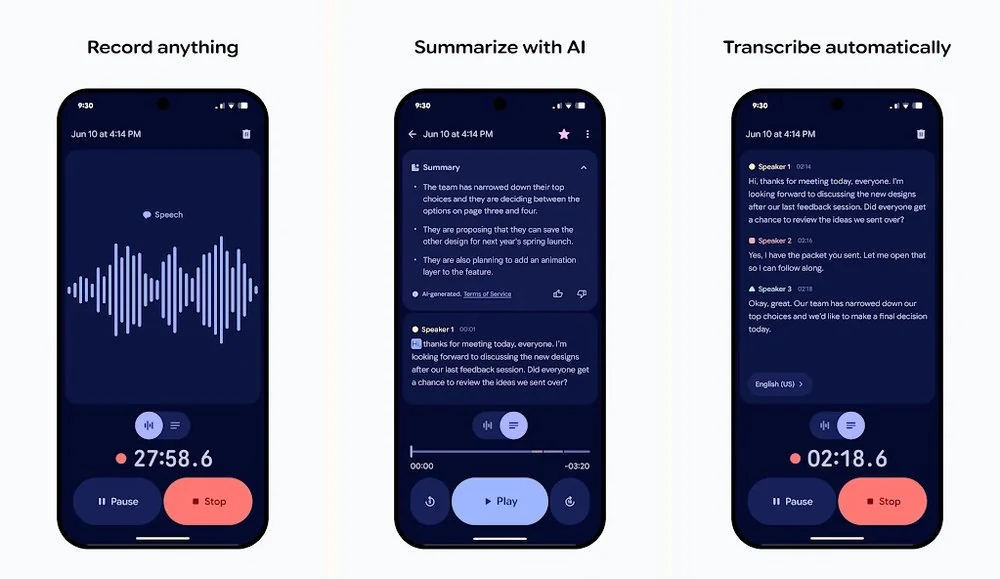
Best for: recordings made in your phone's built-in app. Key features: on-device transcription and copy or text sharing. Free limit: no published monthly quota; Pixel Recorder caps recordings at 18 hours. Paid price: no feature charge on eligible hardware. Voice Memos transcription needs iPhone 12 or later; Recorder requires a supported Pixel. [11] [12] [14] [15]
Free open-source transcription: Vibe
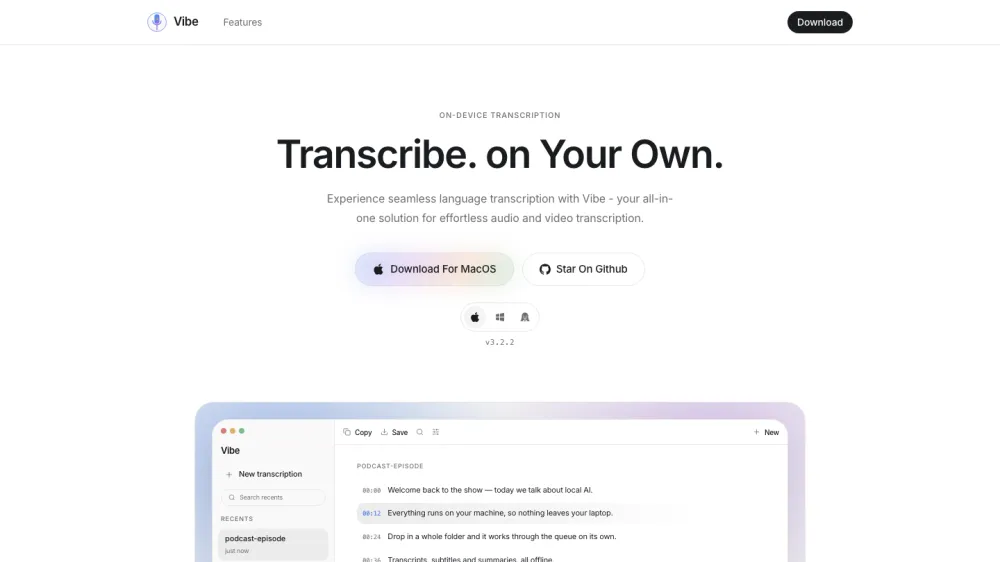
Best for: local files and batches across desktop platforms. Key features: Windows, Mac and Linux apps, multiple media inputs and document or subtitle exports. Free limit: no vendor-metered minutes; hardware and storage remain constraints. Paid price: none for local transcription. Download a model, and treat optional hosted AI summaries as a separate data path. [3]
Free multilingual file transcription: Riverside
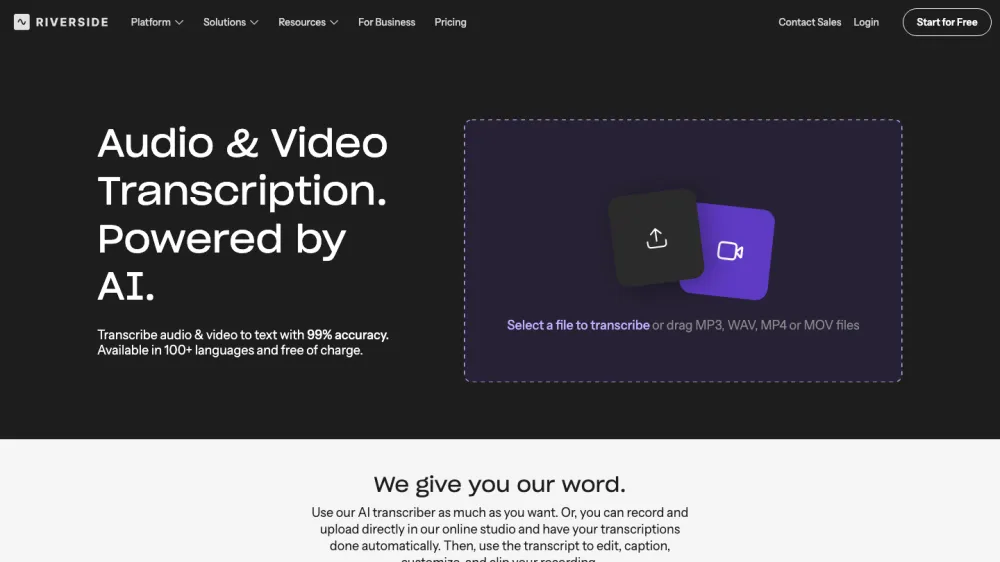
Best for: an occasional multilingual file without account creation. Key features: the public tool advertises over 100 languages and TXT or SRT downloads. Free limit: repeated uploads are advertised, but no numeric file-duration ceiling is established. Paid price: no purchase for this tool; Riverside's paid studio is separate. Mixed-track speaker separation is limited. [24]
Free-to-try private phone transcription: VoiceScriber AI
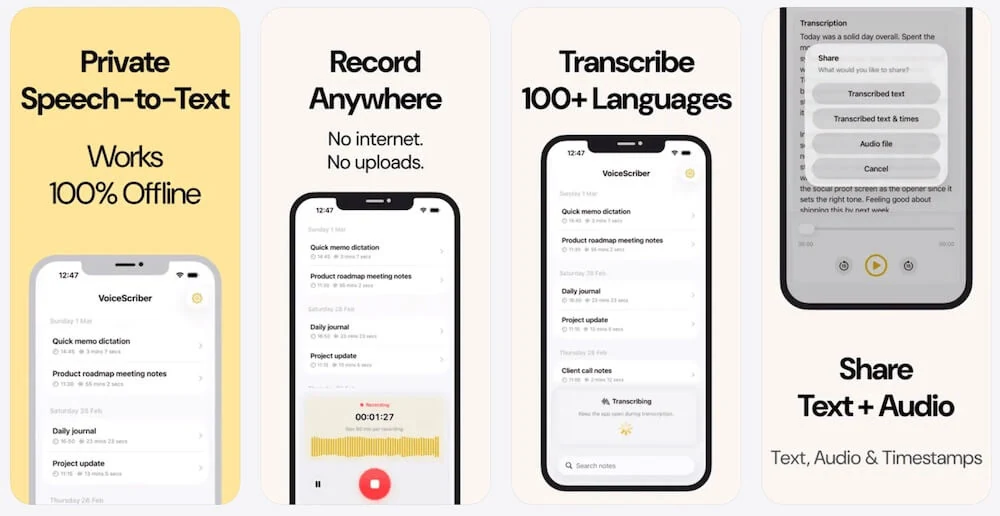
Best for: private recordings and imported M4A, MP3 or WAV files on an iPhone. Key features: local transcription, editing and searchable notes. Free limit: the current trial allowance is not publicly specified; 90 minutes is the recording cap, not a promised free allowance. Paid price: US$5.99 weekly or US$49.99 lifetime. [45] [46] [47]
Two other local options need context. Anarlog has a free local tier, but its Windows/Linux beta availability is not evidence that built-in local recognition works there: the developer identifies supported Apple silicon for that path. whisper.cpp is a free engine for technical users, not a polished app that installs itself. Use the existing Whisper setup guide rather than guessing which build and model you need. [7] [8] [4]
VoiceScriber is free to try, not the free desktop substitute. No account or credit card is required to start its trial. Its current listing supports iOS 17.6 or later and advertises on-device transcription in 100+ languages. Test a fresh import in Airplane Mode before relying on it. The exact free allowance, trial export gating and imported-file maximum need checking in the current app; none should be inferred from the recording cap. [45] [46] [47]
Its documented print/PDF output is useful for notes, but automatic speaker identification is not established by the checked product facts. Choose it when the goal is private, editable iPhone notes rather than a meeting bot, desktop batch processor or subtitle editor. [45] [46]
Free transcription software for Windows, Mac, iPhone and Android
Windows
Start with Buzz or Vibe for automatic local transcription of files. Choose oTranscribe when you want a free player-and-editor and will type the words yourself. Windows voice typing is different: it enters live speech into a text field and requires internet. It is not a free file-import service. [1] [3] [17] [20]
Mac
MacWhisper, Vibe and Buzz cover local recognition; check hardware before installing. Current Buzz Mac builds require Apple silicon, with version 1.4.5 the last Intel-compatible release. MacWhisper direct-download and App Store editions have different licensing, so buy or download the edition whose terms you actually checked. For a deeper platform comparison, see offline transcription apps by platform. [2] [5]
iPhone
Check Apple Voice Memos first for recordings already in that app. Its transcript feature requires iPhone 12 or later and supported software, languages and regions; it is not a documented general MP3-import tool. For imported files and a dedicated private notes workflow, VoiceScriber AI is free to try. Aiko is a paid current app with a 14-day TestFlight trial, not permanently free software. Compare the iPhone voice-to-text options for the full device-focused decision. [11] [45] [41] [42]
Android and Pixel
On a supported Pixel, Recorder is the built-in starting point; it is not available as the same native app on every Android phone. You can use it without a Google account, but languages vary by device. Its live recognition is local; "Transcribe again," some summaries and enabled backup can introduce cloud processing. Other Android users can consider web file services or Dictanote for live voice typing, checking browser and export support before recording. [14] [15] [16] [21] [22]
Dictation is not file transcription. Apple Dictation, Google Docs voice typing and Windows voice typing are useful for speaking new text. They do not import an existing interview as an audio file. Playing a recording into a microphone adds a second audio capture step and does not turn voice typing into a dependable file workflow. oTranscribe is different again: it helps a person transcribe manually. [18] [19] [20] [17]
How to avoid a paywall surprise
- Open the export menu before the real job. Confirm your free plan can save the required format, not merely display or copy part of a transcript. Check whether speaker labels and timestamps survive the export.
- Check every quota separately. Monthly minutes, daily file counts, lifetime imports, per-recording duration, file size, stored minutes and AI credits are not interchangeable. Do not turn a daily allowance into a guaranteed monthly entitlement.
- Read the trial and renewal terms. A trial that asks for payment details may renew. Record the cancellation deadline and where to cancel. Aiko's developer explicitly says its TestFlight trial does not charge automatically; that does not establish the policy for another app.
- Look for a preview rather than a complete result. Check the end of the transcript, duration covered, any watermark and the downloaded file. A "completed" badge can describe a job that your free plan only partially exposes.
- Try a non-sensitive 30-minute recording. Put distinctive phrases near the start, middle and end. Save the source duration, plan name, allowance before/after and the export. If the free plan advertises less than 30 minutes, expect the documented limit; do not label that a malfunction.
The limit distinctions above are visible in the Otter, Notta, TurboScribe and Aiko documentation; they are not hypothetical plan rules. [26] [33] [22] [41]
What a 30-minute file reveals before you upload
Based on each offer's published limits, this is what to expect from a 30-minute file. Your remaining allowance, encoding, file size and the offer shown in your account still matter.
| Offer | Documented expectation | What to verify |
|---|---|---|
| TurboScribe Free | Within the stated 30-minute file cap, provided a daily slot remains. | Check encoded duration and complete free export. |
| Otter Basic | At the conversation cap; a remaining lifetime import and monthly minutes are also needed. | A new month does not restore three used-up imports. |
| Notta Free | Not a complete free 30-minute transcript: three-minute conversation access and paid downloads. | 120 monthly minutes do not remove either restriction. |
| HappyScribe file trial | The one-off file budget is 10 minutes, not 45. | The 45-minute free meeting offer is a different workflow. |
| Buzz / Vibe local | No vendor minute quota; your setup and hardware must handle the file. | Check completion and exported text, not only the progress bar. |
| VoiceScriber trial | The 90-minute recording cap does not establish trial or import eligibility. | Use a short first test; verify the offer before a longer import. |
Sources: [22] [26] [32] [33] [39] [1] [3] [45]
For a local test, download the app and model first, save the recording locally, then disconnect before processing a file the app has never seen. Turn Wi-Fi off explicitly: Airplane Mode can still allow Wi-Fi. Export locally and reopen the result while disconnected. A pass demonstrates that tested workflow, not every summary, backup or later synchronization feature. See the offline verification guide and free no-upload file guide for more detail. [54]
Free vs paid: when is paying worth it?
| Need | Stay free when... | Consider paying when... |
|---|---|---|
| Volume | A daily web allowance or unmetered local engine covers the workload. | You need bigger files, faster queues or reliable team capacity. |
| Accuracy and review | You can listen back and correct the transcript yourself. | Vocabulary tools, better workflow or human review save enough correction time. A subscription alone does not guarantee accuracy. |
| Privacy and control | A free local engine meets your device and policy requirements. | Convenient local mobile capture or organization controls solve a real need. Paying does not automatically mean local processing. |
| Exports and collaboration | Plain text or subtitles are enough. | Your work needs paid export formats, shared workspaces, meeting integrations or managed retention. |
Compare the time to a corrected, usable transcript, including upload, waiting, cleanup and export. A no-cost local tool may beat a subscription for an archive; a paid mobile workflow may be worthwhile when it removes repeated transfer steps. Our broader transcription-app guide covers paid and free choices by job, and the Otter alternatives comparison covers meeting replacements.
Free does not decide confidentiality. A cloud tool can charge nothing and still upload your audio. A local tool avoids a transcription-server upload but still needs appropriate device security, backup choices and permission to record. Read the developer-provided App Store privacy details alongside the vendor's retention and sharing terms. [55]
Frequently asked questions
What is the best free transcription software?
It depends on the job. TurboScribe gives existing files a clear free allowance of three files daily, up to 30 minutes each, and Buzz and Vibe are strong free local desktop choices. For private recordings and imports on iPhone, we recommend VoiceScriber, which is free to try rather than permanently free. Choose by the complete transcript and export you can get without paying.
Is there completely free transcription software with no limits?
Buzz, Vibe and whisper.cpp do not meter local transcription by paid minutes. That does not mean literally no limits: storage, memory, model support and processing time still matter. A free web service with a daily allowance is a different offer from an unmetered local engine.
What is the best free transcription software for Windows?
Buzz is a practical starting point for local file and microphone transcription, with TXT, SRT and VTT export. Vibe is another local option. Windows voice typing is free to use as a built-in feature, but it requires internet and is not a tool for importing existing recordings.
What is the best free transcription app for Android?
Google Recorder is a useful built-in choice on supported Pixel devices, not all Android phones. Its live transcription is on-device, with TXT sharing, while some re-transcription and summary features may use the cloud. On other Android devices, assess a web file service or browser dictation tool for the specific job.
Which free transcription software works offline?
Buzz, Vibe and whisper.cpp support local processing after setup. MacWhisper includes free local models. Compatible Apple and Pixel features can recognize speech on-device. Download required models first and test a fresh file with every network connection disabled; cloud summaries, sharing and backups remain separate questions.
Does Otter have a free plan, and what are its limits?
Yes. Otter Basic includes 300 transcription minutes per month, up to 30 minutes per conversation and three lifetime audio/video imports. The import count does not reset monthly. TXT export is available on Basic; other export formats and features can require payment. Offline recording is not offline transcription.
Can I transcribe a long audio file for free?
Often, with an appropriate local tool and enough hardware resources. Buzz, Vibe and free local MacWhisper models have no published per-minute billing quota. TurboScribe Free caps each file at 30 minutes. Do not assume a trial or an unlimited meeting count permits a complete long-file transcript and export.
Is free transcription safe for confidential recordings?
Price alone does not establish privacy. Check processing location, retention, sharing and your permission to record. Local recognition can avoid a transcription-server upload, but backups and destination apps may still transfer data. Test with a non-sensitive recording first.
Further reading
- Transcription apps for different jobs, including paid options
- Offline transcription apps by platform
- Voice-to-text choices on iPhone
- Convert existing files without a transcription-server upload
- Set up local Whisper on Windows, Mac or Linux
- Otter alternatives for meetings and private notes
Sources
The numbered references link to first-party pages checked on October 17, 2026. Pricing, allowances and documentation can change by region, tax and checkout; confirm the current plan before paying.
- Buzz: introduction
- Buzz: installation
- Vibe: official repository
- whisper.cpp: official README
- MacWhisper: product and pricing
- Anarlog: current pricing
- Anarlog: downloads and platform restrictions
- Anarlog: offline preparation
- Anarlog: notes and exports
- Anarlog: account requirements
- Apple: Voice Memos transcription
- Apple: on-device speech technology
- Google: Recorder creation and privacy
- Google: Recorder exports and sharing
- Google: Recorder transcript management
- oTranscribe: official help
- Apple: Dictation
- Google Docs: voice typing
- Microsoft: Windows voice typing
- Dictanote: free-plan limits and browsers
- TurboScribe: free and paid limits
- TurboScribe: formats and exports
- Riverside: standalone free transcription tool
- Otter: plans and pricing
- Otter: Basic plan limits
- Otter: export conversations
- Otter: recording and upload behavior
- Rev: current subscription plans
- Rev: output formats
- Rev: pricing
- Notta: free-plan comparison
- Notta: transcript downloads
- Notta: Desktop Privacy Mode
- Fireflies: pricing
- Fireflies: conditional unlimited transcripts
- Fireflies: free-plan features
- Fireflies: free-plan details and downloads
- HappyScribe: pricing and free boundaries
- HappyScribe: languages
- Aiko: developer FAQ
- Aiko: US App Store
- Transkriptor: current plans
- Transkriptor: official trial description
- VoiceScriber: canonical product facts
- VoiceScriber: US App Store and history
- VoiceScriber: weekly and lifetime pricing
- Microsoft: Word Transcribe entitlement
- Apple: Airplane Mode
- Apple: App Privacy Details