

To record a phone call on iPhone, tap More > Call Recording during a supported one-to-one call in the Phone app. Your iPhone saves the audio to Notes and adds a transcript when your device, region, and language support it. If you only get audio, import it into VoiceScriber to transcribe it offline in one of 100+ languages.
Quick answer
On iOS 18.1 or later, start or answer a one-to-one call, ask for permission to record, then tap More > Call Recording. Both people hear a recording notice. Tap Stop or hang up. Open the recording in Notes under Call Recordings. If there's no transcript, save or share the audio from Notes and import it into VoiceScriber for offline transcription on your iPhone.
What you need before you record
- You need iOS 18.1 or later, including iOS 26 and iOS 27. iOS 27 supports iPhone 11 and later, plus iPhone SE (2nd and 3rd generations). Apple also shipped iOS 18.1 for iPhone XS, XS Max, and XR. On iOS 17, you'll need to update.
- Check your region and language. Apple lists 32 entries for Call Recording in iOS 27, including English, French, German, and Spanish. Call Transcription has a separate list.
- Open Settings > Apps > Phone > Audio Call Recording. It's on by default where available. An earlier Apple guide calls the setting Call Recording. You still start each recording from the call screen.
- Use a one-to-one call in Phone or a one-to-one FaceTime audio call.
Apple lists call recording as unavailable in Azerbaijan, Bahrain, Egypt, the European Union, Iran, Iraq, Jordan, Kuwait, Morocco, Nigeria, Oman, Pakistan, Qatar, Russia, Saudi Arabia, South Africa, Turkey, United Arab Emirates, and Yemen.
How to record a phone call on iPhone
- Start an outgoing call in Phone, or answer an incoming call and open the in-call controls.
- Ask the other person to agree to the recording. Then tap More, the three-dot button, followed by Call Recording. On a one-to-one FaceTime audio call, use More > Call Recording in FaceTime.
- Both people hear an audio notice when recording starts. Apple says the notice repeats periodically during the call.
- Tap Stop to end the recording and keep talking, or hang up to stop and end the call. When you tap the recording stop control, a message announces that the recording has ended. In Phone, tap View Saved Call to open the recording in Notes.
Where call recordings are saved on iPhone
Open Notes, go to Call Recordings, and open the note for the call. Tap the play button to listen, or tap the recording to open it. The recording is saved in the Notes app of the person who started recording.
Read, search, or delete the transcript
In a supported language and region, Notes transcribes the recorded speech automatically. It can take a little while. Apple lists iPhone 12 or later for Notes audio transcription, and its call guide says a missing transcript can mean your iPhone falls short of the requirements or didn't detect a supported language. You can still listen to the saved audio if there's no text.
Notes identifies the speakers. Tap a line in the transcript to hear that part of the call. Open More for Find in Transcript, Copy Transcript, or Add Transcript to Note. To remove the audio, choose Delete in the recording's menu. That also removes the attached transcript, so copy any text you want to keep first.
Apple's call transcription languages
Apple lists these entries for Call Transcription in iOS 27.
| Language | Apple’s entries |
|---|---|
| Cantonese | Cantonese (Hong Kong) |
| English | English (Australia), English (Canada), English (India), English (New Zealand), English (Singapore), English (United Kingdom), English (United States) |
| Japanese | Japanese (Japan) |
| Korean | Korean (South Korea) |
| Mandarin Chinese | Mandarin Chinese (China mainland), Mandarin Chinese (Taiwan) |
| Portuguese | Portuguese (Brazil) |
| Spanish | Spanish (Mexico), Spanish (United States) |
French and German, for example, are on Apple's recording list. Neither is on its call transcription list. If you have the audio and need text in either language, you can export the recording and transcribe it separately.
Get an Apple Intelligence summary
Look for Summary in the recording in Notes. Call summaries require Apple Intelligence to be on and have their own language availability. Compatible iPhones include iPhone 15 Pro and Pro Max, iPhone 16 models and later, iPhone Air, and iPhone Duo. A regular iPhone 15 can get the transcript in supported languages and regions without Apple Intelligence.
How to transcribe a call recording in your language with VoiceScriber
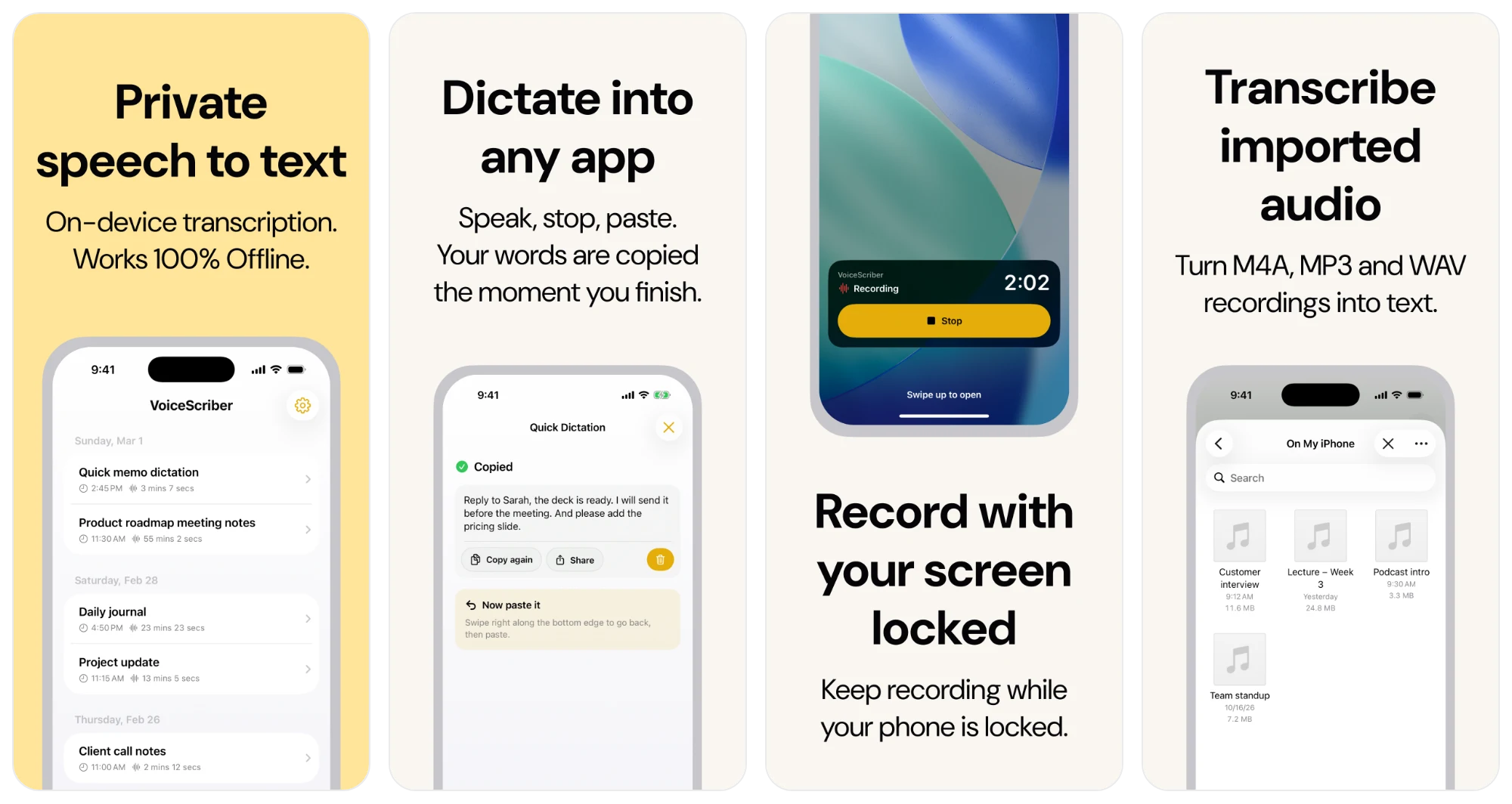
VoiceScriber does not record phone calls. It imports audio on iOS 18.0 or later. After setup, microphone recording and transcription run 100% offline, even in Airplane Mode, with no account or audio upload.
- In Notes, open Call Recordings, choose the call's note, and tap the audio recording. On versions that show a Show Transcript and Summary control, use it to reach the recording view.
- Tap More, then Save Audio Files and choose where to save it. Apple's FaceTime guide calls this option Save Audio to Files. To keep the exported copy in local storage, pick On My iPhone. You can also tap Share Audio to open the share sheet.
- Open VoiceScriber to import the file. If you know the spoken language, select it in the app's Settings before importing. You can also leave automatic detection on; the offline multilingual transcription guide explains both options.
- Tap the Import button next to the microphone and choose the recording in Files. If VoiceScriber appears in the audio share sheet, you can select it there instead. The app transcribes the file on your iPhone, the same way it handles Voice Memos imports. iDownloadBlog reports an M4A file from Notes; Apple leaves the format unspecified.
- Open the transcript to edit names and terms, search for a phrase, or copy and share the text. You can also share the source audio or print or save the note as a PDF. Listen back to any sentence you plan to quote.
VoiceScriber accepts M4A, MP3, and WAV files up to 90 minutes each. For a longer call, split the audio into files of 90 minutes or less before importing.
Apple's call transcript vs. VoiceScriber
| Feature | VoiceScriber | Apple's call transcript in Notes |
|---|---|---|
| Spoken language coverage | 100+ languages, with manual selection or automatic detection | 15 listed language and locale entries on iOS 27 |
| Where transcription happens | On your iPhone | Transcript appears in Notes. Apple doesn't specify the processing location for call transcription. |
| Internet for transcription | Works offline after setup | Apple doesn't publish an offline requirement or guarantee for this feature. |
| Existing recordings | Imports M4A, MP3, and WAV, up to 90 minutes per file | Opens existing Apple call recordings in Notes. Apple doesn't document general file imports for call transcription. |
| Speaker labels | No | Yes |
| Export options | Copy or share text, share audio, print or save as PDF | Copy text or add it to the note, save or share audio |
| US cost | Free to download and try. Weekly $5.99 or Lifetime $49.99 one-time. | Included with iOS on supported devices |
The US App Store lists VoiceScriber's privacy label as “Data Not Collected.”
No Call Recording button? Try these fixes
- Check your current iOS version in Settings > General > About. You need iOS 18.1 or later.
- Check whether Apple offers Call Recording in your region and language. A software update alone won't add it in an excluded region.
- Check Settings > Apps > Phone > Audio Call Recording, or Call Recording if that's the label you see. Then look under More during the call.
- Check the call type. Use a one-to-one phone call or FaceTime audio call.
Already have audio in Notes? Give the transcript time to appear. If it doesn't, check language and device support or export the audio.
Other ways to record a call
Speakerphone and a second device
Once everyone agrees, put the call on the iPhone's speaker and record the sound with a second phone or a separate recorder. Keep the devices close together in a quiet room to cut down on background noise and echo.
VoiceScriber can record the sound on a second iPhone, including with its screen locked, and transcribe it after you tap Stop. If an incoming phone call interrupts a VoiceScriber recording, the app pauses and can resume after the call without losing the earlier audio. For a conversation happening in the same room, a single iPhone running a microphone recorder is enough. See our guide to recording in-person conversations and lectures.
Three-way call recorder apps
Some iPhone call recorder apps add the provider's recording line as a third party to a regular phone call. TapeACall Pro, for example, uses Merge and requires a carrier that supports three-way calling. Subscription charges are common with this approach. The provider may process and store recordings on its servers, as TapeACall says it does. Check those terms before using it for a sensitive conversation.
WhatsApp and other internet calls
Apple doesn't document recording support for WhatsApp or other third-party internet calls, even when an app uses the iPhone's call screen. WhatsApp's calling documentation doesn't list a built-in call recorder. If everyone agrees to a recording, you can use the second-device method above with the call on speaker.
Is it legal to record a phone call?
In the US, federal law generally lets you record a call you're part of, or record with one participant's prior consent, unless the purpose is to commit a crime or civil wrong. All-party consent means everyone on the call must agree. State laws can be stricter than federal law.
California, Florida, Illinois, Maryland, Nevada, New Hampshire, Pennsylvania, and Washington generally require all-party consent for private calls. Massachusetts bars secret recording. Connecticut has separate civil rules for private calls, including specific notice alternatives. Montana generally requires everyone to know about the recording. Check each person's state rules on interstate calls.
Outside the US, check local law. Ask the other person to agree before you start, even though Apple plays an automatic notice. For interview workflows, see offline transcription for journalists; for client calls, see secure offline transcription for lawyers.
Bottom line
Use Call Recording in Phone for an eligible one-to-one call after the other person agrees. Open the saved audio in Notes and use Apple's transcript if it appears. If you need a different language or only have audio, export the file and use VoiceScriber to turn it into editable, searchable text offline.
FAQs
Can I record a call on my iPhone without the other person knowing?
No. Apple's built-in Call Recording plays an announcement to both people, and you can't turn it off while using the feature. Recording without consent can be illegal. VoiceScriber can transcribe a saved audio file after a call you had permission to record.
Does iPhone call recording transcribe automatically?
Yes, on supported devices and in supported regions and languages. Open the recording in Notes and allow time for the transcript to appear. Apple Intelligence is needed for the summary.
Where are recorded calls stored on iPhone?
Open Notes, go to Call Recordings, and choose the note for the call. The saved audio goes into the Notes app of the person who started the recording.
How do I get a transcript of a phone call on iPhone in my language?
Check Apple's call transcription language list. If your language is missing or Notes only gives you audio, export the recording and import it into VoiceScriber. It supports 100+ languages and lets you choose the language or use automatic detection.
Why don't I have the Call Recording option?
Check that you're on iOS 18.1 or later, that your region and language support recording, and that Audio Call Recording is enabled in Settings > Apps > Phone. Look under More during a one-to-one phone or FaceTime audio call.
Can I record WhatsApp calls on iPhone?
Apple doesn't document WhatsApp support for its built-in recorder, and WhatsApp's calling documentation doesn't list a recorder. With everyone's consent, you can put the call on speaker and capture the audio with a second device.
Is it legal to record a phone call?
It depends on where the people on the call are located. US federal law generally allows one-party consent, and some states require everyone's consent for private calls. Ask everyone to agree before you start, and check local law for international calls.
How long can a call recording be?
Apple doesn't publish a maximum in its iPhone call recording guide. VoiceScriber accepts up to 90 minutes per imported file. Split longer audio into shorter files before importing.
Sources
All sources checked on November 26, 2026.
- Apple. Call recording support article, iOS 18 update notes, iOS 18.1 device coverage, Current security releases, iOS 27 device compatibility, iOS 27 Phone guide, iOS 27 Phone export and Notes controls, Earlier Phone guide, Personal Safety guide, iOS 27 feature availability, FaceTime audio recording guide, Notes audio transcription, Apple Intelligence requirements, Incoming call controls, Speaker controls, Files location example.
- VoiceScriber. US App Store listing, Product facts and release history, Import walkthrough and screenshot strip, Language selection guide.
- WhatsApp and TapeACall. WhatsApp calling, TapeACall Pro US App Store listing, TapeACall processing and storage.
- US law. 18 U.S.C. § 2511, Reporters Committee recording law overview, Reporters Committee state guide, Justia state survey, Connecticut statute, Montana statute.
- Supplementary walkthrough. iDownloadBlog on incoming calls and M4A export.